


Introduction
T
hey say there are no victors in war—a foolish statement, I say, spoken by those who have seen losses. As a student of all arts, my knowledge of tactics and blade remains both unmatched, undefeated, and thus, victorious. No weapon speaks my preference, which shall always lay in
the erudite ways of magic, but one cannot call themselves a master of all lest they have trained both strength and weakness. Within warriors, there is much of the latter and this fact has greatly hindered my studies. Of accidental injuries accrued through the missed shot of young adventurers that mistook one as a deer, I have many. Many a quarry I have ceaselessly tracked, only to see them slain by "blade masters" who did not know friend from foe.
As such, it is my pleasure to introduce you to my collected notes on both Arms & Armor, to instruct the young travelers on what not to do to ensure they do not gain the ire of dragon or dryad alike (or worse, of an incredible scholar such as myself). Within, you will be able to find the following notes:
Index
Credits
Designer: Satora Usarann-Nadan'Silsarsan
Artists: All art included in this fan content is owned by Wizards. All art used in this fan content and its artists can be found under the Sources & Sanctions section of this document.
Satora's Arms and Armor is unofficial Fan Content permitted under the Fan Content Policy. Not approved/endorsed by Wizards. Portions of the materials used are property of Wizards of the Coast. ©Wizards of the Coast LLC.
Compatible Sources
All rules within this document are compatible with other works in the Satora's series, such as:
Banners & Bastions, Collectors & Crystals, Faith & Followers, Glyphs & Gears, Hearth & Husbandry, Iron & Iridium, Leaves & Lumber, Origins & Outcasts, Professions & Proficiencies, Maladies & Monsters, Sage & Sulphur, Traders & Travelers, Umbra & Undeath, Voyages & Veils, Satora's Wild & Wicker, and Satora's Guide to Azarriah.
RULES
& Additions

Passage of Combat
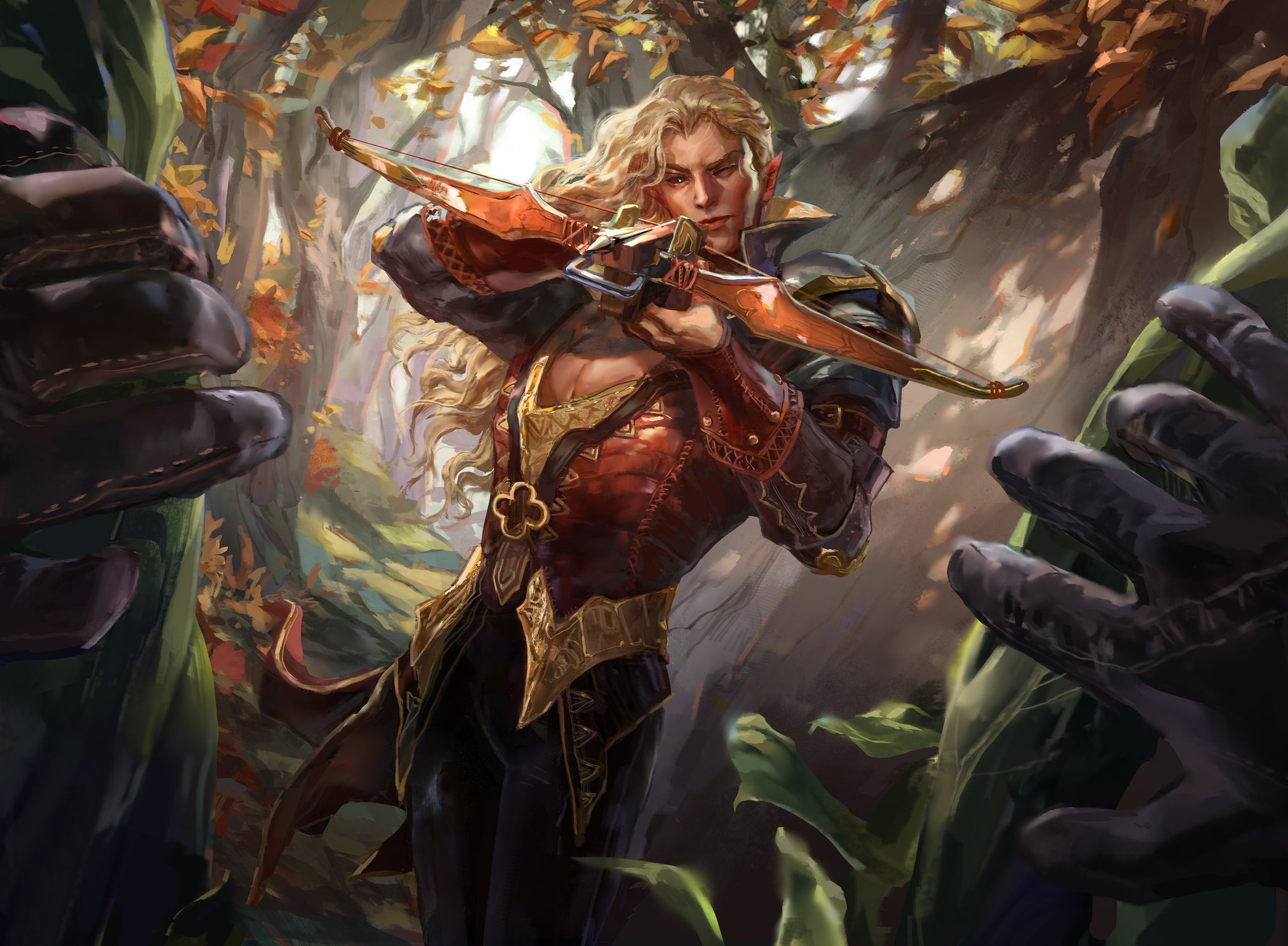
O nce a malevolent intention has taken venture, combat starts. Upon the beat of the first strike, a rhythm drums forth. Blade casts against blade, shields deflect killing blows, spells summon forth vibrant flames, parrying flurries dance throughout strategic footwork, and the while, the chaos of battle keeps pace between the victor and the dead they've slain until no one can separate the metal tinge of steel from the fresh scent of spilled blood.
So, how does one go about setting up an encounter and running combat? This chapter provides additional rules for running battles, organizing the chaos of fights, and crafting a cohesive narrative within the fast-paced nature of war.
This chapter contains notes on the following topics:
- Time Spans. How does one organize combat in simple, turn-based cycles? Furthermore, when running alter-native forms of combat, how can we best go about the trifle of giving all players equal opportunity to act?
- Game Preperation. How do we go about starting combat, and at what point is it necessary to whip out a map and figurines? When you lack resources or prefer a diff-erent playstyle, what options are available for combat?
- Initiative. Combat has been initiated. What now? In what order do players act? How do we determine who goes first? And what to do when two creatures of equal agility match each other's speed in battle? In this seg-ment, we take a look at how to figure out the playing order of battle, how to keep the game engaging during combat, and what other rules are available for those seeking a different initiative altogether.
To ensure a strong mutual vision of what combat entails, let's take a look at a GM and their players setting up one of many possible combat encounters:
GM: Upon the high ridge of the cliff, you all set up camp, waiting for your quarry to appear below.
Player 1: My character would like to equip her crossbow, hiding until we catch sight of the monster. When the drake least expects it, I pull the trigger.
Player 2: Can my character pull out his net? I'd like to throw it down alongside the arrow to trap the drake!
GM: Very well. Due to your advantageous location, the drake will likely not spot you. You Surprise the creature successfully! Where are each of you standing?
The players each describe the location their character is occupying and put their miniatures on the map the GM has previously prepared for the encounter.
GM: Player 2, you said your character was standing in a place you could throw down the net? Is it alright if I move him over here?
Player 2: I had him pictured at the edge of the cliff, prefer-ably behind some cover, if that's there, that would be great!
GM: Sounds good, in that case, everyone may roll Initiative!

Time Spans
Measuring the passage of time during gameplay is a crucial aspect of the GM's duties. While, in many cases, a GM may choose to handwave the time a venture takes within the game, it is useful to have rules on hand to measure time in an easy and intuitive manner.
One such way is using Time Spans. This rule categor-izes lengths of time measurement a GM may use while adventuring, allowing a GM to easily decrease or increase the pace of in-game events. For more information on Time Spans, see Satora's Wild & Wicker.
There are several categories of Time Spans in which measuring time is commonly done. Due to the speed at which combat commences, we shall only be taking a look at one of these categories: Turn-Based Time.
Turn-Based Time
The GM may announce the use of Turn-Based Time whenever an event would occur that require character's to act fast or trust their reflexes. Turn-Based Time is always used during combat but can also be used in tense situations in which the characters need to move quickly.
Examples of these situations include moments in which the players must overcome traps or other environmental threats, defeat dangerous skill challenges, or during exploration in moving locations (such as sneaking past patrolling guards in a lord's manor, parkouring over moving platforms, or escaping a collapsing tunnel).
Be wary to only use Turn-Based Time in moments it may matter. If there is no way of losing or winning an event, or if there are no stakes to quick thinking, describe the scene instead, and handwave the time spent.
Rounds & Turns
Typically, Turn-Based Time events are organized into simple cycles called Rounds. One Round contains the Turns of all Creatures that participate in the event.
During combat, this counts all Allies and Enemies. Other types of events may count the Turns of Creatures, environments, traps, or a combination of these, instead.
-
Turns. Each Creature has a Turn, in which it may choose a course of action it would like to perform. The chosen venture is resolved during its Turn. After the ventures the creature would like to perform are finished, the Creature's Turn ends, and the game continues to the next Creature's Turn in the Turn Order.
The Turn Order is predetermined (see the Initiative segment later within this section). - Rounds. Once every Creature in the Turn Order has taken their Turn, the Round ends. Should the event that caused Turn-Based Time to be used not be resolved, the next Round starts.

Ending Turn-Based Time
When the event that caused Turn-Based Time to be used is resolved, the GM may opt to use another category of Time Span appropriate to the location or ventures performed by the players, instead (see Satora's Wild & Wicker).
Combat ends once the active conflict is resolved, often through one side defeating the other or after one side successfully retreats.
Defeating one's opponent comes in many ways and does not always have to be violent. One side of the conflict is considered "defeated" once they stop fighting or the need for hostility is resolved altogether. Below are a few examples of how combat may be ended:
- Convince. Sometimes hostility is misplaced, or a creature may want to convince the other side it was, at least. Through the use of clever words, aggressive situations may be defeated simply by convincing the other side to stop fighting, making them realize they are unable to win this battle, or by showing yourself not to be a danger in need of fighting to begin with.
-
Escape. In certain cases, winning is simply impossible or not even the objective of combat. Most creatures seek to safeguard themselves against danger and, when overwhelmed, will attempt to flee.
Additionally, the environment may stack against adventurers during combat. In these moments, the objective may shift from defeating the other side of the conflict to escaping certain death by the hands of a collapsing cave, frigid avalanche, or huge drop. - Intimidate. Not all enemies are certain of their case, and when outnumbered, fear starts to strike into their hearts. While certain opponents may seek to remove remaining resolve altogether. When all enemies are fleeing, cowering, or have otherwise surrendered, conflicts are often considered resolved.
-
Kill. While coming out the other side victorious without the use of violence is a heroic effort, it is not always
a possibility to stop the opponent's hostility. During these moments, the use of weapons and shields may
be required. Defeating an enemy by slaying them is another way to end battles and the most common
way encountered during combat. -
Neutralise. Should one side of the conflict be unable to fight, combat immediately ends. Knocking out your opponents, beguiling them with a sleeping enchant-ment, or removing a creature's ability to fight
altogether for longer stretches of time, will make
your enemy unlikely to attack again.
Furthermore, combat may start through misconception or enchantment. Helping your opponent defeat the mage that has charmed them into attacking you, destroying the illusion that brought them fear
and caused them to lash out, or by otherwise
removing the grounds for hostility, will often be able
to resolve the conflict that started Turn-Based Time.
The above options are all examples, and any combina-
tion of them can be used to resolve a Turn-Based event.
Should the Turn-Based event not be a combat encounter, it is often ended by simply neutralizing the threat, resolving the event, or by failing or succeeding one's challenge.
To keep it concise, and due to the large number of possible ways a non-combat encounter can be resolved, here is a short list of examples:
- A deadly trap is disarmed.
- The rogue successfully sneaks past the guards within their mark's manor (or is caught by them).
- The adventurers save themselves from a falling to their doom over the cliff's edge by anchoring themselves to rocks while being battered by strong gusts of wind.
- The monk manages to jump over the moving platforms to pull the lever that activated them.
- By holding their breath and controlling their fear, the group is capable of hiding from the horrific creatures stalking the dark caves.
Turn-Based Time Spans
The category of Turn-Based Time is made up of seven different Time Spans. These increments of time make up most activities and ventures undertaken during Turn-Based Time. Most Abilities, Features, and Traits used during this Time Category make use of one of the following Time Spans to activate their Effects.
Time Spans can be used as a reference to keep
track of time or as a handy guide for GM's
crafting Creatures, Objects, and
scenarios.

Rarely, a GM may choose to decrease or increase the time required for an activity or venture by 1 or more Time Spans, based on the circumstances and situation.
It is recommended that GMs do not change the time required to activate an Ability, Feature, or Trait with an activation time listed in its description. Furthermore, it is not recommended to decrease the time required to Cast a Spell, Perform an Exploit, or activate a Talent.
Changing the number of Time Spans an event takes, it is referred to as: "the time required to {insert event here} is (decreased/increased) by {number} Time Span(s)."
Turn-Based Time Spans are also known as Turn Acts.
All Turn Acts have been listed below in ascending order of speed:
Turn-Based Time Spans
| Time Span | Turn Acts |
|---|---|
| 1 | Instantaneously |
| 2 | Interaction |
| 3 | Bonus Action |
| 4 | Reaction |
| 5 | Action |
| 6 | 1 Turn |
| 7 | 1 Round |
Another method of changing the amount of time an event takes is by making it last multiple Time Spans (e.g. it takes 2 Interactions, 3 Actions, or 5 rounds). When an Effect notes it lasts for "an additional Time Span," the number of Time Spans an Effect lasts is increased by 1 (e.g. when something lasts for 1 Round, it now lasts for 2 Rounds, instead).
Each Turn Act is a different expression of speed. The following list explains each Turn Act in more detail. More infor-mation about Interactions, Bonus Actions, Reactions, and Actions can be found later in this document, within the Acting in Combat chapter.
-
Instantaneously. Instantaneous Effect happen immediately, without requiring the Acting or Reacting of a Creature. Effects that happen Instantaneously include the exploding of a bomb, the consequence of an action or spell, the moment oil catches fire, the shot of an arrow, the diffusing of smoke, or the speed of teleportation.
An Instantaneous Effect takes place the mo-ment it is activated and cannot be counterspelled, reacted against, or stopped during its activation. - Interactions. Effects that require an Interaction to be undertaken are simple in nature, such as the opening of a door, the picking up of an item, or the speaking of words. They require little to no effort and often have no stakes attached to them.
- Bonus Action. Quicker than an Action but slower than an Interaction, Bonus Actions are undertaken by Creatures to perform tasks that require a small amount of effort, focus, or work. Planting a small object firmly in the ground may require a Bonus Action, as does activating a simple Effect, Feature, or Trait.
-
Reaction. Responding to an event requires the fast-paced work of a Reaction. Reactions can only be taken upon Sensing an event mentioned to trigger a Reaction. Due to the mental and physical strain it takes to remain highly vigilant in the chaos of combat, reactions are a limited resource. Certain Effects, Features, or Traits can be activated using your Reactions.
The triggering event can be specific (such as the moment a particular Creature within a specific range touches a chosen Object), the acting of another Creature (e.g. when a chosen Creature takes a Bonus Action), or focused on timing (e.g. when a chosen Creature ends/starts its Turn). - Action. Most plans require the taking of an Action: the undertaking of one specific venture. Examples include Casting a Spell, Attacking a Creature, Hiding, using a piece of equipment, or activating an Effect, Feature, or Trait.
- Turns. When an event lasts for a Turn, the Effect specifies whether it lasts until the start or end of the Turn. The former is far shorter than the latter, allowing the Effect to wear off before the Creature chooses its course of action.

-
When an Effect lasts until the end of a Creature's Turn, the Creature is affected by it for the Turn's full duration.
It is unusual to encounter an Effect that requires a Turn to activate. Should an Effect require this, it is noted as the following: "As a Turn, ..." or "{You/insert the Creature's name} must use a Turn to ...". When a Creature chooses to activate an Effect that requires a Turn, it must do so at the start of its Turn, before Acting. After activating this Effect, it is unable to Act for the remainder of the Turn. -
Rounds. One Round represents 6 seconds within the game, and all Turns are considered to happen semi-simultaneously during this Round.
Should an effect last for one or more Rounds, it spec-ifies whether it lasts until the start or end of the Round.
It is unusual to encounter Effects that require one or multiple Rounds to activate. Should an Effect require this, it is noted as the following: "As a Round, ..." or "{You/insert the Creature's name} must use a Round to ...". When a Creature chooses to activate an Effect that requires a Round, it must do so at the start of its Turn, before Acting. After activating this Effect, it is unable to Act until the start of its next Turn, in the next Round.
Most Effects that require 10 or more Rounds to activate are better used outside of Turn-Based Time.
Game Preperation
When Turn-Based Time is initiated, it is important to know who acts first. Before determining the Turn Order, the GM needs to prepare the battlefield, consider everyone's positi-ons, and figure out who has the upper hand in the battle.
While multiple examples have been given in the previous segment upon entering Turn-Based Time, it is important to remember that Turn-Based Time (and with it, combat) begins when an event occurs that requires the players to act fast to avoid consequences. The moment this event or venture is announced, Turn-Based Time begins, and play-ers have the opportunity to avoid the consequences that started Turn-Based Time.
Creatures, traps, and other threats do not resolve their announced venture until their first Turn in the Turn Order (see the Initiative later within this section). This means that these hazards do not impact (or deal damage) immediately, waiting for their Turn to do so.
With this noted, the following segment provides information on a variety of topics: surprising opponents during encounters, different types of combat playstyles, and assigning locations to creatures.
Surprise in Combat
Before maps and miniatures are laid down or the Turn Order is determined, the GM first decides if one or more sides of the conflict are taken by surprise.
From sudden ambushes to traps activated without the character's knowledge or hidden creatures bumping into unsuspecting adventurers, there are many ways one can be surprised by an encounter or event.
One or more creatures can be surprised, even if the rest of their group, or side, is not.
-
Determining Surprise. Should all sides of a conflict be able to Sense each other and neither side be attempting to gain the upper hand through stealth or subterfuge, no one is Surprised during the encounter.
Should a creature be Hidden to others, the GM compares their Hiding DC to the Passive Perception Score of the Creatures they are Hidden from. Should the Passive Perception Score of a Creature be lower than the Hiding DC, that Creature is Surprised.
If one or more Creatures from the same side are Hidden to Creatures of the other side, count together the Hiding DCs of all Hidden Creatures and divide them through the number of Creatures Hiding.

- This is the Group Hiding DC. Compare the Group Hiding DC to the Passive Perception of every Creature the group is Hidden from, instead.
-
Alternative Surprise. Not all surprises in combat comes in the form of hiding. In scenarios where surprise is determined by something other than one side lacking vision or perception of the other, the GM may choose to request an Ability Check other than Dexterity (Stealth).
The most common is the backstabbing or subterfuge from a creature previously considered non-Hostile, re-quiring a Charisma (Deception) Check. One can even go one step further, requiring the Deception DC to be compared against the Passive Insight Score of the other group, instead of their Passive Perception Score.
Make sure to use alternative Surprise Scores sparingly, so as to not devalue characters that have invested in a high Passive Perception Score or Dexterity (Stealth) Modifier. -
Effects of Surprise. You can only be Surprised during the first Round of a Turn-Based Time event (such as combat).
While you are Surprised, you cannot Act or Move until the start of the next Round. Alternatively, a GM may choose to give Surprised Creatures Disadvantage on their Initiative Check, instead.
Battle Playstyles
There are many ways to simulate battle at the table. While most people are familiar with the use of physical maps, other options may be more accessible or preferable.
While most Players are able to rely on descriptions to visualize battles, certain complex battles are easier to run with visual aids. Furthermore, not every Player has the same visualization capabilities. Due to this, it is a good idea to communicate with your Players early on, to decide on what combat style your group would prefer.
In this section, additional rules are given to play in a variety of styles, and the use of the following styles is explained:
-
Tactical Maps. Tactical maps can be drawn in a variety of ways with an assortment of tools and aids. Some groups enjoy playing on wet-erase vinyl maps with square grid systems, while others find it easier to print out maps with a hex grid.
Furthermore, some groups prefer not to use grids at all, opting to measure only distances using string, tape, or other means.
It is common for groups that use a tactical map to employ the help of tokens, miniatures, and other symbols to represent players, NPCs, and obstacles. It is not necessary to buy expensive miniatures to play this way, should this not fall within your budget. Pawns from board games, small stones, erasers, candy, figurines, and more, can be used as miniatures, instead. - Narrative Play. Within a roleplaying game, it is not rare that even combat is played out within the theatre of the mind. Narrative play does not make use of maps or miniatures, instead opting to describe Creatures, locations, and scenarios.
-
This method allows a group a lot of freedom to act as they please, invent techniques that might not be easy to emulate on a flat map, and craft an incredible story together within the group's collective imagination. -
Combining Styles. It is not necessary to settle for one of these styles. Both can be used in different scenarios, or a combination of multiple playstyles mentioned can be applied at a table to visualize events and fights.
Perhaps a grid-less map can be employed alongside narrative gameplay to give a relative idea of distance. Alternatively, miniatures can be placed on the table during narrative play to remind people of their oppo-nents, Turns, or relative distance to one another.
Furthermore, each proposed playstyle has a variety of versions. The following versions of the Tactical Map style are explained in the following sections: Grid- and Hex Maps. Furthermore, Narrative Play has been split up into Theatric- and Structured Narratives. For the latter, addit-ional rules have been provided. More information on each style can be found within the Core books of the game.


Tactical Maps
All Satora's Guide supplements make use of the Tactical Map playstyle. Specifically using hex-grid maps during traveling scenes and square-grid maps for combat.
Due to this, only a short description will be provided in this supplement on the use of hex-grid maps, while all additionally provided rulesets will concern the use of square-grid maps.
All grid maps described in the upcoming section presume a grid of 1-inch spaces.
While many more types of grids and maps are possible, these will not be discussed in these supplements. Feel free to use the following as inspiration or discard it in favor of your group's preferred map type. After all, there is no wrong way to play a game.
- Hex Maps. These types of maps are commonly used by groups seeking the freedom of movement that narrative play provides, while still using the structure of grid-based map systems. Straight-formed locations (such as walls and fortifications) may be less easy to draw on a grid-based map, however. The following rules for square-grid maps can be applied alongside the rules of hex-grid maps found in the Core books of the game, presuming the size of one hex to be 5 feet across.
- Grid Maps. The standard map used for combat in this supplement, the square-grid map depicts spaces each representing 5 feet. Although also mentioned later in this supplement (in the chapter Movement & Speed), this guide refers to one space representing 5 feet, as a Pace. Moving over a square-grid map is calculated in Paces (or segments of 5 feet).
While playing on a Grid Map, the following rules apply:
-
Entering a Space. You must have at least 1 Pace of Move remaining to enter a Space, even if the Space is one diagonally adjacent to your own.
Should the Space require additional movement to Move through it (e.g. Difficult Terrain), you treat entering a Space as Moving through it. As such, you must have at least 2 Paces of Move remaining to enter a Space of Difficult Terrain. -
Diagonal Movement. Traveling through a Space diagonally adjacent to your own also only requires
1 Pace of Move. You cannot Move diagonally through the corner of a wall, large tree, or other terrain feature or object that completely fills a Space that is both adjacent to your own Space and the destination
Space, diagonally adjacent to you. - Ranges & Lines. To determine the distance on a grid between two things, count Paces from a Space adjacent to one of the targets and stop counting in the Space of the other. Always count the shortest route. Spaces must be adjacent to each other to count this way and can be either straight or diagonal. It is recommended to start with counting all diagonals before counting straight lines.
For more rules concerning Tactical Maps, see the Core books of the game.

Narrative Play
Where all stories unfold starts Narrative Play. This form of combat is done often exclusively in the mind, visualized with descriptions and stories.
While all Satora's Guide supplements make use of the Tactical Map playstyle, additional rules and descriptions have been provided to support the use of Narrative Play.
This playstyle can come in especially handy in moments the GM may not have prepared for—lacking a map or even a cohesive idea of the layout of the environment altogether.
It is important to know a variety of guidelines before using Narrative Play, as trust is required from both the GM and players to make sure a situation is handled and adjudicated fairly:
-
Be Patient. From both GM and Player, a lot is expected during Narrative Play. While it is smart to communicate one's expectations before starting the game, this may sometimes serve insufficient to a GM or Player who does not feel their expectations are met or are concerned their voice isn't heard.
As such, be patient with one another. Should something not go the way you planned, explain your intent clearly and calmly, or wait until after the session ends to take up your concerns with the GM or Players.
On the other side, when a GM feels their expectations for a game aren't met, make sure to keep up to date with the Player's enjoyment, asking after a session has ended whether or not this playstyle still suits the Player's wishes.
Remember, everyone is trying to have fun, be kind, respectful, and patient with one another. -
Grant Opportunity. Narrative Play allows characters to live out their wildest fantasies, even if those ideas are not always supported by the game. While some GMs may choose to keep strictly to the rules as written, it is recommended that a GM is generous, granting player ideas the benefit of the doubt and using Ability Checks to allow characters to try outlandish plans, even when not supported by the rules.
Players are meanwhile reminded to try and make use of the environment described and attempt whatever comes to mind. Without your ideas, there are no opportunities to be granted, and you run the risk of missing out on the freeing experience of Narrative Play. - State Intents. To make sure everyone is on the same page during Narrative Play, it is critical to state intent rather than worrying about distances or action economy. This way, a GM can offer options to meet a Player's intent during their Turn. Meanwhile, the Play-ers may be able to understand a GM's reasoning better, avoiding simple communication conflicts entirely.
There are two main types of Narrative Play: Theatric Narrative and Structured Narrative. While many more types of Narrative gameplay are available, these will not be discussed in these supplements. Feel free to use the following as inspiration or discard it in favor of your group's preferred style. After all, there is no wrong way to play a game.
-
Theatric Narrative. As its contrasting style, 'Structured Narrative' may imply, Theatric Narrative is an extremely free form of Narrative Play. It focuses on intent and story rather than set boundaries and rules, functioning mainly without set distances in favor of allowing Players more control over combat and speed.
Theatric Narrative is the most common form of Narrative Play, often using only three types of distances: melee range (within 1 Pace), normal range (within the range of most Ranged Weapons), and distant range (everything beyond that). Positioning and Areas of Effect are handwaved through intention and imagination rather than strongly adhering to set rules. - Structured Narrative. This type of Narrative Play combines the rigidity of Tactical Map with Narrative Play by having set distances and rules that guide one along their narrative journey. Adjectives are paramount in determining ranges and distances and calculating both speed and opportunity. This type of Narrative Play puts a lot of significance on mechanics and rules.
While the following optional rules have been designed to fit the more structured approach of Structured Narrative, they are also capable of working alongside Theatric Narrative.
These rules are meant to provide control and structure to Narrative Play, so run the rules you are planning to use past your Players first to ensure a mutual understanding of expectations and mechanics.
Adversarial Focus
The true key to position and distance in Narrative Play is not a structured mechanic but falls back solely on description and intention—on focus. The following rule is meant to structure a battle around the question: "Who is engaging who in combat?" Simplifying the chaos of war into a back-and-forth form of attention allows the GM to keep track of creatures more easily.
While in Turn-Based Time, a Creature can choose to Take Focus at the start of its Turn or as a Reaction, which it takes when another Creature damages it with an Attack, taunts it, or otherwise undertakes a venture meant to elicit a reaction or obtain one's attention.
You can only Focus on one Creature at a time. If you attempt to Focus on a different Creature, your first Focus instantaneously ends.
Alongside this rule, you can introduce a mechanic to make Focussing feel more impactful. While Focused on a Crea-ture, you have Advantage on Attack rolls made against it. Furthermore, if you make an Opportunity Attack against your Focus, you do not expend your Reaction. You can only make one Opportunity Attack per Turn this way.
Areas of Effect
While the Core Books offer suggestions on how to calculate the number of creatures affected by an Area of Effect, this system can be further abstracted. Below is a table of suggestions for different Areas of Effect sizes, and the amount of creatures they can affect. A GM may decrease or increase the number of affected creatures depending on their positioning or the situation.
| Size | Targets |
|---|---|
| Diminutive | 1/2 |
| Tiny | 1 |
| Small | 2 |
| Size | Targets |
|---|---|
| Medium | 3 |
| Large | 4 |
| Huge | 6 |
Gargantuan Effects commonly have no maximum amount of creatures they can affect. If required, presume a Gargantuan Effect can target up to 16 creatures.
Abilities that change the shape of an Area of Effect are capable of increasing the amount of creature's affected by 1 or 2 (the GM's discretion).
Should it be preferred, the rules in the Core Book can be used, instead. Furthermore, to simulate the different shape of an Area of Effect, one can choose to multiply the number of creatures targeted by an Area of Effect with the following (rounding up):
| Shape | Targets |
|---|---|
| Cone | x1/2 |
| Cube | x1.25 |
| Shape | Targets |
|---|---|
| Cylinder/Sphere | x3/4 |
| Line | x1/4 |
Collaborative Enemies
It is difficult to keep track of enemies, especially those of the same creature type in combat. Consider asking your Players to come up with one defining feature of the physical appearance or mannerisms the enemy they are fighting exhibits to keep track of them easily and include your players in crafting a collaborative story.
Distance & Range
If your group prefers not to use a map but would still like to keep track of distances and ranges, the following rule serves to measure in a more abstract manner.
The following abstracted distances are employed in play using this optional rule:
| Name | Distance |
|---|---|
| Melee | ≤ 1 Pace |
| Very Close | 2–3 Paces |
| Close | 4–6 Paces |
| Name | Distance |
|---|---|
| Nearby | 7–12 Paces |
| Far | 13–24 Paces |
| Very Far | 25–60 Paces |

Anything further away is considered "out of range" and cannot be targeted, nor can its finer features be distinguished between.
Being in Melee Distance of a creature allows one to make an Oppertunity Attack against the creature when it threatens to leave Melee Distance.
The values of the distances seen above are abstracted and may be altered as the GM sees fit, depending on the situation or location.
While using this optional rule, if multiple creatures of the same creature type, conflict side, or Attitude find themselves within very close or melee range of each other, these creatures form a zone. GMs may choose to simplify the concept of Armor Class when dealing with zones, adding together the Armor Classes of all creatures within a zone and dividing by the total number of creatures present in the zone to gain a Zone's AC.
You may choose to Attack or focus on (see the adversarial focus rule) a zone rather than a creature, rolling against the Zone's AC instead. The Hit Points of a zone are subtracted per creature, in ascending order of their current Hit Points and carry over to the next creature should the lowest in the order die.
Positioning
On their Turn, a Player describes where they intend to position themselves. The following options are given for positioning one's self during Narrative Play:
- Cover. Ducking behind an object for cover, standing behind a companion who may shield you, or otherwise getting out of melee range allows you to gain the benefits of cover with the GM's discretion.
-
Facing. Facing a creature allows you to Attack it directly or hand it items. Should a creature decide to face an ally or adversary, they are unable to see what happens behind them. Creatures you are not facing have Advantage on Attack Rolls made against you.
As a GM, try to remind the Players what creatures they are turning their back to, asking if this is their intent to avoid later conflict. - Flanking. If an adversary of the creature you are facing is within melee range of the creature, you may choose to flank with it. While flanking, you adhere to the rules of the Flanked Condition (see the rules of flanking in the Acting in Combat chapter and the Flanked Condition in the Conditions chapter).
Taking on a position requires 1 Pace of Movement. If your group does not use strict Movement rules, consider the Effect Instantaneous.
Locations & Sizes
After considering what side of the conflict has surprised the other—if any—combat is initiated. The next step is to decide on the locations of all parties involved in battle.
The relative location of Characters and combatants has often been described beforehand (unless surprise caught the players off-guard altogether) and can be used as a guideline to place creatures on a map or in a visualized location (for inspiration see Distance & Range above).
While location is easily determined, the size of a Creature, Object, or Structure may be more difficult to discern. This section details the different type of size categories for multiple types of combat obstacles.

Furthermore, this section summarizes the rules on the Size of Effects as seen in Satora's Faith & Followers, and the rules on Structure Sizes as seen in Satora's Banners & Bastions.
Creature & Object Sizes
The Space a creature takes up reflects how much Space a creature of a particular Size category effectively controls during combat. On a grid, 1 Space takes up a single square.
The Size Category of a creature is not an expression of its square physical dimensions. After all, a typical human is not 5 feet deep, tall, and wide. Rather, the occupied Space is an indication of the area a creature requires to move and fight effectively.
In contrast, an Object's Size is an actual approxi-mation of its physical dimensions. Objects do not need additional area to move or fight, as they are stationary. Objects use the same Size Categories as creatures but are capable of occupying each other's Space as long as there is remaining room for the object to fit in.
| Size | Category | Space(s) Occupied |
|---|---|---|
| 1 | Diminutive | 1/9 |
| 2 | Tiny | 1/4 |
| 3 | Small | 1 |
| 4 | Medium | 1 |
| 5 | Large | 4 (2 by 2) |
| 6 | Huge | 9 (3 by 3) |
| 7 | Gargantuan | 16 (4 by 4) |
Furthermore, an approximate average height and weight can be determined for all Creatures and Objects that fit within these Size Categories.
These are guidelines and estimations, and both the height and weight of a Creature or Object may differ widely depending on its composition and form:
| Category | Size (in Feet) | Weight (in Lbs) |
|---|---|---|
| Diminutive | < 1 | < 1 |
| Tiny | > 1 | 1–8 |
| Small | 2–3 | 9–64 |
| Medium | 4–9 | 65–448 |
| Large | 10–14 | 449–4500 |
| Huge | 15–24 | 4501-25000 |
| Gargantuan | 25+ | 25001+ |
For more information on materials that may change the weight of an object, see Satora's Professions & Proficiencies and its companion supplements, as well as the chapter on Cover & Objects.

Effect Sizes
Certain Items, Effects, and Spells cover an area, allowing them to affect all targets within simultaneously. From the rime overtaking enemies caused by the cone of cold Spell to the fumes emitted by a censer, these Effects come in various sizes and shapes.
To easily differentiate and use these Effects, the following abstracted Effect Size Categories have been defined:
| Size | Category | Size Radius | Space(s) Occupied |
|---|---|---|---|
| 1 | Diminutive | 1 Pace | 4 Spaces |
| 2 | Tiny | 2 Paces | 12 Spaces |
| 3 | Small | 3 Paces | 32 Spaces |
| 4 | Medium | 4 Paces | 52 Spaces |
| 5 | Large | 5 Paces | 76 Spaces |
| 6 | Huge | 6 Paces | 112 Spaces |
| 7 | Gargantuan | 12 Paces | 448 Spaces |
The Effect Size Category table presumes an Effect's point of origin to be an intersection between 4 Spa-ces from which the Effect erupts. When calculating an Effect's Area for something other than a Sphere centered on a point of origin, ignore the Space(s) Occupied column of the Effect Size table.
If an Effect's point of origin is not at an inter-section but instead erupts from the Space of a creature or object, it is referred to as an Emanation. An Emanating Effect moves with the Creature that Emanates it, and does not affect the Space from which it is Emanated, unless otherwise stated. Unless mentioned otherwise, an Emanation is a Spherical Effect.
Furthermore, this table functions with the shape of a Sphere in mind. To calculate the amount of Spaces Occupied for other Effect Sizes, see the Effect Shape table below:
| Shape | Size Radius equals |
|---|---|
| Cone | the Cone's Length |
| Circle | the Circle's Radius |
| Cube | the Cube's Length |
When calculating the Size of an Effect, remember that the area needs to cover at least half a Space to affect it. Calculating the size of a Cylinders and Lines uses a different method:
- Cylinder. A Cylinder's Size is noted as a circle with a certain Size Category, alongside the Cylinder's height listed in Paces.
- Line. A Line's Size is noted using a Line Size Category (see the Line Size table below). If the width of the line is not 1 Pace, the Line's width is listed alongside its Size Category in Paces.
| Size | Size Radius equals |
|---|---|
| 1–2 | 1/3rd the Line's Length |
| 3–5 | 1/4th the Line's Length |
| 6–7 | 1/5th the Line's Length |
Structure Sizes
Constructed Landmarks and Structures can be used to fill up a map or function as obstacles during combat. The size of a Structure is equal to the number of occupied spaces its room(s) take up.
Just like Creatures, Effects, and Objects, rooms have seven Size Categories. While referred to as Room Sizes, there are no requirements a room must meet to use these Size Categories. GMs may use the following Size Categories as inspiration for the sizes of any landmark's surroundings or structure.
The space a room occupies does not have to be in a square formation, or on the same floor. As long as one can walk throughout the entire space of the room without having to open doors or be obstructed by walls, a space qualifies as a room.
The following table shows the different Size Categories of various rooms, their occupied Spaces, and examples of each Size Category:
| Size | Category | Space(s) Occupied | Example(s) |
|---|---|---|---|
| 1 | Tight | 1 Space | Closets, Bath-rooms, or Storage |
| 2 | Cramped | 4 Spaces (2 by 2) | 1-Person Bedroom, Poor Living Room or Washing Room |
| 3 | Spacious | 9 Spaces (3 by 3) | 2-Person Bedroom, Living- or Dining Room |
| 4 | Roomy | 16 Spaces (4 by 4) | Large rooms or Courtyard |
| 5 | Vast | 36 Spaces (6 by 6) | Small theatres and lordly halls |
| 6 | Grand | 144 Spaces (12 by 12) | Large Ballrooms |
| 7 | Massive | 567 Spaces (24 by 24) | Sprawling ball- and throne- rooms |
Just like rooms, the structures also have Size Categories, but their occupied space varies widely. The following seven Categories of structure exist (in ascending order of Size Category): Hovel, Cottage, Lodging, House, Manor, Keep, and Palace.
Hovels have no additional floors, while Cottages can have 2 floors. The number of floors a structure can have increases by 1 for every Structure Size Category above Cottage. When creating a Structure, you can use the following rule to handwave its size:
- Hovel. Hovels can occupy up to 6 Spaces.
- Cottage. Cottages can occupy up to 12 Spaces.
- Lodging. Lodgings can occupy up to 24 Spaces.
- House. Houses can occupy up to 48 Spaces.
- Manor. Manors can occupy up to 150 Spaces.
- Keep. Keeps can occupy up to 500 Spaces.
- Palace. Palaces commonly occupy up to 1000 Spaces, but may occupy as many Spaces as required.
Initiative & Order
The chaos of war is ever-moving, not stopping for one to choose a course of action or equip forgotten arms. Within combat, all Players are meant to have equal opportunity to act so everyone can feel like a hero in the story your table is telling together. To ensure the fun of the entire party, combat has been abstracted and organized, allowing everyone their own moment to shine.
To keep battle organized, standard combat has been divided into a Turn Order (as previously seen in the section Rounds & Turns). This Turn Order is determined by Initiative: the game's expression of a creature's reaction time and ability to seize up the state of battle in combat.
When Turn-Based Time is initiated, all participants of the event make an Initiative Check to determine their place in the Turn Order. This Turn Order is referred to as the Initiative Order.
An Initiative Check is a Dexterity Ability Check. Any Effects that decrease or increase your Dexterity Modifier, Ability Checks, or Initiative Checks apply to this roll.
The result of your Initiative Check is called your Init-iative Score and is used to determine the Initiative Order.
The GM rolls an Initiative for all Non-Player Characters. It is recommended that a GM makes one roll for groups of identical creatures so each member of the group can act on the same Initiative Score.
After all participants of the event have rolled their Initiative Checks, the GM orders all Initiative Scores from highest total to lowest total. This is the Initiative Order for that event, in which the participants act during each Round.
If a tie occurs between two or more Initiative Scores, it can be resolved in the following way, depending on the situation the tie occurred in:
- Between NPCS. The GM determines the order amongs creatures under the GM's control.
- Between Players. The Players determine the order amongst Player Characters with a tied Intiative Score.
- Between a Player and NPC. When a tie occurs between a Player Character and one or more creatures under the GM's control, the GM chooses who goes first. It is recommended to let the Player Character act first.
The final say of the Initiative Order is always that of the GM. Should a conflict occur, or the GM prefer a mechanic-based way to determine the order of tied characters, one of the following methods can be used:
-
Fate's Choice. Both tied participants roll a d20 to determine their order. The participant that rolled highest goes first.
Other ways of determining the order of ties include: guessing a number between 1 and 10 chosen by an impartial party, rock-paper-scissors, etc. - Quickest Acting. The participant with the highest Initiative Modifier goes first.

All Satora's Guide supple-
ments make use of the standard Initiative Order. Alternatively, there are
many other ways to run a Turn-Based Order during battles in your game.
Following are a few optional rules for run-ning Initiative and Turn-Orders:
D4 Initiative
While the standard version of Initiative is beloved by most, there is demand for an Initiative Order
which prioritizes one's Initiative Modifier over the random luck a single d20 roll provides.
When rolling Initiative, roll a d4, instead of a d20. All Effects and Modifiers are applied to this Intiative Check as normal. Additional variants of this rule include using a d6, d8, or d10, depending on the GM's preferred amount of luck in the Initiative Order.
Be aware that this optional rule will often cause ties to occur in Initiative Scores that will require additional decisions from the GM and Players.
This rule cannot be combined with Passive Initiative.
Concurrent Initiative
There are many ways to encourage tactical play in combat. The following rule is one way to do so, allowing all players to choose between committing to tactical play or simply playing by standard rules:
During a Concurrent Turn, the participant determined to take their Turn first takes their Turn as normal. At any point during their Turn, they may choose to Renounce their Turn to another creature of their choice, that shares the Concurrent Turn with it.
After doing so, the chosen creature gets to Act as normal, until it either Renounces its Turn to another creature, or ends its Turn.
When a creature ends its Turn, the Initiative Order returns to the first participant in the Initiative Order who has yet to end their Turn.
The Initiative Order continues this way until all creatures with a Concurrent Turn have ended their respective Turns, ending the Concurrent Turn. After the Concurrent Turn has ended, the Initiative Order continues to the next creature in the Order, as normal.
Up to 10 creatures can have a Concurrent Turn together. All creatures that share a Concurrent Turn must be parti-cipants in the same event.
Optionally, a GM may allow participants of a Concurrent Turn to choose not to determine who goes first on their Initiative Score. When the Initiative Order reaches the participants of the Concurrent Turn, the creatures choose which participant goes first that Round.
It is not recommended to try and combine the
Concurrent Initiative rule with any of the following optional rules: Dynamic Initiative, Initiative Points, Reflective Initiative and Tactical Initiative.
Continuous Initiative
In contrast to other optional rules that decrease the amount of luck and random chance in the Initiative Order, this rule increases the number of times luck can be taken advantage of.
Initiative Checks are rolled at the start of each Round rather than at the start of Turn-Based Time.
This optional rule cannot be combined with the Passive Initiative optional rule.
Dynamic Initiative
The standard Initiative Order has little to no change to it and may not be preferred to those using a more narrative approach to the game. Dynamic Initiative is always shifting, mirroring a dance between action and reaction. This rule is especially fun when combined with the Interupting Initiative optional rule:
Rounds of Dynamic Initiative begin with the Turn of the participant that caused Turn-Based Time to start. The participant finishes their Turn as normal, before choosing another participant that gets to go next.
Once everyone has taken their Turn, the Round ends. Should a next Round follow, the person who got to act last in the previous Round decides who (other than them-selves) starts the next Round.
At the end of a participant's Turn, a creature that has taken damage during this Turn can choose to steal the Initiative. Participants cannot interrupt during a creature's current Turn, only at the end of a Turn. Once you have taken your Turn, you cannot interrupt again until the start of the next Round.

When using Dynamic Initiative, it may not always be clear who Initiated Turn-Based Time. In these scenarios, standard Initiative (or any optional rule that replaces it) can be used, instead.
While Dynamic Initiative is relatively simple—not requiring math—, keeps engagement, and encourages communication and collaboration, it does away with Initiative Modifiers altogether. Be aware of this when introducing Dynamic Initiative.
In certain scenarios, Dynamic Initiative still uses Initiative Modifiers and Scores. Due to this, it can be combined with any optional rules other than Concurrent Initiative, Continuous Initiative, Dropping Initiative, Initiative Points, and Turning Initiative.
Dropping Initiative
While multiple optional rules provide different ways to keep the Turn-Based Time dynamic and engaging while changing Initiative altogether, Dropping Initiative offers a middle ground between these rules and standard Initiative.
At your first Turn during Turn-Based Time, you can choose to Drop Initiative instead of Acting. When you do so, reduce your Initiative Score for the rest of the Turn-Based Time event. When your new Initiative Score comes up, you can Act as you would normally.
Alternatively, a GM may allow the following rule: At the start of your Turn, you may choose to Drop Initiative
instead of Acting. You are removed from the Initiative
Order and cannot React or have or gain the
Concentrated Condition. When you start to
Drop Initiative, any active Concentrated
Conditions instantaneously end.
At the end of another participant's Turn, you can choose to return to the Initiative Order. Until the end of the Round, you Act on this Initiative Score as you would normally.
If you do not return to the Initiative Order before the end of the current Round, you return to your original Initiative Score at the start of the next Round.
This optional rule cannot be combined with the Dynamic Initiative optional rule.
Initiative Points
Another way to keep Initiative engaging and ever-moving is by introducing Initiative Points. This optional rule uses Initiative as a resource, allowing participants to spend Initiative Points to activate their ability to Act. Be aware that using this variant may require more bookkeeping by both GM and Players.
Using Initiative Points, participants roll Initiative as normal. Once a participant's Turn arrives, they can choose to spend a number of Initiative Points to Act or Move (as seen on the table below).
After the participant has chosen one way to spend its Initiative Points (or has decided to end its Turn), its Initiative Score is reduced by the number of points spent. The Round then moves on to the next participant, until all participants of the Turn-Based Time event have ended their Turn.
| Action | Number of Points Required |
|---|---|
| Move | 1 Point per 2 Paces Moved |
| Bonus Action | 2 Points |
| Interaction | 1 Point |
| Action | Either 3 Points (or see below) |
| Melee Attack | 3 Points |
| Ranged Attack | 4 Points |
| Cast Spell | 1 Point per Spell Circle (minimum of 1) |
Participants still follow all normal rules using this variant (one can only perform one Action, Move up to their Speed, etc.). Furthermore, when a player's Initiative Score is reduced to 0, they may Act as they normally would without further reducing their Initiative Score or expending Initiative Points, until the end of their Turn.
The above table provides suggestions for the number of points spent per Act. GMs may change these values to fit their game. One way to change this table is by making Move take 2 Points to move up to one's Speed. Another is to use the alternative values given under the Action row.
Be aware that the Initiative Rule (as seen above)
punishes players with a low Initiative Modifier greatly.
An alternative way of ensuring this variant rule does
not punish players with a low Dexterity as heavily
is to allow participants to roll 2d6 or 3d4, instead
of the d20 normally rolled for Initiative Checks.

Lastly, remember that the above table grants additional strength to (melee) martial characters and spellcasters using only low-Circle Spells. One can choose to amend the number of points Casting a Spell or making a Ranged Attack takes to be equal to that of making a Melee Attack or change values so that Casting a Spell always requires a certain number of Points.
Furthermore, while this rule does not interact well with the D4 Initiative rule, you can choose to still use this optional rule, making each Initiative Point be worth their normal value, or 1/4th their normal value.
The Initiative Points rule cannot be combined with the following optional rules: Dynamic Initiative, Tactical Initiative, and Turning Initiative.
Interupting Initiative
To keep combat dynamic, a GM may choose to allow Interuptive Initiative at their table. This optional rule allows characters to interrupt the Initiative Order when required.
If a creature has not yet taken a Turn this Round, it may expend a Point of Inspiration to interrupt at the end of another creature's Turn. After interrupting, the creature may Act as normal.
You cannot interrupt during a creature's current Turn, only the end of a Turn. Once you have taken your Turn, you cannot interrupt again until the start of the next Round.
Alternatively, a GM may grant all Player Characters a number of Interruption Points equal to their Initiative Modifier at the start of combat.
Furthermore, a GM may choose to grant themselves a number of Interruption Points equal to the number of Players or the highest Initiative Modifier of a creature Hostile to the Player Characters under the GM's control. The GM can only use one interruption point per Round.
Passive Initiative
Sometimes, rolling may slog down the game. This alternative rule gives every creature an Initiative Score equal to 10 + their Initiative Modifier.
An alternative version of this rule allows stronger Players and enemies to act earlier. With this rule, every creature has an Initiative Score equal to 8 + their Proficiency Bonus + their Initiative Modifier.
This optional rule cannot be combined with the D4 Initiative and Continuous Initiative optional rules.
Reflective Initiative
Another way to run a Turn-Based Time event is with Reflective Initiative. This optional rule views events as a constant resource battle waiting to be won by one of the two sides. Just like Dynamic Initiative, this variant to standard Initiative is great for groups with a more narrative-focussed playstyle.
When Turn-Based Time starts, the GM places a tray or other zone indicator in reach of all Players. This tray will hold the group's Acting Tokens. The GM also puts three of their own Acting Tokens in this tray.
Second, all Players gain seven Acting Tokens (often simple figurines, pawns, or other symbols that can express their Acting).
At the start of the Turn-Based Time, not all participants roll for Initiative. Instead, only Player characters roll for Initiative, while their opponents do not.
Rounds of Reflective Initiative begin with the Turn of the participant, that caused Turn-Based Time to start.
When a Player performs a Move or Act, it puts down a number of Acting Tokens in the tray, depending on the type of act performed (see the table on the next page). Besides this expenditure, the rest of a participant's turn continues as normal.
When a Player's Turn is finished, the Initiative Order also continues as normal.
At any point after a Player has resolved the act for which they have deposited Acting Tokens in the tray, the GM may interrupt the Player's Turn and expend the tray's Acting Tokens to fuel the abilities and acts of an adversary.
The cost of activating an adversary's Act, Effect, or Move, requires the expenditure of the same number of Acting Tokens as the Player's would otherwise expend.
When a GM activates an Act, Effect, or Move by expending tokens this way, the GM chooses a number of creatures equal to the highest Proficiency Bonus present amongst the adversaries. Each of the chosen creatures can take the chosen Act, Effect, or Move. (e.g. if the GM expends 1 Acting Token to allow creatures to move up to their speed, all chosen creatures may do so).
After an adversary has Acted or Moved, the interrupted participant's Turn continues.
When the GM expends an Acting Token, that Acting Token is discarded until the end of the Round.
Acting or Moving requires the following amount of tokens:
| Tokens Required | Type of Act |
|---|---|
| 1 | Move up to your Speed |
| 1 | Take an Interaction |
| 2 | Take a Bonus Action |
| 3 | Take an Action |
Once a participant is out of Acting Tokens, its Turn automatically ends. Participants can also choose to delay their Turn, moving on to the next participant in the Initiative Order.
If the last Player in the Initiative Order decides to end or delay their Turn while any participants still have Acting Tokens, the current Round resets, and Initiative returns to the first Player in the Turn Order with Acting Tokens remaining that has not ended its Turn.
The Round only ends once all participants are out of Acting Tokens, or participants choose to end their Turn as normal. At the start of the next Round, all Players regain their Acting Tokens, and the GM once more puts three of their own Acting Tokens in the tray.
The Reflective Initiative rule cannot be combined with the following optional rules: Concurrent Initiative and Turning Initiative.
Variant Rule: Unrestricted Acting
Alternatively, should a GM choose to use either the Initiative Points or Reflective Initiative optional rules, they may choose to remove all rules that limit the number of Interactions, Bonus Actions, or Actions a creature can take per Round.
This variant rule is not recommended as it may heavily offset the Action economy and alongside it, game balance.

Tactical Initiative
Also known as the variant rule 'Leading the Charge,' this type of Initiative focuses on separating different groups and sides to speed up combat and allow the use of tactical play. Within this variant rule, all Player Characters are considered one group—hereby referred to as the Party.
At the start of combat, one Player is chosen within the Party to roll Initiative for the entire group. Often, this is the Player that caused Turn-Based Time to start or whatever Player was most involved in the venture that started the Turn-Based event. If it is not clear which specific Player should be leading the charge, the Players choose amongst themselves.
In contrast, all other groups that participate in the event (including Hostile creatures and NPCs) also appoint one leader, who rolls Initiative for that group.
Once all Initiative Scores have been collected, the Initiative Order functions as normal. When a group's Turn comes around, the group chooses which order their members will Act that Round.
Alternatively, a GM may choose to use the following variant of Tactical Initiative:
Once the Initiative Order has been determined, the first group in the Initiative Order chooses one of its members to take the first Turn. This creature resumes its Turn as usual.
When the creature ends its Turn, Initiative is handed over to the second group in the Initiative Order. That group also chooses one of its members to take the group's first Turn.
Once all groups have had one of its members take a Turn, the first group in the Initiative Order chooses a creature to take the group's second Turn.
In this way, combat alternates cleanly between the Party and their adversaries, keeping both groups engaged while allowing your players to come up with compelling strategies to combat the pattern of enemies striving to defeat them.
This optional rule cannot be combined with the Concurrent Initiative and Initiative Points optional rules.
Turning Initiative
The following optional rule can be added to games to allow characters with a high Initiative Modifier additional combat power and versatility, by granting additional Turns.
The Initiative Order is determined as usual. All participants with an Initiative Score of 11 or higher gain an additional Turn within the Round. This additional Turn occurs on an Initiative Score equal to their rolled Initiative Score - 10 (e.g. If the paladin rolls a 19, she gets to Act on Initiative Score 19 and 9).
While a GM may restrict Speed or the number of Interactions, Bonus Actions, or Actions taken to 1 per Round, this rule also allows GMs to count any or all of the above as once per Turn, instead. This allows players with a high Initiative Score to take multiple Actions per Round.
Variant Rule: Planned Combat
While there is a Condition present in the game for creatures that have been taken off-guard, the same can not be said for the opposite: creatures that have actively prepared for combat.
Consider granting all participants in combat who have spent at least 10 Rounds actively preparing themself for combat ahead of battle one of the following benefits:
- Advantage. The creatures have Advantage on their Initiative Check.
- Passive. The Initiative Score of each creature equals 10 + their Initiative Modifier, instead.
- Proficiency. The creatures add their Proficiency Bonus to their Initiative Check. They can still gain this benefit if they already add their Proficiency Bonus to their Initiative Check.

Variant Rule: Critical Scores
In the Core rules, there is no mechanic supporting the roll of a natural 20 on one's Initiative Check. If this is something your group is interested in, consider allowing one of the following benefits to a creature that rolls a Critical Success:
- Act First. The creature gets to take one Inter-action, Bonus Action, or Action before the start of Turn-Based Time. This Act cannot cause damage.
- Advantage. The creature gains Advantage on the first Ability Check, Attack Roll, or Saving Throw it makes after starting Turn-Based Time.
- Heroic Speed. The creature is first in the Initiative Order, even if it does not have the highest total Initiative Score.
Alternatively, consider giving Creatures that rolled a natural 1 on their Initiative Check the opposite of any of the above benefits by giving them Disadvantage, or always letting their Turn be the last. If you use the Act First rule seen above, consider giving Creatures that Critically Failed the choice of either using a Bonus Action or Action during their first Turn, not both.
Be sure to discuss the concept of Critical Failures and Successes with your table first before including either in your game, to avoid future misunderstandings.
Furthermore, consider counting all creatures whose Initiative Score the Player with the highest Initiative Score beat by 10 or more as Suprised (see Surprise in Combat).
Furthermore, a GM may allow players with an Initiative Score of 20 or higher to take a Turn on each increment in which their Initiative Score - 10 is positive (e.g. If the rogue's Initiative Score is a 23, he gets a Turn on the Initiative Score 23, 13, and 3).
Be aware that this is an optional rule that is usually not balanced for games that seek to allow all Players equal chances and fun during combat. Be very careful with implementing this rule, only doing so if it is something your entire table is truly interested in.
The Turning Initiative rule cannot be combined with the following rules: Dynamic Initiative, Initiative Points, and Reflective Initiative.
Strategic Initiative
To make Dexterity less important or put more emphasis on Intelligent warfare, the GM may choose to use Intelligence Ability Checks instead of Dexterity Ability Checks as Initiative Checks.
Furthermore, if a GM would like to keep Dexterity an important Ability Score in combat, a GM can choose to allow their Player to use either Dexterity or Intelligence (the Player's choice) for Initiative Checks.

Acting in Combat
Within the heat of battle, it is paramount that each combatant is at the top of their game. When a participant's Turn starts, there is no time for dallying left, as each warrior must choose a course of action to ensure their survival and with it, the defeat of all those opposing them. From dazzling displays of magic to the loud cacophony of metal hitting metal, the battlefield becomes a deadly dance of actions and reactions. Here, as blood coats armor, and the wind glides past one's face, it is up to heroes to figure out the optimal strategy, dashing past enemies, charging to the frontlines, and slaying those that threaten to destroy humanity.
Once your Turn starts, how should you go about filling it? And, what is the best course of action to undertake, to ensure your enemies' defeat? This chapter provides the rules necessary to survive in combat, examples of actions to take during your Turn, and explanations so each warrior may charge into battle well-prepared.
This chapter contains notes on the following topics:
- Acting. When one's Turn comes around, a participant can choose a course of action to undertake within the limits of fantasy and game mechanics. This begs the question: what game mechanics are provided to fill one's Turn with? This section explores the structure of a Turn, and in what ways a participant of battle may choose to act.
- Reacting. Expanding upon the previous section, the section 'Reacting' further explores the concept of Reactions, explaining their use and how to use them.
- Act Options. This section expands on the concept of 'Actions' and gives a list of options to use once a Player takes an Action. From Casting wonders of magic, to Attacking an enemy with great, cleaving blows, or using one's mental capabilities to dodge incoming damage, analyze a creature's weaknesses, or hide within the shadows, this section explains how to do it all.
- Attacks & Damage. While the concept of an attack is not difficult to define, how one goes about Attacking an opponent within battle requires more description. This section explains how to attack and deal damage, explores different types of damage, and teaches how to recuperate from taken damage. From harm to healing, this section covers it all.
To grant a little insight ahead of time into the structure of one's Turn, let's look at a sample. In this example, the start of Player 1's Turn has just been announced, after he has threatened his opponent, starting combat:
Player 1: First, I'd like to use my Interaction to cast aside my bag, walking a few Paces up to the Warlord and staring him down, my face wreathed in anger. Then, I'd like to take the Attack Action, pulling my longsword out of its scabbard and attempting to slash him straight across the face!
GM: Very well, roll to Attack! Seeing as your character has no Bonus Actions and you've used all your Speed, I presume Attacking also ends your Turn?

Acting
It was now or never. Careful, as to not alert the guards around her, the assassin brandished her ritual dagger. As her gaze slid over the bronze blade, she assured herself everything was in place. From the crimson hilt to the curved metal, the weapon was as pristine as her technique. Within the shadows, she moved quickly, remaining hidden as she picked up the keys the guard she had been observing had abandoned. Slipping through the door, she readied herself to draw the last blood she'd ever have to spill again.
The Turn of any creature is constructed using two essential parts: Act and Move. While the latter will be discussed later (see the chapter Movement & Speed), it is important to know what makes up a creature's Act. This, too, has been separated into multiple parts.
Acting consists of an Action, Bonus Action, and an Interaction (as previously explained in the section Turn-Based Time Spans). Each of the aforementioned Acts is optional and can be performed in any order of your choice, unless an Effect states otherwise.
You can also forgo Acting altogether if so preferred. If you cannot decide what to do during your Turn, consider taking the Dodge, Raise Guard, or Ready Action (see the section Act Options).
If something deprives you of Acting during your Turn, you are unable to take any Act option during that Turn, including Reactions.
More information about the aforementioned Reactions can be found in the next section, aptly titled Reacting. Reactions are a type of Act performed during your Turn or the Turn of another creature.
Actions
Every participant of a Turn-Based Time event can take 1 Action during their Turn. This concept has been previously discussed in the section Turn-Based Time Spans but its explanation shall be summarised here for convenience:
All Turns often include the taking of an Action: the undergoing of one venture of your choice, whether it be Attacking, Casting a Spell, Hiding away, Predicting the next move of your opponent, or Searching for hidden passageways. Most things you can do during an event require an Action.
The most common types of Actions adventurers are known to take during their Turn are described in the Act Options section of this document. Furthermore, many Abilities, Effects, Features, Traits, or other aspects of the game present additional options for your Action.

Bonus Actions
Not all adventurers have a Bonus Action. These special types of Action—previously described in the Turn-Based Time Spans section—are only available to a Player when an Effect, Ability, Feature, Trait, or other aspect of the game states that it can be done by taking a Bonus Action.
You can only take 1 Bonus Action per Turn. Hence, should you have multiple sources that allow you to do something using a Bonus Action, you can only choose to use 1 of these options each Turn.
Alternatively, any Player who has taken an Interaction during their Turn can choose to take a second, subsequent Interaction using their Bonus Action.
Interactions
Lastly, every participant of battle can take 1 Interaction during their Turn. Previously described in the Turn-Based Time Spans section, an Interaction is a very short venture that requires little to no effort and is simple in nature. Examples include opening a door, picking up an item, or interacting with a feature of the environment. Additional examples have been provided on the right.
Alternatively, you can communicate as an Interaction. This communication can use brief utterances, gestures, or any other mode of communication that requires no longer than 6 Seconds. Any creature that can hear (or see, should the character be using gestures) the communicating character can respond in a like-wise fashion instantaneously.
As a rule of thumb, presume a character can commu-nicate a short message of 25 words or less to one or more creatures that can hear (or see) it.
Furthermore, any participant of battle who has taken an Interaction during their Turn can choose to take a second, subsequent Interaction using their Bonus Action.
Should the first Interaction have been used to communicate, the second Interaction may be used to extend the message by another 25 subsequent words.
Lastly, should an Interaction require additional work or special care, a GM may require it to take a Bonus Action or Action, instead.
Interaction Examples
The following examples can be used to inspire your choice of Interaction. Each example is simple enough to serve as Interaction rather than Action:
- Draw or sheathe a weapon
- Drink all mundane liquid from a flagon
- Eat a quick, mundane snack
- Equip or remove a mundane piece of clothing
- Hand over an item to another creature
- Kick a small object
- Open or close a door
- Pick up a dropped item or torch from a scone
- Put your ear to a door
- Remove a ring from your finger
- Retrieve an item from a belt pouch
- Take a book from a bookcase
- Take an item from a table or open container
- Throw a simple lever or switch
- Touch a surface
- Turn a key in a lock
Reacting
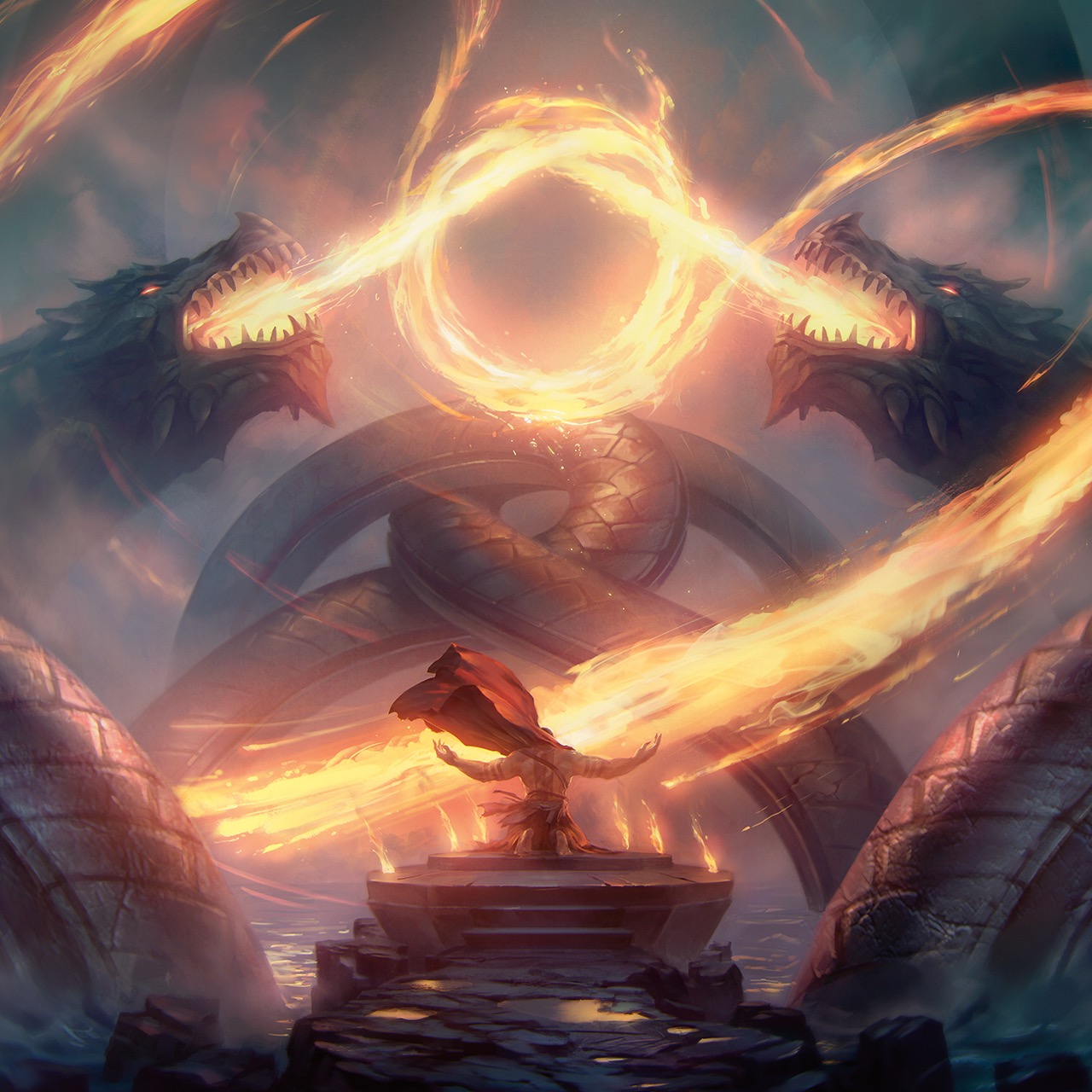
Upon the air drifted soot and ash like snow; an ember-filled distortion of the homely mountains the sorceress had called home not four years ago. Her opponent's silhouette was wreathed in shadow and dancing heat, as the dragon gathered the flames around him in his maw, readying himself for an attack. The flames roared and impacted the spot where the sorceress had stood. As they faded, the woman was revealed amongst the ruins, circled by the blazing fire he had attempted to smite her with. With a fierce battle cry, she redirected the heat into the strike of her blade, aimed at his heart.
While most ventures are taken upon your own Turn, it is sometimes necessary to React to your opponents, interrupt their attacks or movement, or strike at a weak spot once it shows itself. In these cases, participants in battle can React, even if it is not
their Turn to Act.
When a player wants to react to an event, it must take a Reaction to do so. Reactions are a type of Act. If something deprives you of Acting during your Turn, you are also unable to take Reactions.
Reactions have been previously discussed in the section Turn-Based Time Spans, but a short summary will be given here as well:
Reactions
Reactions are an instantaneous response to a trigger-ing event. This trigger can come in many forms and is often listed in the description of whatever Effect they trigger. A creature must be able to Sense the trigger of its Reaction to React. During your Turn or the Turn of another creature, when a trigger occurs, you can take one of the following Reactions:
- Interact. When a creature resolves an Act on their Turn, you can choose to React. When Reacting this way, you can take an Interaction of your choice.
-
Opportunity Attack. When a Hostile creature you can see moves out of your Reach, you can make a melee Attack against it (see Attacks & Damage). The Attack occurs right before the creature
leaves your Reach. Forceful Movement does
not provoke Opportunity Attacks. - Trigger Effect. Certain Abilities, Effects, Features, Traits, or other aspect of the game allow you to React. When their trigger (mentioned in their description) occurs, you can activate their Effect.
Once you React, you cannot do so again until the start of your next Turn. If your Reaction interrupts another creature's Turn, that creature can continue its Turn after your Reaction has been resolved.
Variant Rule: Opportune Events
Some GMs prefer the trigger of an Opportunity Attack to be different, depending on the type of game they are running.
Consider changing the trigger of Opportunity Attacks to any of the following. Alternatively, the following triggers may work alongside the existing rule on Opportunity Attacks:
- When a Hostile creature enters your Reach
- When a Hostile creature moves 2 Paces or more within you Reach
- When a Hostile creature within your Reach Casts a Spell
- When a Hostile creature within your Reach makes a Ranged Attack
- When a Hostile creature within your Reach stands up from Prone
Furthermore, to add variety to Opportunity Attacks, GM may consider adding the following: instead of an Attack, the character may choose to Move up to their Speed.
Act Options
While he had never been too shabby at dueling, the way of the sword and shield had never been favored by the dashing Bard. And thus, when his companions flew into battle brandishing fists and axes alike, he did not hesitate for a second. With the swiftness of an arrow and the keen edge of the spear, his retorts flew over the battlefield. Their barrage was unending, as bandits left and right looked up with confusion while others turned on their friends without a second thought. It was as the Bard's idols had said: "There is nothing a good conversation—or insult—can't fix!"
The previously discussed Action is a type of Act that can be undertaken for a wide variety of ventures. While there is no shortage of options for what you can do with your Action—being limited only by your own imagination—the following section provides standard Actions employed by many adventurers. For more information on Acting, please consult the section Acting earlier in this chapter.
Furthermore, you can use any Action option gained from an Effect, Ability, Feature, Trait, or other aspects of the game, or improvise an Action of your own.
Creatures possessing a statblock may also have a variety of Action options listed under the Action section of their statblock. These creatures can take one of the Actions listed in their statblock, one improvised by the GM, or one from the Act Options list below.
When a participant in battle describes an Action not detailed in the following list (or elsewhere in the rules), the GM determines if the Action is possible and what kind of roll is required to succeed the venture, if any.
Attack
From firing an arrow at a foe, to swinging the brute force of a hammer, or cleaving through enemies with your axe, taking the Attack Action is one of the most common Actions taken in combat.
When you take the Attack Action, you can make one Attack using a weapon. As part of any Attack you make as part of the Attack Action, you can do one of the following:
- Equip. Instantaneously before or after you make an Attack with a weapon, you can equip a weapon from a sheathe on your belt or other easily accessible location.
- Maneuver. You can forgo making an Attack and use a Maneuver of your choice instead (see Maneuvers in the section Attacks & Damage for more information).
- Unequip. Instantaneously before or after you make an Attack with a weapon, you can unequip a weapon, stowing it in a sheathe on your belt, dropping it, or putting it in another easily accessible location.
For more information on making Attacks, see the section Attacks & Damage later in this chapter.
Multiple Attacks
Certain Effects (such as the Extra Attack Feature of the Fighter Class) allow you to make more than one Attack when taking the Attack Action. Each addi-tional Attack you make uses the rules seen above.
If an Effect allows you to make more than one Attack, you can use some or all of your Speed to Move between the Attacks this Action allows you to make.

Cast Spell
Not all are capable of weaving the magical force that permeates the Planes into magical effects, but those that are able to do so with the Cast a Spell Action.
This Act allows one to produce wonderous feats of spellcraft: shaping air into dangerous torrents of flame, conjuring matter from nothing, or even restoring life to the fallen.
When you take the Cast a Spell Act as an Action, Bonus Action, or Reaction, you can cast a Spell whose required Casting Time is the same as the Act type used.
As part of any Spell you Cast as part of the Cast a Spell Action, you can do one of the following:
- Equip. Instantaneously before or after you Cast a Spell with a Focus or Material Component, you can equip a Focus or Material Component from a sheathe on your belt or other easily accessible location.
- Focus Property. Instantaneously before or after you Cast a Spell with a Focus, you can activate or deactivate one of the Focus' Weapon Properties.
- Unequip. Instantaneously before or after you Cast a Spell with a Focus or Material Component, you can unequip a Focus or Material Component, stowing it in a sheathe on your belt, dropping it, or putting it in another easily accessible location.
You can only Cast one Spell of 1st-Circle or higher each Turn. This rules only applies to Spells with a required Casting Time of an Action or Bonus Action.
If you Cast a Spell with a required Casting
Time of 1 Round or more, you must take the
Cast a Spell Action on each Turn of that Casting until the Spell's Casting Time is complete.
While Casting a Spell this way, you must main-tain Concentration (see the Conditions chapter) for the Casting Time's entire duration. If your Concentration is ended prematurely, the Spell is not Cast.
For more information on Components, Foci, and
Spellcasting, see Satora's Faith & Followers.
Furthermore, a short summary of the rules given on Foci can be found in the chapter Spell-casting Foci further ahead in this document.
Multiple Castings
Certain Effects (such as the Extra Casting Feature of the Sorcerer Class) allow you to Cast more than one Spell when taking the Cast a Spell Action. Each additional Spell you Cast uses the rules seen above.
If an Effect allows you to Cast more than one Spell, you can use some or all of your Speed to Move between the Casting this Action allows you to do.
Castle
To win a war, one must first understand strategy. Alter the arrangement of battle, free your companions from close opponents, or control the battlefield using this Action.
When you take the Castle Action, choose a willing Crea-ture within 1 Pace of you who's Speed is not 0. You Move into the Creature's current Space, Forcefully Moving the Creature into the Space you previously occupied.
This Action does not expend Movement or provoke Op-portunity Attacks. You cannot take this Action if there is not enough unoccupied Space for either you or the Target to fit into.
From Castle to Keep
When taking the Castle Action would move at least 1 Creature that occupies more than a single Space, confusion may occur upon what Spaces are eligible to Castle into. In these scenarios, use this rule:
When Moving into a Space previously occupied by a Large or larger creature, you Move into the nearest unoccupied Space of your choice. This Space must be adjacent to the one you previously occupied. If multiple Spaces are available, you may choose which to Castle into.
Dash
Charge into battle using the Dash Action, granting yourself a great boost of movement.
When you take the Dash Action, you can take an additional Move during the current Turn.
Dodge
Once you commit your Turn to the evasive movements of the Dodge Action, your vigilance allows you to avoid both weapon and wound, dodging out of the way of even the most dangerous Attacks.
When you take the Dodge Action, all Attack rolls made against you have Disadvantage, and you have Advantage on all Dexterity Saving Throws you make.
You must be able to See the Attacker to gain this Effect. Furthermore, you lose this Effect if your Speed is 0 or an Effect deprives you of Acting.
Escape
Those who say that there is no such thing as a tactical ret-reat are plainly wrong. With the Escape Action, you diseng-age from melee reach and escape the bonds that bind you.
When you take the Escape Action, your Move does not pr-
ovoke Opportunity Attacks until the end of your Turn.
Alternatively, if you have the Grappled or Restrained Co-
ndition, you can make a Strength (Athletics) or Dext-
erity (Acrobatics) Check against the Condi-
tion's Escape DC. On a success against
a single Grapple or Effect Restrain-
ing you, the chosen Condition ends.
Help
No battle is won without the aid of companions!
When you take the Help Action, you can assist a creature who can Hear and See you with a venture of your choice, choosing one of the following options. The chosen Effect lasts until the start of your next Turn, provided the Target remains within the Action's listed range:
- Attack. Choose a Creature within your Reach. The next Attack Roll made against this Target has Advantage.
- Defend. Choose a Creature within your Reach. All Attacks made against this Target have Disadvantage.
-
First Aid. Choose a Creature within 1 Pace of you that has one of the following Conditions of your choice: any Damage Condition, Dormant, Dying, Grappled, Prone, Restrained, or Sleeping.
As part of this Action, you are often required to make a DC 10 Wisdom (Medicine) Check to end the chosen Condition, unless the Effect states otherwise. On a success, the chosen Condition ends. Certain Conditions use a different Ability Check or DC (see the sidebar). - Proficiency. Choose a Language, Skill, or Tool you are Proficient with and a Creature within 1 Pace of you. The Target has Advantage on the next Check it makes pertaining to the chosen Proficiency.
- Saving Throw. Choose an Ability Score and a Creature within 6 Paces of you. The Target has Advantage on the next Saving Throw it makes using the chosen Score.
A Call for Aid!
The Help Action is beneficial in a wide assortment of scenarios, which may cause confusion at the table. To avoid this, here are a few rules:
Ability Checks. When an Effect states what Ability Check is required to end the Condition it causes, you must use that Ability Check instead of a Wisdom (Medicine) Check. Examples in-clude the Grappled and Restrained Conditions, which both use a Strength (Athletics) Check.
Furthermore, most Conditions caused by Mundane means (such as Dormant, Prone, and Sleeping) require no Ability Check to be ended.Difficulty Class. When an Effect states what DC is required to end the Condition it causes, you must use that DC instead of the DC 10 Check listed under the First Aid option. A GM may decrease or increase the DC of any Check, if appropriate to the scenario. GMs are discou-raged from changing the DC required to end the Dying Condition.
Proficiency. It is not always possible to assist a Creature using the Proficiency option. The GM has the final say in this matter.
Furthermore, the GM may choose to use the following rule: "While not using Turn-Based Time, once the Help Action has turned one of your failures into a success, you cannot benefit from it this way again until you finish Resting."

Hide
Concealing yourself in the shadows, hidden away by obstacles, or disap-
pearing within the branches of the
tree above, you can attempt to Hide
to remain obscured from opponents.
When you take the Hide Action, make a Dexterity (Stealth) Check against the Passive Wisdom (Perception) Score of all creatures who are able to Sense you.
Make note of your Check's total, which becomes your Hiding DC. If your Hiding DC is higher than the Target's Passive Wisdom (Perception) Score, you have the Hidden Condition against them.
You cannot take the Hide Action unless you are Heavily Obscured, behind Three-Quarter Cover, or behind Total Cover. Furthermore, you must be outside a Creature's Sight to take the Hide Action from them.
Being Found
The Hidden Condition ends instantaneously when one of the following events occurs:
- Audible. You produce a noticeable Sound.
- Exposed. You are no longer Heavily Obscured, behind Three-Quarter Cover, or behind Total Cover.
- Hazardous. You make an Attack roll.
- Scentable. You produce a noticeable Smell.
- Spotted. Another Creature takes the Search Action and succeeds on a Wisdom (Perception) Check against your Hiding DC.
Influence
Look, folks, I'm certain we can talk all of this out... using the Influence Action. When a weapon cannot cut it, a few words must be able to!
When you take the Influence Action, choose a Creature controlled by the GM, that can Hear you, who you wish to influence with a demand or request, seek a truce with, or shift the attitude of. Choose one of the following options:
- Entreat. You attempt to empathize and calm a creature, bringing them to a clear state of mind. Entreating on their emotions, you cause your Target's current Emo-tional State to change to Calm on a success.
- Request. You attempt to persuade a creature to do your bidding or forcefully demand they follow your demands. Requesting they perform a task of your choice, you convince your Target to follow a single command spoken by you, on a success.
- Sway Attitude. With honeyed words or petty insults, you attempt to change a creature's perspective of you. Swaying their disposition, you shift your Target's Attitude toward you by 1 Level, on a success. You may choose to decrease or increase a Creature's Attitude using this Act option (your choice).
After
choosing
the Effect you'd
like to cause, you may
choose to describe or roleplay
how your character interacts with
the creature you are attempting to Influence.
When doing so, focus on what your character is
trying to accomplish.
If the interaction is especially suited to the creature's attitude, desire, or outlook, the GM might temporarily increase a creature's Attitude by 1. Conversely, should the interaction be particularly irksome to the creature, the GM may choose to temporarily decrease it's Attitude by 1.
Alternatively, you may choose to skip this step entirely.
Once you've chosen the Effect you'd like to Influence the Creature with, you must make a Charisma Skill Check, provided your GM agrees your venture is possible (see the next page for more information on this).
The Influence Skill table suggests which Skills are applicable based on the scenario and the character's approach or the previous interaction (if applicable).
Influence Skills
| Skill | Interaction |
|---|---|
| Animal Handling |
Coaxing a Beast or Monstrosity |
| Deception | Deceiving a Creature that can understand the Language you are speaking |
| Intimidation | Intimidating a Creature |
| Performance | Alluring a Creature |
| Persuasion | Persuading a Creature that can understand the Language you are speaking |
The GM sets the Check's DC. A good guideline is to set the DC at 15, at a value equal to the Creature's Intelligence or Wisdom Score, or the Creature's Passive Wisdom (Insight) Check, whichever is highest.
Depending on the Target's current Attitude toward the Creature making the Check, it may have Advantage, Disadvantage, or neither.
Furthermore, swaying the Attitude of a Creature with an Attitude level of 6 or higher, or 2 or lower, may require multiple Checks (which can be made as part of this Act).
For more information on Attitude Levels, see the Satora's Banners & Bastions supplement.
If your Check fails, you must wait to make the same request again. The default wait time is 24 Hours, which the GM may shorten or extend depending on the cir-cumstances and previous interactions (if applicable).
It's not what you think
Be aware that Influencing a Creature is not mind control; you cannot force it to do something that is counter to the Creature's alignment, otherwise repugnant to it, or entirely adverse to the situation.
A GM may choose a venture to be impossible, due to the creature's capabilities or personal views. Impossible ventures do not require rolls. When a Player suggests an impossible venture, it may choose to take another Action, instead.
Additionally, should a follow your command, it does so based on its understanding and driven by its own alignment. This means your request may not have the result you expect it to have, due to a misunderstanding between you and the Creature based on Language barriers, capability, or culture.
Magic
Don't be sad, we've all got some magic in us. Especially, this rug I found on sale. It has a lot of magic in it. Speaking of, would going on a magic carpet ride cheer you up?
When you take the Magic Action, you activate an Effect, Ability, Feature, Trait, or other aspects of the game, that requires a Magic Action to be used. Many magical Objects require the use of a Magic Action to function.
Predict
Noticing your enemy's movements, anticipating their next act, and steadying your own aim, you may take the Predict Action to ready yourself for the next Attack.
When you take the Predict Action, choose a Creature you can See. You add your Intuition Die to all Ability Checks pertaining to the Target, Attack rolls made against it, or Saving Throws it causes you to make. The Target subtracts your Intuition Die from all Attack Rolls Targetting you. This Effect lasts until the end of your next Turn.
Acting Anticipation
Alternatively, the GM may choose to allow the following optional rule alongside the Predict Action. Beware that this rule may put additional work on the GM's shoulders:
Additionally, choose a type of Act (e.i. Action, Bonus Action, Reaction, etc.). You learn what the Target is planning to do with this Act on their next Turn. If the creature has no options for the chosen Act, the GM reveals information about another Act to you.
Raise Guard
Throw up your shield, warrior, and parry their blades with your own. Using the Raise Guard Action, you can seek to absorb incoming damage easily.
When you take the Raise Guard Action, you gain Temp-orary Hit Points equal to one roll of your Hit Die + your Constitution Modifier and cannot gain the Flanked Cond-ition. This Effect lasts until the end of your next Turn.
If you already possess Temporary Hit Points, the Temporary Hit Points gained using this Action are added to the number of Temporary Hit Points already in your possession.
Ready
Laying in wait for a specific event, you may take the Ready Action to prepare yourself to React to a particular circumstance.
When you take the Ready Action, choose an event that will trigger your Reaction. Then, choose what Action, Bonus Action, or Interaction you will take in response to the triggering event.
When the trigger occurs, you can take a Reaction right before or after the trigger is resolved. Alternatively, you may choose to ignore the trigger. You must be able to Sense the trigger to React to it.
If you choose to Cast a Spell when your trigger occurs, you Cast the Spell as normal on your Turn, but hold its Effect until you are able to release it with your Reaction. Holding a Spells Effect this way causes the Concentrated Condition (see Standard Conditions).
If you lose Concentration on the Spell, you have Cast the Spell, but it produces no Effect.
Search
Looking over the battlefield to find Hidden Creatures, diagnosing a companion's ailments, or noticing the tracks of your enemies, the Search Action allows you to detect presences not obvious to the naked eye.
When you take the Search Action, choose a Creature or Object you can See within 6 Paces of you, or an open container you can Touch. Alternatively, you may choose all the Spaces of a Small Emenation you can See.
You may then make a Wisdom Check to detect something that isn't immediately obvious on or within the chosen Target. The GM sets the Check's DC. Alternatively, if you are attempting to detect a Hidden Creature, the DC is equal to the Creature's current Hiding DC.
The Search Skill table suggests which Skills are applicable based on the scenario and the type of thing you are attempting to detect.
Search Skill
| Skill | Thing to Detect |
|---|---|
| Insight | A Creature's state of mind |
| Medicine | An ailment afflicting a Creature |
| Perception | Hidden Creatures or Objects |
| Survival | Food, Environmental Signs, or Tracks |


Study
Analyzing your opponent for weak spots, studying the battlefield for clues, or learning about lost lore, using the Study Action, you find yourself informed about even the most outlandish subjects.
When you take the Study Action, choose an Effect, Creature, or Object you can See within 6 Paces of you, your own memory, or another source of information you can Touch.
You may then make an Intelligence Check to doubt a disguise or illusion, recall a piece of information, or deduce a fact about a creature's game statistics. The GM sets the Check's DC.
Alternatively, the DC of disguises and illusions is equal to its Detecting DC, while the DC of gaining knowledge about a creature's game statistics is equal to 10 + the Target's Proficiency Bonus.
When you analyze a Creature to learn more about its game statistics, you may choose one of the following characteristics: Armor Class, its Current Hit Points, Proficiency Bonus, a Resistance, or its Speed.
If the characteristic you choose doesn't apply, the GM reveals another characteristic to you, instead.
The Study Skill table suggests which Skills are applicable based on the scenario and the type of knowledge you are attempting to deduce.
Study Skill
| Skill | Knowledge to Deduce |
|---|---|
| Arcana | Esoteric Creatures, Eldritch Symbols, Magical Effects, events, and Objects, and Parallel or Transitive Planes |
| History | Culture, Historic civilizations, events, and people, Object appraising, and Humanoids or Giants |
| Investigation | Ciphers, Disguises, Gadgetry, Illusions, Numbers, Riddles, and Traps |
| Nature | Environments, Inner Planes, Fauna, Flora, Mystical Creatures, Terrain, Weather, and Beasts |
| Religion | Deities, Cults, Holy symbols, Religious Effects, events, and Objects, Occult Creatures, and Outer Planes |
Utilize Skill
Throwing over a heavy table, performing a difficult dance, and many other ventures require the use of a Skill.
When you take the Utilize Skill Action, you may choose a venture you'd like to undertake using your Skills. The GM tells you whether your chosen venture is possible and what kind of Skill Check is required (if any), to determine its success or failure.
Utilize Tool
Picking a lock, disarming a trap, or consulting the knowledge within a profession guide, taking the Utilize Tool Action allows you to make use of your crafting and constructing capabilities.
When you take the Utilize Tool Act as an Action, Bonus Action, or Reaction, you can use a Tool Charge that requires the same as the Act type used.
Alternatively, you may choose a venture you'd like to undertake using Tools. The GM tells you whether your chosen venture is possible and what kind of Tool Check is required (if any), to determine its success or failure.
Utilize Object
Harnessing mundane items and equipment, drinking simple concoctions, or otherwise interacting with an item that requires it, employs the Utilize Object Action.
When you take the Utilize Object Act as an Action, Bonus Action, or Reaction, you can activate or operate an Object that requires the same as the Act type used.
Alternatively, you may choose a venture you'd like to undertake using an Object. The GM tells you whether your chosen venture is possible and what kind of Skill Check is required (if any), to determine its success or failure.
True Professional
When taking the Search of Study Action, the GM has the final say on whether your chosen venture is possible and what kind of Skill Check is required, to determine its success or failure.
Furthermore, the GM may decide to allow a Player to Utilize Tool appropriate to the venture, instead. Examples include using a Gathering Kit Proficiency to Study a Creature's characteristics, a Journey Kit Proficiency to Search for the safest climb up an Object, or Alchemist's Supplies to identify a mixture found on the battlefield.
Attacks & Damage
When his blade clashed with that of the masked man, the barbarian grinned triumphantly. Finally, a true challenge so very long awaited. His opponent seemed equally curious about their battle to begin, forcing the barbarian's blade back, only to be taken off-guard as the warrior dropped the axe. Surprising his foe, his left fist collided with the mask, throwing it aside to show the barbarian his true foe.
No matter the situation or weapon used, making an Attack follows a number of consistent steps. These steps are as follows:
-
A Target. First, you must choose a Target for your Attack. A Target can be anything within the
weapon's Range or Reach, whether Creature,
location, or Object. You must be able to Sense a Creature or Object to Attack it. - A Tally. Second, any necessary bonuses or penalties the Attack may have are calculated. These include situational Advantages or Disadvantages, whether the Target has Cover, and any Effects that may apply.
-
Attack. Lastly, you make an Attack Roll agains the Target. On a hit, you also make a Damage Roll.
Some Spells (and other Effects) produce another Effect instead or in addition to damage, as stated
in their description.
If question occurs over if something counts as an Attack, use the following rule of thumb: If you are making an Attack Roll, you're making an Attack, unless specified otherwise in the Effect's description.
This section will expand on all terms found above, explaining their concept and rules.
For more information on Cover & Objects, see the
aptly named chapter Cover & Objects, for more inform-ation on Damage, see the chapter Damage & Healing,
and for information on weapons, see Part II , Weapons
& Mastery and all parts that succeed it.
Armor Class
Armor Class is an expression of a creature's ability to avoid being damaged or wounded in battle. This statistic includes one's ability to dodge, natural evasiveness, and
a creature's reaction timing, which allows them to deflect attacks. Furthermore, it encompasses a creature's tough-ness, sturdy physical form, and any armor worn or shield carried.
The AC of a character is determined by the armor they wear, the shield they carry, and their Dexterity Modifier. While not wearing armor (also known as being Unar-mored), your AC equals 10 + your Dexterity Modifier.
If you have multiple sources that grant you different ways to calculate your Armor Class, you choose which one to use.

Most creatures controlled by the GM have their AC stated in their statblocks, along-side what equipment, natural armor, or other
Effect grants them this AC.
Variant Armor Class Rules
Not all GMs prefer the static dance between
Armor Class and Hit Points, preferring to opt for other methods, instead. Below, a few optional rules are provided, replacing the
use of Armor Class:
Armor Rolls
Some GMs prefer all parts of the game to require engagement to keep their Players on their toes every
Turn. For these GMs, the following rule replaces the
static value of AC with a Defense Modifier. This Modifier
is equal to your Armor Class - 10.
Once an Attack Roll is made against you, you roll a Defense Roll opposing it. If the Attack Roll exceeds your Defense Roll, the Attack Hits.
GMs may choose which GM-controlled creatures use Defense Rolls and which use Armor Class. Commonly, Creatures with Class Levels or those actively defending themselves use Defense Rolls instead of AC.
Furthermore, GMs may choose to implement any of the following, complementary rules:
- Capability. You must be wielding a Martial Weapon or Shield to make a Defense roll. Alternatively, you must have the Martial Arts Feature. If you cannot make a Defense Roll, Attack Rolls are made against your AC, instead.
- Critical Failure & Success. Rolling a Critical Success on a Defense Roll grants you Advantage on the first Attack Roll or Defense Roll made against the Attacker. Additionally, if the Attacker rolls a Critical Failure on their Attack Roll, you can make an Opportunity Attack against them.
- Combatant. Defense Rolls can only be made to oppose Melee Attacks. Ranged Attacks are made against your AC, instead.
Defense Act
For GMs that want to walk a middle road between AC
and Defense Rolls (see above), a new Bonus Action called Defend is introduced:
When you take the Defend Bonus Action, you gain a number of Defense Rolls equal to the number of Attacks you can make with the Attack Action, which lasts until the start of your next Turn. When a creature within 1 Pace of you is Targeted with an Attack, you may expend your Defense Roll to oppose the Attack roll.
Toughness Thresholds
Hit Points represent the physical fatigue and injuries a creature can take before collapsing. As you Level Up, your Hit Points increase, allowing you to take more Damage
before dying. Should your GM prefer to play with less math, smaller numbers, or otherwise a different abstraction of physical toughness based on Class, they may choose to use Toughness Thresholds alongside AC.
Each Class has a Minor, Moderate, and Major Toughness Threshold, depending on their Hit Die:
| Classes' Hit Die |
Minor Threshold |
Moderate Threshold |
Major Threshold |
|---|---|---|---|
| d6 | 1 | 5 | 10 |
| d8 | 1 | 6 | 12 |
| d10 | 2 | 8 | 15 |
| d12 | 3 | 10 | 18 |
If the damage of an Attack exceeds your Minor Threshold, you take 1 point of damage. If the damage exceeds your Moderate Threshold, you take 2 points of damage. Lastly, if the damage exceeds your Major Threshold, you take 3 points of damage.
Your total number of Hit Points equals the number Hit Points you gain at Level 1, from whatever Class you have the most Levels in. Should you have multiple Classes of equal Levels, you choose which starting Hit Points to use.
When you gain a Level, you do not gain Hit Points. Instead, all of your Thresholds increase by 1. If you gain Thresholds from multiple Classes, you use the Threshold of the Class you have the most Levels in or one of your choice if you have equal Levels in each Class.
This variant allows creatures to take no damage from an Attack, and play with fewer Hit Points. It is recommended that the GM alters the statblocks of enemies the Players may encounter to better fit the rules seen here. It is recommended to grant each statblock threshold, to lower a creature's Hit Points, and to alter any damage dealt with impactful or particularly weak Attacks.
Attack Rolls
An Attack roll is a single d20 roll that determines whether or not your Attack hits or misses your Target. This roll is contested by your Target's Armor Class.
After rolling the d20, the appropriate Modifiers are added to the rolled value. If this total value equals or exceeds the Target's Armor Class, the Attack hits.
Attack Roll Modifiers
Three types of Modifiers can adjust a character's Attack Roll total. Creatures controlled by the GM use whatever Modifiers are listed in the statblock:
-
Ability Modifier. All Attack Rolls add an Ability Modifier to their total, depending on what type of Attack is made, unless otherwise stated. Using weapons, Melee Attacks commonly add your Strength Modifier, while Ranged Attacks commonly add your Dexterity Modifier.
Certain weapon properties break this rule.
Furthermore, the Casting of certain Spells also require an Attack Roll to be made. The Ability Modifier used for a Spell Attack depends on the Spellcasting Ability of the Creature Casting the Spell. - Effect Modifier. Certain Effects grant additional creat-ures to add or subtract specific Modifiers, as listed in their description. Alternatively, certain Effects allow you to Attack using a different Ability Modifier (see above).
- Proficiency Bonus. If you are using a weapon you are Proficient with, you can add your Proficiency Bonus to the Attack Roll total.
-
You are always considered proficient with any Spell Attack you make. Consequently, The calculation of your Spell Attack Modifier (as seen in your Class' Descr-iption) includes your Proficiency Bonus.
Critical Failures & Successes
Not even the strongest combatants are free from the grasp of fate, or the fortune of luck.
When you score a Critical Success on your Attack Roll, the Attack hits regardless of any Modifiers or the Target's Armor Class. This type of Critical Success is also called a Critical Hit and alters the amount of Damage done with the Attack (see Damage Rolls below).
Alternatively, when you score a Critical Failure on your Attack Roll, the Attack misses regardless of any Modifiers or the Target's Armor Class. This type of Critical Success is also called a Fumbled Hit
Critical Moments As further explained in Satora's Banners & Bastions, the GM may choose to use the Degrees of Success rule in their game. When applied on Attack Rolls, this rule has the following effects:
Should your Attack Roll total be equal to the Tar-get's AC, all Damage you deal against that Target as part of the Attack is halved.
Upon exceeding your Target's AC by 5 or more, all Damage rolls you make against that Target as part of the Attack have Advantage.
You score a Critical Hit against your Target when you roll a Critical Success on your Attack Roll or exceed their AC by 10 or more. Should you both roll a Critical Success and your Attack Roll total exceed the Target's AC by 10 or more, all Damage rolls you make against that Target as part of the Attack are treated as having rolled their Maximum value.
Upon rolling an Attack roll that misses your Tar-get's AC by 5 or more, you provoke an Opportunity Attack from the Target.
You score a Fumbled Hit against your Target when you roll a Critical Failure on your Attack Roll, or your Attack roll misses your Target's AC by 10 or more. Should you both roll a Critical Failure and your Attack roll misses your Target's AC by 10 or more, your Attack is treated as a Critical Fumble, and you gain the Staggered Condition until the start of your next Turn.
Be aware that allowing this rule will heavily alter the chances in combat, creating a possibility of greater failure with Attacks, a lower chance to hit a creature, and more impactful benefits for those with high Attack modifiers.
In Critical Conditions
Some GMs prefer Critical Damage to not be left up to chance. Consider, instead of rolling twice the number of Damage Dice to only roll each Damage Die once and add additional Damage equal to the maximum value of each Damage die rolled to the total Damage dealt.
Unseen Opponents
While you are most commonly Attacking creatures visible to you, it may occur that your opponent is either Hidden or Invisible during battle. There are two ways to Arrack an unseen Target:
The first is to Target a location in which the Creature may be residing. This tactic is mainly based on luck, as the GM will only note whether your Attack hit or missed, not whether you guessed the location of the Creature correctly. When you Attack a Space you can See, that no Creature occupies, your Attack always misses, regardless of your Attack Roll total.
Secondly, you may Attack a Creature that you can locate using another Sense than Sight. Creatures that are not Invisible but not Hidden from you fall within this category, as do Invisible creatures that you have Detected using the Search Action, either by using your Hearing or Smell, or by attempting to Touch a Space within your Reach.
When Attacking a Creature you can Sense but not See, you have Disadvantage on your Attack Roll (as listed in the Invisible Condition).
Damage Rolls
When you hit your Target, you get to deal Damage to it. Certain spells, Magical Objects, or special Effects can grant a bonus to the Damage dealt.
When Attacking with a weapon, you roll the weapon's damage dice (as listed in the chapter Weapons & Mastery) and add the appropriate Modifiers to the roll. These Modifiers always include the Ability Modifier you used to make the Attack roll (such as Strength, Dexterity, etc.).
When Attacking with a Spell Attack, the description of the Spell states which damage dice determine the amount of Damage dealt to your Target and whether to add any modifiers.
Each damage roll has a listed damage type, describing what type of harm occurs to their Targets. You can learn more about this, Immunity, Resistance, and Vulnerability, in the chapter Damage Types & Healing.
Lastly, should an Effect state you gain Advantage or Disadvantage on a Damage Roll, your damage roll is rolled as follows:
- Rolling 3 or less dice. Roll each damage die seperately. When you roll a damage die, you may roll it an additional time, taking the higher of the two rolls if you have Advantage, or the lower roll if you have Disadvantage.
-
Rolling more than 3 dice. If an Effect allows you to roll many dice at once, roll all dice at the same time. These dice are your first damage die pool.
Then, divide the number of dice rolled by two (rounding up). This is the number of dice you may select amongst your first damage die pool to keep. Set these dice aside, noting their total value.

-
All dice left over after setting the chosen dice aside are rolled again. This is your second die pool. The total value of your first and second die pools are added together. This is the total damage the Effect deals.
Critical Failures & Successes
When you score a Critical Hit on your Attack Roll, you deal additional damage with the corresponding damage roll against the Target your Attacked.
Roll all the Attack's damage dice twice, adding the value of all rolls together. To speed up combat, you may choose to roll all damage dice at once. After rolling your damage dice, add any relevant Modifiers as normal (see above).
Maneuvers
When you take the Attack Action, you can forgo your Attack and instead use a Maneuver. If you have the ability to make multiple Attacks using the Attack Action, you can replace any number of those Attacks with Maneuvers.
Furthermore, if you have the Mastery Feature, you may choose to replace the melee Attack made with an Oppor-tunity Attack with a Maneuver of your choice.
The following Maneuver options are available to all Creatures. You may choose to end the Effect of a Maneuver early instantaneously on any Turn:
Aim
You brace yourself, aiming to assure you Attack strikes true, using the Aim Maneuver.
When you use the Aim Maneuver, choose an Ability Score of your choice and a weapon you are holding. You can add the chosen Ability Score's modifier once to your next Attack and Damage Roll made with that weapon, before the end of your next Turn.
You must be holding a weapon to use the Aim Maneuver.
Blind
Throwing sand into your opponent's eyes may not be the most graceful tactic, but it certainly takes them out.
When you use the Overrun Maneuver, choose a Creature within your Reach. The chosen Target must succeed on a Dexterity (Acrobatics) or Wisdom (Perception) Check (the Target's choice) against your Passive Dexterity (Sleight of Hand) Score. Creatures that do not have eyes automatically succeed on their Check.
On a failure, the Target has the Blinded Condition until the start of its next Turn.
Feint
You attempt to feint your enemy, distracting them with deceptive and elusive movements to catch them off-guard.
When you use the Feint Maneuver, choose a Creature within 6 Paces of you. The chosen Target must make a Wisdom (Insight) or Intelligence (Investigation) Check (the Target's choice) against your Passive Charisma (Deception) Score.
On a failure, any Attack Roll you make against the Target until the end of your next Turn.
You can only use the Feint Maneuver if your Target is able to Hear or See you.
Grapple
Wrestling your enemy into a constraining hold, you use the Grapple Maneuver to hold your opponent down.
When you use the Grapple Maneuver, choose a Creature within your Reach. The chosen Target must make a Strength (Athletics) or Dexterity (Acrobatics) Check (the Target's choice) against your Passive Strength (Athletics) Score. Creatures more than one Size Category larger than you automatically succeed on their Check.
On a failure, the Target has the Grappled Condition, caused by you.
You must have a free hand to use the Grapple Maneuver, even if you are already Grappling a Creature using another free hand.
Your Passive Strength (Athletics) Score is the Escape DC for this Grapple.
Menace
You attempt to strike fear into the heart of your opponents, using the Menace Maneuver.
When you use the Menace Maneuver, choose a Creature within 6 Paces of you. The chosen Target must make a
Wisdom (Insight) or Charisma (Intimidation) Check (the Target's choice) against your Passive Strength (Intim-idation) Score. On a failure, the Target has the Frightened Condition, caused by you, until the start of your next Turn.
You can only use the Menace Maneuver if your Target is able to Hear or See you.
Overrun
Using brute force, you may choose to run through other Creature's Spaces, pushing them off-balance.
When you use the Overrun Maneuver, choose any Creature within a number of Paces equal to your Speed of you. The chosen Target must make a Strength (Athletics) or Dexterity (Acrobatics) Check (the Target's choice) against your Passive Strength (Athletics) Score.
On a failure, you can Move through the Creature's Space this Turn. Furthermore, on a failure, the Creature must subtract your Intuition Die from all Physical Saving Throw it makes, before the start of its next Turn.
Seize
To ensure a Creature you have grabbed a hold of can no longer perform certain tasks as easily, you can use the Seize Maneuver to impede their ability.
While you are Grappling a Creature, you may take the Seize Maneuver to attempt to Seize the Grappled Creature. Your Target must make another Check against being Grappled (see the Grapple Maneuver). On a success, the Target remains Grappled. On a failure, the Target has the Restrained Condition, caused by you.
Furthermore, choose one of the following Effects. On a failure, the Target experiences the following Effect in addition to the Restrained Condition:
- Bind. The Target gains the Anosmic and Deafened Cond-itions. Furthermore, it has Disadvantage on all Physical Ability Checks it makes.
- Choke. The Target gains the Choking Condition. They are not affected by the Choking Condition's Speechless property.
- Pin. The Target gains the Numbed Condition. Additionally, it cannot take Interactions.
- Quiet. The Target gains the Silenced Condition.
- Wrestle. When you choose this Effect and at the start of each of your Turns, you may instantaneously deal dama-ge to the Seized Target. This damage equals 1d4 + your Strength Modifier.
Alternatively, you may use a length of rope, whip, or other similar item in your other hand to Restrain the Target, instead.
You must have a free hand to use the Seize Maneuver. Furthermore, if your Target successfully Escapes your Grapple, any Condition or Effect caused by the Seize Maneuver instantaneously ends.
Shove
Pushing your opponent aside, you may use the Shove maneuver to move creatures around the battlefield as you please.
When you use the Shove Maneuver, choose a Creature within your Reach. The chosen Target must make a Strength (Athletics) or Dexterity (Acrobatics) Check (the Target's choice) against your Passive Dexterity (Acrobatics) Score. Creatures more than one Size Category larger than you automatically succeed on their Check.
On a failure, you may Forcefully Move the Target 1 Pace. For every 5 points your Strength score exceeds 10, you can Push the target 1 additional Pace.
Steal
By using the Steal Maneuver, you may attempt to rob a creature of one of their belongings, without them noticing.
When you use the Steal Maneuver, choose a Creature within your Reach. Additionally, choose an Object on the Target's person not currently worn or carried by the Target. The chosen Target must make a Dexterity (Sleight of Hand) or Wisdom (Perception) Check (the Target's choice) against your Passive Dexterity (Sleight of Hand) Score.
On a success, the Target is aware you used this Action, and you are unable to steal the chosen Object. On a failure, you successfully steal the chosen Object from the Target.
You can only use the Steal Maneuver if your Target is unable to Hear or See you.
Alternatively, you may attempt to Steal an Object belonging to a Creature within 6 Paces of you, that is not on the Creature's person (such as dropped weapons, keys on tables, etc.).
On either a failure or success, you successfully steal the chosen Object from the Target.
However, on a success, the Target is aware you used this Action, has Advantage on its next Attack Roll made against you, and if you are within the Target's Reach, it may instantaneously make an Opportunity Attack against you.
Taunt
Attempting to provoke a creature to ensure it cannot go after your companions, you challenge your target using the Taunt Maneuver.
When you use the Taunt Maneuver, choose a Creature within 6 Paces of you. The chosen Target must make a Wisdom (Insight) or Charisma (Performance) Check (the Target's choice) against your Passive Charisma (Perfor-mance) Score.
On a failure, the target gains the Taunted condition, caused by you.
You can only use the Taunt Maneuver if your Target is able to Hear or See you.
Throw
You may attempt to toss an object or creature away from you using the Throw Action.
When you use the Throw Maneuver, choose a Creature you are Grappling or an Object within your Reach. Further-more, choose a Creature, Object, or location to Throw the Target at.
You may throw your Target up to a number of Pace equal to 1 + your Strength Modifier (minimum of 1 Pace).
If the chosen Target is a Creature, it must make a Strength (Athletics) or Dexterity (Acrobatics) Check (the Target's choice) against your Passive Strength (Athletics) Score.
If the Target is a Creature of one or more Size Categor-ies larger than you, it has Advantage on this Check. Conversely, if it is one or more Size Categories smaller
than you, it has Disadvantage on this Check.
On a failure, you succeed at Throwing the Creature.
If the Target is an Object, you must succeed on a Strength (Athletics) Check to throw it. The DC of this Check is 0 and increases by 5 for every Size Category the Object is larger than Diminutive.
Being Thrown causes Falling damage (see the chapter Movement & Speed for more information) for every 2 Paces the Target is Thrown. If you throwing a Creature, it can attempt to Break its Fall. When Breaking its Fall this way, the DC is equal to your Passive Strength (Athletics) Score.
You can only use the Throw Maneuver if you are able to lift your Target.
Trip
You may attempt to knock your opponent over, or cause them to otherwise stumble, using the Trip Maneuver.
When you use the Trip Maneuver, choose a Creature within 6 your Reach. The chosen Target must succeed on a Strength (Athletics) or Dexterity (Acrobatics) Check (the Target's choice) against your Passive Strength (Athletics) Score. Creatures more than one Size Category larger than you automatically succeed on their Check.
On a failure, the Target has the Prone Condition.
You must have a free hand to use the Grapple Maneuver, even if you are already Grappling a Creature using another free hand.
Tumble
Using agility, you attempt to duck and weave through your opponent's Space, causing them to be temporarily distracted.
When you use the Overrun Maneuver, choose any Creature within a number of Paces equal to your Speed of you. The chosen Target must succeed on a Strength (Athletics) or Dexterity (Acrobatics) Check (the Target's choice) against your Passive Dexterity (Acrobatics) Score.
On a failure, you can Move through the Creature's Space this Turn. Furthermore, on a failure, the Creature must subtract your Intuition Die from all Mental Saving Throws it makes, before the start of its next Turn.
Alternative Acts
Some GMs prefer to encourage different types of playstyles, which can be done by decreasing the activation Time Span of certain Acts by 1.
Examples include allowing the Influence, Search, and Study Action to be used as Bonus Actions instead, for games requiring the use of knowledge.
Furthermore, a GM may choose to allow the Castle Action, and the Overrun and Tumble Maneuvers, to be used as Bonus Actions, instead. This stimulates your Players to make more use of Movement during their Turn.
Be aware that changing Time Spans may cause certain Features (such as the Rogue's Cunning Action) to lose some of their potency. To retain their Effect, consider granting them the use of another type of Act. It is not recommended to allow any creature to activate the Attack or Cast a Spell Acts using a different Time Span.
Melee Weapons
When battling a foe in close quarters, you commonly use Melee Attacks. These types of Attacks utilize hand-to-hand combat or handheld weapons, such as axes, hammers, or swords. Some creatures are also capable of making Melee Attacks using other natural implements, such as claws, horns, teeth, tentacles, or other similar body parts. Certain Spells also involve making a Melee Attack.
The distance at which you can make a Melee Attack is called your Reach. Typically, Creatures have a Reach of 1 Pace (e.i. they can Attack Targets within 1 Pace of them).
Certain Abilities, Effects, Features, Traits, or other aspects of the game (such as weapon properties) break this rule, granting a Creature a Reach of 2 Paces or more.
Flanking
Flanking grants combatants a simple way to gain the upper hand over outnumbered opponents. Working together with your companions, you can attempt to overwhelm your enemy, surrounding them to gain the advantage in the situation.
When two Enemies are adjacent to you, and on opposite corners or sides of your Space, you gain the Flanked Condition (see the section Standard Conditions in the chapter Conditions). You cannot Flank creatures more than two Size Categories larger than you.
If in doubt about whether or not a Creature is consi-dered Flanked, trace an imaginary line between the centers of its Enemy's Spaces. If the line passes through opposite corners or sides of the Creature's Space, the Creature is considered to be Flanked.
You cannot participate in Flanking a Creature if you cannot See the Target, have the Flanked Condition, or if some-thing deprives you of Acting.
Nonlethal Damage
In certain scenarios, it may be useful to keep your opponent alive by assuring your attacks are incapacitating, rather than dealing killed blows.
Before or after you make a Melee Weapon Attack dealing Physical Damage, or when you reduce a Creature to 0 Hit Points, you may declare your Attack to be nonlethal.
When the Creature is reduced to 0 Hit Points before the end of your Act, it is instead reduced to 1 Hit Point, gains the Unconcious Condition, and starts a Short Rest.
The Creature remains Unconscious until it finishes its Short Rest, or until woken by administering First Aid, using the Help Action. Administering First Aid this way requires a successful DC 10 Wisdom (Medicine) Check.
Two-Weapon Fighting
While fighting with lightweight weaponry, you are allowed to make additional attacks using your non-dominant hand (or off-hand). The following segment clarifies the rules of two-weapon fighting:
When you take the Attack Action on your Turn using a Balanced or lighter weapon or an Unarmed Attack, you can make one additional Attack as a Bonus Action on the same Turn. This additional Attack must be made with a Light or Handy weapon wielded in the other hand, or be an Unarmed Strike.
If either weapon has the Thrown property, you can thr-ow the weapon, instead of making a Melee Attack with it.
You do not add your Ability Modifier to the additional Attack's damage unless that Modifier is negative.
Unarmed Strikes
Some creatures prefer using their natural implements (such as fists, heads, or legs) to hit, kick, headbutt, or otherwise Damage a Target, instead of using weapons. Using your body to Attack a Target is called an Unarmed Strike.
The Unarmed Strike is an additional type of Melee weapon Attack. When you take the Attack Action using an Unarmed Strike, you make an Attack Roll against the Target. You are considered Proficient with your Unarmed Strikes.
On a hit, you deal Bludgeoning damage equal to 1 + your Strength Modifier.
Ranged Weapons
Should your opponents not be within close quarters, or you'd prefer to stay at a distance, you may choose to resort to using Ranged Attacks. These types of Attacks utilize thrown weapons or weapons that allow you to Attack at a distance, such as bows, firearms, or slings. Some creatures are also capable of making Ranged Attacks using other implements, such as spines shot from a tail, the spitting of acid, or magical force cast from its palms. Certain Spells also involve making a Ranged Attack.
The distance at which you can make a Ranged Attack is called your Range. Typically, Ranged Attacks list a single range (e.g. a Target within 6 Paces). You cannot Attack a Target beyond this Range.
Other Range Attacks list a Short and Long Range (e.g. a Range of 20/60). If you Attack a Target between Short and Long Range, your Attack Roll has Disadvantage. You cannot Attack a Target beyond an Weapon's Long Range.
Attacking at Close Range
Aiming at incredibly close range is difficult, as it allows your opponent to distract you, get in the way, or knock something you are holding out of your hands with relative ease.
When making a Ranged Attack against a Hostile Target within 1 Pace of you, you have Disadvantage on the Attack Roll. You experience this Effect as long as the Target is able to Sense you and able to Act.
Movement & Speed
At moments when there is nowhere to go or somewhere to be, the intrepid adventurer must relinquish their stance and move. Upon one's journey, too, many obstacles may be encountered, no simple traveler may be able to avoid afoot. In these moments, the speed within you plays a crucial role. From climb-ing, to flying, to running, there are many ways in which one may travel. What way you choose may significantly impact your voyage, so choose well, dear hero, or risk the plummet that always follows the jump.
It is where your journey starts and possibly too, where it shall end. Movement makes up a large part of an adventurer's Turn and travel. How does one go about calculating one's maximal movement? What options are there to journey with? And, what happens when one missteps? This chapter provides all the essential rules required to move in combat, travel through intrepid environments, or teleport to here, there, and back.
This chapter contains notes on the following topics:
- Speed. How far can one travel during their Turn, at most? What determines your Speed? And how do we go about calculating the distance one travels? This section explores the definition of Speed in the game and how may we go about using it to the best of our abilities?
- Movement. During your Turn, Speed is only an indicator of how far one travel, but Movement is the resource that allows one to go there, too. When you choose to Move, in what ways may that be? And how do you go about br-eaking up your Movement? This section explains it all.
- Falling & Jumping. It is not always that an adventurer will have solid ground below their feet, even outside of the use of flight and teleportation. How far can one jump? What happens when one falls? And how does a GM calculate the setback caused by your plummeting? This and more is discussed in this section.
- Movement Types. There are many ways to travel—underground, through overhead skies, or simply by foot. This section examines the different Movement Types creatures may be exposed to while traveling.
- Teleportation. From spells to innate powers, some Effects may allow one to teleport from one space to the next without ever touching down in the distance be-tween them. To figure out what rules go into teleport-ation, read this section.
To ensure a mutual understanding of movement, it is important to look at a short sample of Player 2's Movement during battle. This example grants a preview of explana-tions to come:
GM: Player 2, what is the highest Speed mentioned in your Movement Types? 6 Paces? Then, don't forget you can only Move up to 6 Paces this round!
Player 2: Yes! But, to make sure I catch up with everyone, I'd like to use 2 Paces of my Climbing option and then use my Flying option to glide up to 4 Paces diagonally down to them. Is that possible?

Speed
While they had been born with wings, the small birdfolk never really knew how to fly. Even when their peers would jest at them, they'd prefer to walk around in the shade below the canopies rather than perching on the tree's many branches. Sometimes, it was a hindrance, other times a blessing, but no matter what, it was part of the birdfolk's existence. Not to mention, that it allowed them to focus on completely different talents. They may still not be able to fly, but there had never been a birdfolk who could run as fast as they could.
On one's Turn, one can Act and Move. While the former has been previously discussed in the chapter Acting in Combat, Movement has yet to be explained. There are three parts to Movement in combat: Speed, Move, and Movement type. The first will be discussed in this section.
Speed, Move, and Movement Types are all measured in Paces. One Pace is equal to 5 foot. Standard Grid-Maps (as described in the section Tactical Maps) depict spaces each representing 5 feet or 1 Pace.
Maximum Speed
Due to a Round's duration being only 6 seconds, the speed at which a creature can move is crucial. Below, is an expla-nation of Speed in combat. This statistic is an expression of how fast a creature moves, but also how far it can move before requiring additional focus and stamina to continue moving on its turn.
Every Creature has a single Speed. This statistic dictates how far that creature can maximumly Move on its Turn.
Your Speed is determined by the highest Movement Type you possess (see the section Movement and Move-ment Types within this chapter). These Movement Types are commonly granted by Features or Traits you possess, or Effects you are experiencing.
For instance, if your Origin grants you a Walking Move-ment of 6 Paces, as well as a Climbing Movement of
4 Paces, your Speed Maximum would be considered
6 Paces total. During your Turn, you could Move no further than 6 Pace, or 30 Feet.
Certain Effects may decrease your Maximum Speed, causing you to be unable to Move as far on your Turn as you usually could.
Movement
The Wizard was exhausted. All this constant dodging, running, and traveling had left her feeling fatigued and we-ary. But, the Wizard's group had a deadline and a place to be—something she couldn't care for less at this moment, as it was neither a nap nor respite—so she was forced to stay on her feet, no matter how many times she asked for a break. When they finally allowed her to sit down briefly at the base of a large willow, only to tell her to keep her pace up, she finally snapped. With a single wave of her wand, she started to levitate. She wasn't setting a single step more today.
During combat, all participants are in constant motion. From charging into battle to dodging attacks, there is no rest for the common hero. The brute of this movement includes the positioning, running, and walking of combatants—their Movement. The second part that makes up Movement in battle is one's Move. This section describes how to Move and in what ways the average adventurer may choose to Move during their Turn.
When you Move, you can go a distance up to your Speed.
For example, if you have a Speed of 6 Paces, you may choose to Move up to 2, 3, or even 6 Paces, as you please, but you cannot Move 7 or more Paces, as this would exceed your total Speed of 6.
Your Move can include simple Movements (such as Crawling, Jumping, or Sneaking) or use a Movement Type of your choice (such as Climbing, Flying, or Swimming), as long as the total distance you Move on your Turn does not exceed your Speed.
For example, if you have the aforementioned Speed of 6 Paces, you may choose to Climb for 2 Paces and Walk for 4, or Crawl for 5 and Sneak for 1, but you cannot Jump for 5 Paces and Walk an additional 3, as this would exceed your total Speed of 6.
To use certain Movement Types, you must possess the capability to use that Type of Movement (as described under each Movement Type in the aptly named section Movement Types). Certain Abilities, Effects, Features, Traits, or other aspects of the game grant you the capability of using different Movement Types.
For example, the fly Spell grants you a Flying Movement for its duration. During this time, you can use the Flying Movement Type, even if you would be unable to normally.

Breaking up your Move
You can choose to break up your Move
(as described previously), using some before and after any Act you take on the same Turn. For example, if you have a Speed of 6 Paces,
you may choose to Move 3 Paces, take an Action, Move another Pace, take an Interaction, and then finish your Turn by using your remaining 2 Paces of Movement.
Additionally, if you take the Attack or Cast a Spell Action and are capable of making more than one Attack or Casting more than one Spell, you may break up your Movement by Moving between those Attacks or Castings of Spells. For example, your aforementioned Speed of 6 Paces may be used to walk 2 Paces up to an Enemy, Attack, Move 3 Paces to another Enemy, Attack a second time using the Attack Action, and then ending your Turn by using your remaining Pace of Movement.
Changes to your Speed
If an Effect decreases or increases your Speed, the Move-ment Types you possess have their listed Speed decreased or increased by an equal amount for the same duration.
For instance, if your Speed of 6 Paces is reduced by 2 Paces, both your available Climbing Movement of 4 Paces and Flying Speeds of 6 Paces, are also reduced by 2.
More information on Movement Types and their distances, can be found later in this chapter, in the section Movement Types.
Moving around Creatures
During your Move, you can pass through the Space of an Ally, a Creature that is deprived of Acting, or a Creature who is at least 2 Size Categories larger or smaller than you (or either Diminutive or Gargantuan) without any trouble.
Be aware your Move may provoke Opportunity Attacks (see the section Reaction in the chapter Acting in Combat).
Moving through the Space of a Creature's that does not meet the prerequisites above is considered Difficult Terrain.
Furthermore, you cannot willingly end your Move in a Space occupied by another Creature, even if that Creature meets the prerequisites above.
Crawling & Squeezing
In moments in which one may not be able to fit through a space, it may be practical to squeeze through a space by crawling, diving, or otherwise making yourself smaller to fit. Alternatively, a creature may choose to drop on its stomach to avoid attacks, having to crawl to safety.
Crawling is a simple Movement that can be performed by all Creatures with a Speed, no matter their available Movement Types. Crawling requires a Creature to have the Prone Condition.
Variant Rule: Positioning
Some GMs prefer more tactical movement in combat. The following rule can be used to emulate positioning on Grid Maps:
When a Creature enters a Space or when it takes an Interaction, it may choose one direction it is facing. This direction may either be a corner or a side of the Space.
Additionally, at the end of their Turn, a Creature may choose to change the direction they are facing. Furthermore, a Creature may expend 1 Pace of Move on its Turn to change the direction they are facing without leaving its Space.
If the Creature chooses to face a corner diagonally adjacent to a Space, the Creature considers all Spaces between it and other corners as their Front Arc. The Spaces diagonally adjacent to either side of them are considered their Side Arcs, and all other Spaces are considered their Rear Arcs.
If the Creature chooses to face a side directly adjacent to a Space, the Creature considers all Spaces between it and other sides as their Front Arc. The Spaces adjacent to either side of them are considered their Side Arcs, and all other Spaces are considered their Rear Arcs.
You can only Attack Creatures at your Front Arc, but can Sense Creatures and React to things you can Sense at your Side Arcs. You cannot See things at your Rear Arc.
You are always considered to be Flanking when attacking a Creature's Rear Arc. If you Attack a Creature's Rear Arc while also Flanking it with at least one other Creature, you gain the same Attack Roll Effects granted by the Flanking Condition on your Damage Rolls.

If you Crawl on your Turn, you also have the Slowed Condition. This version of the Slowed Condition's Effect may stack with other instances of the Slowed Condition but ends at the start of your next Turn or when the Prone Condition ends on you.
While Crawling, you can fit through Spaces one Size Category smaller than you.
Alternatively, you may attempt to Squeeze through a Horizontal Space by Crawling. While Crawling this way, you are not affected by the Prone Condition's Underfoot property.
Difficult Terrain
Some terrain is especially challenging or hazardous to move through. Spaces that contain these types of terrain are considered Difficult Terrain.
When you enter a Space of Difficult Terrain, you gain the Slowed Condition. This version of the Slowed Condition's Effect may stack with other instances of the Slowed Condition but ends when you enter a Space that is not Difficult Terrain.
The Effect of Difficult Terrain isn't cumulative; either a Space is Difficult Terrain, or it isn't.
A Space is considered Difficult Terrain if it contains any of the following:
- Creature. One or more Creature that isn't an Ally, deprived of Acting, at least 2 Size Categories larger or smaller than you (or either Diminutive or Gargantuan). This is also mentioned in the segment Moving around Creatures.
- Hazards. A hazard that significantly impedes movement. Examples include gaps or pits of 2–5 feet (any larger and you need to Jump), sticky material such as glue, molasses, vicious gas, or heavy webbing, or a strong force such as heavy wind or abnormal gravity.
- Liquid. Liquid that is between shin- and waist-deep (any deeper and you need to Swim).
- Loose Material. Loose material between shin- and waist-deep, such as heavy snow, heavy undergrowth, mud, shallow bog, or rubble (any deeper and you need to Burrow).
- Objects. Objects that are one or more Size Categories smaller or larger than you.
- Slopes. Slopes that are between 25 and 45 degrees steep (any steeper and you have to Climb).
If you Jump through Difficult Terrain, you automatically gain the Prone Condition unless you succeed on a DC 10 Dexterity Check (Acrobatics) to keep your balance.
Furthermore, the GM may determine that other environments or obstacles count as Difficult Terrain, based on the examples above.
Additionally, the GM adjudicates whether or not moving through certain Spaces of difficult terrain using specific Movement Types requires an Ability Check or Saving Throw.
When you enter a Space that requi-
res a roll, you can instantaneously make the
necessary Check or Save.
Examples include vaulting over low obstacles using a Strength (Athletics) Check while jumping (when an obst-acle is taller than a quarter of the Jump’s distance), Climbing through jagged terrain using a Dexterity (Sleight of Hand) or Constitution (Endurance) Check of your choice, or Swimming through pools of heavy, polluted water requiring a Strength (Athletics) or Constitution (Endurance) Check of your choice.
Dropping Prone
Sometimes it is necessary for an adventurer to seek low ground, avoiding being detected and even ranged Attacks. Reposed is also a common position for many heroes, as they commonly find themselves knocked over by opponents or laying down after rests.
When laying down on a solid surface, you gain the Prone Condition (see the section Standard Conditions in the chapter Conditions).
Alternatively, when you Move, you can drop Prone without expending any Movement. Creatures Immune to the Prone Condition, or under an Effect depriving it of gaining the Prone Condition cannot willingly drop Prone.
While you have the Prone Condition, you can choose to stand up to end the Prone Condition affecting you. This Move expends a number of Paces equal to half your Speed (maximum of 3 Paces).
While Prone, your only Movement option is to Crawl, Teleport, or use a similar form of motion.

Sneaking
While most attempts at stealth are done using the Hide Action, there are moments in which one would prefer to Move while Hidden but not Invisible. To ensure you are not seen, you can choose to sneak.
While you have the Hidden Condition, you can choose to sneak when you are either Heavily Obscured, behind Three-Quarter Cover, behind Total Cover or out of the Sight of any Creature that may be able to spot you.
If throughout your Move you continue to meet this prerequisite and go no more than half your Speed during that Move, the Hidden Condition does not end on you.
Should you go more than half your Speed during that Move, or your Move causes you to lose one of the prerequisites mentioned above, you can take the Hide Action to attempt to move from hiding without revealing your position.
If your Dexterity (Stealth) Check made this way allows you to remain Hidden this way, losing one of the prerequisites mentioned above does not prevent you from being Hidden until the start of your next Turn.
Having the High Ground
Should your GM allow Opportunity Attacks to be provoked by standing up from Prone, you may React when you stand up to Steady yourself. When you Steady yourself, you do not provoke Opportunity Attacks by standing up from Prone.
Furthermore, while the rules on dropping Prone grant insight into how to Attack Prone Creatures (or Attack from a Prone position), they do not grant mechanics to support Attacking from a higher or lower position. For GMs that want to emulate this Effect without shifting game balance too much, the following optional rule is provided:
"When you make an Attack from a Space that is equally high or higher than the Target's distance to you, the Target is considered Flanked by you, even if you are the only Creature who would cause it to gain the Flanked Condition.
Conversely, when you make an Attack from a Space that is equally low or lower than the Target's distance to you, you subtract your Proficiency Bonus from the roll. Furthermore, you cannot contribute to Flanking a Creature from this position."
Falling & Jumping
There was nowhere left for them to go. As the Light Cleric's furious prayers caught nothing but the tapestry of stars above, the Savant stood with a pale face at the edge of the cliff, attempting to calculate how many bones he would break in his fall. Only the Triton Barbarian still showed valor as she held the many heads of the galloping Hydra at a distance. With a heavy heart, knowing even her defenses would crumble, the Barbarian turned around at once. With one arm around each of her companions, she plummeted off the edge, bracing herself for the water below.
It is not always that adventurers find their path running over solid surfaces. Cliffs, gaps, and other obstacles can prove an equally mighty foe as any dragon. To ensure their doom is not at hand, the following rules have been prov-ided for GMs to allow their table to work with heights.
Both Falling and Jumping are simple types of Movement that anyone can perform. In certain situations, the choice is not even left up to a Creature, as Grappling and Shoving allow for simple ways to cause your opponent to Fall.
Falling
Falling is a significant hazard for any hero, as drops down great heights can quickly immobilize or kill even the strongest of adventurers.
Falling does not expend Movement. When something causes you to Fall, you descend 100 Paces at the end of every Turn until you land. If an Effect prevents you from Falling, you hover in the Space, instead.
At the end of the Fall, the GM determines the distance you've Fallen. For every 2 Paces you Fell, you take 1 die of Bludgeoning damage depending on your Size Category (see the Falling Table below). You cannot take more than 50 dice of Bludgeoning damage this way.
Creatures of a Size Category Large or larger can Fall an additional Pace for every Size Category they are above Medium before taking 1 die of Bludgeoning damage.
Falling table
| Size | Die |
|---|---|
| Tiny | 1 |
| Small | d4 |
| Medium | d6 |
| Size | Die |
|---|---|
| Large | d8 |
| Huge | d10 |
| Gargantuan | d12 |
If a Diminutive thing Falls, it only takes 1 Bludgeoning damage for every 6 Paces Fallen, instead.
Breaking your Fall
When you Fall 10 Paces or less, you can React in an attempt to Break your Fall.
As a Reaction that you take when you land, you can make a Strength (Athletics) or Dexterity (Acrobatics) Ability Check. The DC of this Check equals 5 times the amount of Falling Damage Dice rolled.
Alternatively, you can take the Raise Guard Action on your Turn, forgoing its Effects to attempt to Break a Fall occurring at the end of your Turn, instead.
On a success, you half the amount of Bludgeoning damage taken from your Fall. If you Critically Succeed on this Check, you instead treat all Falling Damage Dice rolled as having rolled their minimum value.
If your GM uses the Critical Failure rule, and you Critically Fail on this Check, all Falling Damage Dice are rolled with Advantage.
You have Disadvantage on this Check if you were not in control of the Fall (e.i. you were pushed by another Creature) or if you land in Difficult Terrain.
Falling onto Something
When you Fall into the Space of another Creature or Object and neither of you are Diminutive, the Target you Fall onto must succeed on a Dexterity Saving Throw. The DC of this Save equals 8 + your Proficiency Bonus + your Initiative Modifier.
On a failure, it is impacted by you, and all Falling Damage you take is divided equally between the Target at you (rounding up). Additionally, if the Target is no more than one Size Category larger than you, it gains the Prone Condition.
Landing
When you take Fall Damage upon landing, you gain the Prone Condition.
If you land in a liquid, you sink an additional distance below the surface of the liquid. You sink 2 Paces for every 6 Paces or less you've Fallen. Your Falling distance increases by your total sinking distance, but all Falling Damage you take from this Fall is halved. Furthermore, if you succeed in Breaking your Fall when Falling into a liquid this way, you take no Falling Damage, instead.
If the liquid is not deep enough to allow you to sink a number of Paces equal to your sinking distance into it, your Falling damage is not halved.
Jumping
It is not uncommon for a traveler to find their way blocked by chasms, fallen trees, or other obstacles that do not allow them to walk forward in a straight line. While one can choose to go around most obstacles, there are mo-ments where it is favorable to try one's luck and legs and attempt to jump over it, instead.
You can use your Move to leap across distances equal to or greater than 1 Pace. Your Strength Score determines the distance you can Jump.
You cannot Jump if your Speed is 0, or you are not Climbing, Swimming, or standing on a solid surface. For every Size Category you are larger than Medium, your Jumping distance is doubled. Conversely, for every Size Category you are smaller than Small, your Jumping distance is halved.

Reaching New Heights
Jumping requires the expending of remaining Movement. If you are capable of Jumping a distance longer than your Speed, you may still choose to Jump this distance. Jumping further than your Speed requires all your available Movement. You cannot Jump this way if you have already expended Movement that Turn.
Furthermore, it is sometimes necessary to extend one's Jump beyond one's maximum leaping distances. To extend your Jump this way, you must take the Dash Action on your Turn, forgoing its Effect to make a Strength (Athletics) Check. The DC of this Check equals 5 times the number of Paces you wish to extend your Jump with. You have Disadvantage on this Check if you did not have a Moving start.
If this additional leaping distance is horizontal, it cannot exceed a number of Paces equal to your Strength Modifier. Furthermore, if this additional leaping distance is vertical, it cannot exceed a number of Paces equal to half your Strength Modifier.
When you Jump, you can choose to make a High Jump or a Long Jump.
-
High Jump. If you Move at least 2 Paces before the Jump, you can leap 1 Pace vertically. For every 10 points your Strength Score exceeds 10, you can leap an additional Pace when Jumping.
If you do not move at least 2 Paces before the Jump, you can leap only half that distance (minimum of 1 Pace).
While not using Turn-Based Time, you can leap a number of feet equal to half your Strength Score, instead, or half as much without a Moving start. -
Long Jump. If you Move at least 2 Paces before the Jump, you can leap 1 Pace horizontally. For every 5 points your Strength Score exceeds 5, you can leap an additional Pace when Jumping.
If you do not move at least 2 Paces before the Jump, you can leap only half that distance (minimum of 1 Pace).
While not using Turn-Based Time, you can leap a number of feet equal to your Strength Score, instead, or half as much without a Moving start.
After you lend, expend a number of Move equal to the amount of Paces leaped.
Falling & Jumping Down
While you land any attempted Jump at the end of your Turn, there are moments in which you may be forced to Fall during your Jump.
During a Jump, you begin to Fall when your Speed becomes 0, you gain the Prone Condition, or your Jump does not land you on a solid surface causing you to land on a surface lower than the surface you Jumped from.
If you Fall after an upwards Jump, increase the distance
Fallen by the number of Paces Jumped upwards.
Conversely, after a downwards Jump, decrease
the distance Fallen by the number of Paces
Jumped downwards.

Movement Types
Having one talent had never been enough for him. If he were to be a 'master of none,' he'd have to at least be a 'jack of all.' As a ranger, it was his job to protect the borders between civilization and the wilds, and perching on his vantage atop the chapel tower, he assured himself that trying some-thing new would only bring him closer to the perfect warden he always sought to be. After all, he could run alongside the horses, he could swim as fast as any koi, and he could even scale buildings as swift as the squirrels. This, in that case, shouldn't be a challenge. After all, if he climbed up, climbing down wouldn't be that much more difficult, right? Right?
There are many ways one can travel through the winding wilderness of the world or bolt over blazing battlefields. Adventurers come across both friend and foe alike, which may possess the capabilities of moving in strange ways. Furthermore, heroes—coming from many walks of life—may be trained to climb or swim at incredible speeds themselves.
From climbing to swimming, digging to flight, the ways one can Move are determined by their Movement Types, granted by Abilities, Effects, Features, Traits, or other aspects of the game.
Movement Types determine in what manners a Creature can Move. Most Creatures only have a single Movement Type, known as their Walking Speed, which allows them to walk over solid surfaces.
Other common Types of Movement are detailed in the section below.
Whenever you Move, you can switch between different Movement Types listed below at will and deduct the total distance you go from your Move until it is fully expended or you choose to be done Moving.
Each Movement Type has a Movement Distance. This Distance—measured in Paces—is the maximum distance you can go using that Movement Type during your Move.
For instance, if you have a Walking Movement with a Movement Distance of 6 Paces and a Climbing Movement with a Movement Distance of 8 Paces, the total distance you go during your Move cannot exceed your Speed (of 8 Paces), and you cannot Walk more than 6 Paces that Turn.
If an Effect decreases or increases your Speed, any Movement Distance you possess is also decreased or increased by an equal amount for the same duration.
To use certain Movement Types, you must possess the capability to use that Type of Movement. If this is the case, it is stated in the Movement Type's description.
If you do not have a Movement Distance of that Type, you cannot use the Movement Type during your Move.
Burrowing
From massive worms that writhe below the surface of scorching deserts to small moles no larger than your palm hidden below the soil in your garden, creatures both big and small make use of a Burrow Speed.
You must possess a Burrow Movement Type to be able to Move this way. Furthermore, you must have the Prone Condition to Burrow, unless an Effect states otherwise.
If you possess a Burrow Movement Type, you do not gain the Slowed Condition while Moving through Difficult Terrain caused by loose material.
You can only Burrow through loose substances, such as earth, mud, sand, snow, soil, or mud unless an Effect states otherwise. Burrowing through denser materials, such as metal, rock, or solid ice is impossible unless you possess an Ability, Effect, Feature, Trait, or other aspects of the game that allows you to do so.
Spaces filled with both dense and loose substances are considered Difficult Terrain for those Burrowing through them.
Any Space you Burrow through collapses behind you, unless you have a Tunnel Movement (see the Tunnel Burrow segment below).
Combat below ground is easily hindered due to the material around you, the following rules pertain to Burrowing and combat:
-
Attacks. Burrowed Creatures can be Attacked by Attackers within 1 Pace of them. While Burrowed, they have Three-Quarter Cover against this Attack.
Conversely, Burrowed Creatures can
- Attack Targets within 1 Pace of them, but these Creatures are considered to have Three-Quarter Cover against the Attack
-
Effects. Burrowed Creatures can still be affected by Effects targetting the Space in which it is Burrowing. While Burrowed, it Resists all Damage Types, except for Bludgeoning, Force, or Thunder.
Conversely, Creatures in a Space targetted by an Effect caused by a Burrowed Creature also Resist all Damage Types dealt by the Effect, except for Bludgeoning, Force, or Thunder. - Grappling. If a Burrowed Creature has Seized a Target, it may choose to drag it underground, if it is capable of doing so. If the Burrowed Creature lets go of the Target it is Grappling or ends its Turn underground while Grappling a Target, the Target gains the Buried Condition (see the section Damage Conditions).
Tunnel Burrow
Creatures with a Burrow Speed that have the ability to Tunnel, as noted after the Movement Type in parentheses are capable of Burrowing through dense materials.
Furthermore, they leave loosely packed material in their wake while Burrowing. Creatures have Advantage on Checks made to dig through these loosely packed materials.
Alternatively, Creatures with a Burrow (Tunnel) Movement may choose to leave a tunnel behind them in all Spaces they Burrowed through during that Move. The Tunnel's Size Category is equal to the Creature's Size Category while Burrowing.

Climbing
Scaling the side of buildings and cliffs alike, climbing allows one to reach heights they could only dream of before. Following the pace of great monkeys and spelunk-ers alike, you may use a Climbing Movement to travel even faster while climbing.
Climbing is a special Movement that can be performed by all Creatures with a Speed, no matter their available Movement Types. If you Climb on your Turn, you have the Slowed Condition.
This version of the Slowed Condition's Effect may stack with other instances of the Slowed Condition but ends when you Move using a different Movement Type.
If you possess a Climb Movement Type, you do not gain the Slowed Condition while Climbing or Moving through Difficult Terrain caused by sloping.
You begin to Fall during your Climb if any of the following requirements are met:
- Let Go. You let go as an Interaction. Alternatively, you no longer have at least 1 free hand clinging to the surface you are Climbing.
- Prone. You gain the Prone Condition.
- Speed. Your Speed becomes 0.
- Surface. Your Space does not contain a solid surface to cling onto or Climb on.
- Upside Down. You attempt to Climb a slope of 135 degrees or more.
You require 2 free hands to Climb. When stationary, you may choose to instantaneously cling to a surface using a single free hand, instead.
Free hands required to cling or Climb are allowed to hold a Climbing Gear or other suitable climbing equipment. The GM adjudicates what counts as suitable climbing equipment and is the arbiter of rules should one attempt to use another suitable, free limb instead of a free hand to cling onto a surface.
Spider Climb
Creatures with a Climb Speed that have the ability to Spider Climb, as noted after the Movement
Type in parentheses, are capable of Climb-
ing as long as two of their limbs are in
contact with the surface they are
trying to Climb. These limbs
do not have to be free hands.
Furthermore, Creatures with
Climbing (Spider) Movement
do not Fall when attempting
to Climb a slope of 135
degrees or more. They
can Move over vertical
surfaces and can both
cling and Climb up-
side down.
Mundane Digging
There are times when Creatures without a Burrow-ing Movement seek to tunnel, using either hands or shovels. In this scenario, a GM may choose to allow the following Actions, if so desired:
When you take the Utilize Skill Action, you may choose to make your Strength (Athletics) Modifier to attempt to dig through loose substances. You can dig through a number of Spaces equal to half your Strength (Athletics) Modifier (minimum of 1 Space) containing materials such as earth, mud, sand, snow, soil, or mud using this Action.
Alternatively, if you have appropriate digging equipment (such as a shovel or quarrying kit), you can choose to take the Utilize Object Action instead. When you take the Utilize Object Action this way, you can dig through twice the number of Spaces you'd be able to dig without equipment.
Certain Objects or Tools may also allow you to dig through denser substances (e.g. pickaxe or mining kit). When attempting to dig using a Pick weapon, the number of Spaces can dig through is halved.
Alternatively, if your GM uses Equipment Durab-ility, you may dig at a normal pace, taking 1 Notch on your weapon, instead.
Tunnels dug by Creatures lacking a Burrow (Tunnel) Movement collapse after 1d4 Rounds. If a Creature takes one of the above Acts on a Space that has already been dug through, they may reinforce it, increasing the Time Span required for the tunnel to collapse by 1.

Flying
Whether by spell or wing, soaring through the sky using a Flying Movement is an incredible experience. From angels to birdfolk, and from herons to wyverns, creatures using a fly speed have the capability to see the world from a different perspective.
You must possess a Fly Movement Type to be able to Move this way.
Using a Fly Speed, a Creature can Move through the air in any direction of its choosing, including up or down.
Spaces filled with both falling objects are considered Difficult Terrain for those Flying through them.
You begin to Fall during your Flight if any of the following requirements are met or you stop Flying as an Interaction:
- Acting. Something deprives you of Acting.
- Prone. You gain the Prone Condition.
- Speed. Your Speed becomes 0.
Hover Flight
Creatures with a Flying Speed that have the ability to Hover, as noted after the Movement Type in parentheses, hover mid-air and cannot Fall while Flying unless they have the Unconcious Condition.
Creatures with a Fly (Hover) Movement can still choose to stop Flying as an Interaction unless an Effect deprives them of doing so.
Sinking in Liquid
When something causes you to Sink, you descend 1 Pace at the end of every Turn until you hit the bottom of the liquid you are Swimming in. The distance you Sink increases by 1 Pace for every consecutive Round you have been Sinking.
If an Effect prevents you from Sinking, you tread water in the Space, instead.
Swimming
Wherever one meets coast, one is bound to meet water. Reaching from one water's edge to the other is anything from lake to river and pool to ocean. To traverse these intrepid bodies, one needs to be able to swim. While almost any hero is capable of treading water, those with a Swimming Movement can do so at incredible speeds.
Swimming is a special Movement that can be performed by all Creatures with a Speed, no matter their available Movement Types. If you Swim on your Turn, you have the Slowed Condition.
This version of the Slowed Condition's Effect may stack with other instances of the Slowed Condition but ends when you Move using a different Movement Type.
If you possess a Swim Movement Type, you do not gain the Slowed Condition while Swimming or Moving through Difficult Terrain caused by liquid.
When submerged in liquid, a Creature is automatically assumed to be Swimming.
Using a Swim Speed, a Creature can Move through liquid in any direction of its choosing, including up or down.
You begin to Sink during your Swim if any of the following requirements are met:
- Acting. Something deprives you of Acting.
- Dive. You stop Swimming as an Interaction. Alternatively, you no longer have at least 1 free hand to tread water.
- Speed. Your Speed becomes 0.
You require 2 free hands to Swim. When stationary, you may choose to instantaneously tread water using a single free hand, instead.
Free hands required to tread or Swim are allowed to
hold a Swimming Gear or other suitable swimming equipment. The GM adjudicates what counts as suitable
climbing equipment and is the arbiter of rules should one attempt to use another suitable, free limb instead of
a free hand to tread water.
Paddle Swim
Creatures with a Swimming Speed that have the ability
to Paddle automatically, as noted after the Movement
Type in parentheses, do not sink and can breathe
while submerged in water. Creatures with a Swim
(Paddle) Movement can still choose to dive or
stop Swimming as an Interaction unless an
Effect deprives them of doing so.

Walking
Over land, there is one Movement that reigns supreme. To trek through the deep foliage of forests, to run over the hills and mountains that stretch skyward as far as the eye can see, and to carefully step from one stepping stone to the other through endless bogs, a Walking Movement is the most common way to Move.
You must possess a Walking Movement Type to be able to Move this way.
Using a Walking Speed, a Creature can Move over solid, horizontal surfaces and over, past, or through non-obstructive obstacles.
Fleeing Combat
Not every fight is one you can win. If it is necessary to make a hasty retreat, you can choose to Flee Combat altogether.
When there are no Enemies within 15 Paces of you, you make the Escape Action and choose to Flee Combat. When you do so, your Turn is removed from the Initiative Order until Turn-Based Time has ended.
If a chooses to pursue you after you have Fled Combat, the GM may choose to begin a Chase, if appropriate.
Teleportation
It had always been his favorite trick. No matter how many times he teleported, the magician was equally amused every time he did. After all, you should have seen their faces! Not at first, though. But, only once he stole their pouches and dissapeared high onto the building's roof, there was nothing more amusing then their shocked expressions!
Teleportation is a special kind of transportation commonly caused by Spells and other Magical Effects. If you teleport, you disappear from your Space and reappear elsewhere instantaneously without moving through the Space between the Space of origin and your destination.
You do not provoke Opportunity Attacks from Teleporting out of a Creature's reach. Additionally, Teleporting does expend Movement, and when you reappear, you are still considered to be using the same Movement Type you were when you disappeared from your original Space.
When you Teleport, all the equipment on your person Teleports with you. If you’re touching another Creature when you Teleport, that Creature does not Teleport with you unless the Teleportation Effect says otherwise.
If the Space chosen as your destination is occupied by another Creature, Object, or Structure, you instead reappear in the nearest unoccupied Space of your choice.

Tread with Caution
Work in Progress
Work in Progress
Damage Conditions
Discarnate Damage
Branded (Radiant)
While you have the Branded Condition, you experience the following Effects:
- Beacon. You have Disadvantage on Dexterity (Stealth) Checks and all Checks made to take the Hide Action. You are Immune to the Invisible Condition.
- Light Source. You emanates a Diminutive Light (+0.2) from your Space.
- Necrotic Mitigation. You have Necrotic Mitigation equal to your Proficiency Bonus.
- Radiant Susceptibility. If you would gain this Condition again, you instead take an additional Damage Die of Radiant Damage. If the Effect that causes you to gain this Condition again deals no Damage, you take 1d4 Radiant Damage, instead.
Decaying (Necrotic)
While you have the Decaying Condition, you experience the following Effects:
- Healing Affected. When you regain Hit Points, the number of Hit Points you regain is halved.
- Radiant Mitigation. You have Necrotic Mitigation equal to your Proficiency Bonus.
- Necrotic Susceptibility. If you would gain this Condition again, you instead take an additional Damage Die of Necrotic Damage. If the Effect that causes you to gain this Condition again deals no Damage, you take 1d4 Necrotic Damage, instead.
Elemental Damage
Chilled (Cold)
While you have the Chilled Condition, you experience the following Effects:
- Speed Affected. Your Speed cannot be increased. On your Turn, you can only use 1 Movement Type.
- Fire Mitigation. You have Fire Mitigation equal to your Proficiency Bonus.
- Cold Susceptibility. If you would gain this Condition again, your Speed is reduced by 1 Pace instead. If your Speed is 0, you instead take an additional Die of Cold Damage, or 1d4 Cold Damage, if the Effect that causes you to gain this Condition this way deals no Damage.
Corroded (Acid)
While you have the Corroded Condition, you experience the following Effects:
-
Corrosion Levels. This Condition is cumulative. Each time you receive it, you gain 1 level of Corrosion. The Corroded Condition ends if your Corrosion Level reaches 0.
When your Corrosion Level exceeds 6 and you would gain this Condition again, you instead take 2 additional Dice of Acid Damage, or 2d4 Acid Damage, if the Effect that causes you to gain this Condition this way deals no Damage. - AC Affected. Subtract your Corrosion Level from your Armor Class.
- Poison Mitigation. You have Poison Mitigation equal to your Proficiency Bonus.
Standard Condition(s)
Biotic Condition(s)
Dazed
While you have the Dazed Condition, you experience the following Effects:
- Limited Activity. You can Move or take one type of Action, not both.
- No Reaction. You cannot React.
- Raddled. If you would gain this Condition again on your Turn, your Turn instantaneously ends.
Creatures that have the Dazed Condition can still benefit from Effects that allow them to Act an additional time.
Phrenic Condition(s)
Stressed
While Stressed, you experience the following Effects:
Stress Levels: This Condition is cumulative. Each time you receive it, you gain 1 level of Stress. The Stressed Condition ends if your Stress Level reaches 0.
When your Stress Level exceeds 6, you instantaneously drop of 0 Hit Points, gain the Dying Condition, and automatically Fail any Death Saving Throw you make.
- DC Affected. Subtract your Stress Level from the DC of any Saving Throw you force a creature to make, provided the DC uses one of your Mental Modifiers.
- Rolls Affected. Subtract your Stress Level from any Mental Check or Save you make.
- Proficiency Affected. Subtract your Stress Level from your Proficiency Bonus (to a maximum of 0).
- Stress Effect. You experience the Effect of your current Level of Stress, as well as the Effect of all lower Levels (See the Stress Effect table):
| Level | Effect |
|---|---|
| 1 | You cannot take the Influence, Predict, or Study Actions |
| 2 | Subtract your Stress Level from the Attitude of NPCs towards you |
| 3 | Subtract your Stress Level from your Quality Level |
| 4 | You automatically Critically Fail Initiative Checks |
| 5 | You cannot score Critical Successes |
| 6 | Your Ability Scores cannot be higher than 10 |
Optional Rule: Stressed Sanity The following optional rule ties the Stressed Condition to the Sanity Rules found in Satora's Maladies & Monsters. A GM may choose to include the following optional rule in their game, should they prefer only Exhaustion to cause death, Madness to be a serious risk in everyday adventuring, or to create a more psychologically impactful story.
The following optional rule replaces the second line of Stress Levels:
When your Stress Level exceeds 6, your Stress Level is decreased to 6 and you gain Moderate Madness. If you would gain Madness this way again, the Madness received is increased by 1 Level.
Rest Condition(s)
Exhausted
While you have the Exhausted Condition, you experience the following Effects:
Exhaustion Levels: This Condition is cumulative. Each time you receive it, you gain 1 level of Exhaustion. The Exhausted Condition ends if your Exhaustion Level reaches 0.
When your Exhaustion Level exceeds 6, you instantaneously drop of 0 Hit Points, gain the Dying Condition, and automatically Fail any Death Saving Throw you make.
- DC Affected. Subtract your Exhaustion Level from the DC of any Saving Throw you force a creature to make, provided the DC uses one of your Physical Modifiers.
- Rolls Affected. Subtract your Exhaustion Level from any Physical Check or Save you make.
- Sense Affected. Subtract your Exhaustion Level from your Passive Perception Score for the purpose of calculating your Sense Ranges.
- Exhaustion Effect. You experience the Effect of your current Level of Exhaustion, as well as the Effect of all lower Levels (See the Exhaustion Effect table):
| Level | Effect |
|---|---|
| 1 | You cannot take the Castle, Dash, or Dodge Actions |
| 2 | Subtract 1 Pace from your Speed for every Level of Exhaustion you have |
| 3 | Subtract your Exhaustion Level from any Attack Roll you make |
| 4 | Your Hit Point Maximum is halved |
| 5 | Your Hit Die Maximum is halved |
| 6 | Your Armor Class is reduced by 5 |
Sense Condition(s)
Blinded
While you have the Blinded Condition, you experience the following Effects:
- Attacks Affected. Attack Rolls against you have Advantage, and your Attack Rolls have Disadvantage.
- Range Affected. You cannot Attack a Target beyond a Weapon's Short Range.
- Sightless. Your Sight Sense range is 0 and you automatically fail Ability Checks that require Sight.
Work in Progress
0 Hit Points
When you drop to 0 hit points, you either die outright or fall unconscious, as explained in the following sections.
Dying Outright
When damage reduces you to 0 hit points and there is damage remaining, you die if the remaining damage equals or exceeds your hit point maximum.
Falling Unconscious
If damage reduces you to 0 hit points and fails to kill you, you have the Unconscious condition. You remain Unconscious until you regain any Hit Points or until another creature uses an action to administer first aid to you, which requires a successful DC 10 Wisdom (Medicine) check.
If you start your turn while have 0 hit points, you must make a special saving throw, called a death saving throw. Roll a d20. If the roll is 10 or higher, you gain one success, otherwise, you gain one failure. A success or failure has no effect by itself and the number of both is reset to zero when you gain any Hit Points.
Rolling a 1 or 20. When you make a death save and roll a 1 on the d20, it counts as two failures. If you roll a 20, you regain 1 Hit Point.
Failure. On your third failure, you die.
Success. On your third successful death save, you regain 1 Hit Point, but remain Unconscious and start a Short Rest.
Damage. If you take damage while you have 0 hit points, you suffer one death saving throw failure. If you suffer a critical hit, you instead suffer two death saving throw failures. If the damage equals or exceeds your hit point maximum, you suffer instant death.
Proficiency Changes
All classes have altered weapon proficiencies to fit the new system. These changes are as follows:
Artificer
Weapons: Simple, cross weapons
Bard
Weapons: Simple, duel and sword weapons with a weight of balanced or lighter, ranged weapons with a weight of near or lighter
Druid
Weapons: Simple, hook weapons with a weight of balanced or lighter, ranged weapons with a weight of near or lighter
Monk
Weapons: Simple, melee weapons with a weight of light or lighter
Rogue
Weapons: Simple, duel and sword weapons with a weight of balanced or lighter, ranged weapons with a weight of near or lighter
Sorcerer
Weapons: Simple
Warlock
Armor: Light armor, medium armor
Wizard
Weapons: Simple
New Class Traits
The following features are added by this supplement.
The Weapon Mastery trait is a 1st level feature added to the Barbarian, Fighter, Monk, Paladin, Ranger & Rogue classes, each with minor differences. The war domain cleric replaces the War Priest feature with the one below, and the fighter gains the Weapon Expert and Weapon Adept features.
Weapon Mastery
1st-level feature Your training with weapons allows you to use the Mastery perk of two groups of weapons with which you have proficiency.
Whenever you finish a Long Rest, you can change the group of weapons you chose to another eligible kind.
Class Changes
Barbarian. The following is added at the end of the feature: "When you reach certain levels in this class, you gain the ability to use the Mastery properties of more kinds of weapons: 3 at 4th level and 4 at 10th level."
Fighter "two groups" is changed into "three groups", and the following is added at the end of the feature: "When you reach certain levels in this class, you gain the ability to use the Mastery properties of more kinds of weapons: 4 at 4th level and 5 at 10th level."
Monk. "two groups of weapons" is changed into "two groups of simple weapons"
War Priest
3rd-level feature
Your training with weapons allows you to use the Mastery perk of one kind of Simple or Martial weapon with which you have proficiency. Whenever you finish a Long Rest, you can change the kind of weapon you chose to another eligible kind.
In addition, you can make one weapon attack as a Bonus Action. You can use this Bonus Action a number of times equal to your Wisdom modifier (minimum of once). You regain all expended uses when you finish a Short Rest or Long Rest.
Weapon Adept
7th-level feature
You have honed your use of weapons to an art. Whenever you finish a Long Rest, you can choose one of the weapons you’re using and replace its Mastery perk with another Mastery perk. The chosen kind of weapon must qualify for the new property.
This property change applies only for you, not for others, and the change ends for you when you finish your next Long Rest.
Weapon Expert
10th-level feature
You are a master of weapons. When you use your Weapon Expert feature on a kind of weapon, you can give that kind of weapon two properties rather than one, but you then use only one property at a time; whenever you make an attack roll against a target with that kind of weapon, you decide which of the two properties applies to that attack. You make this decision before the attack hits or misses.
Conditions
Blinded
While Blinded, you experience the following effect:
Attacks Affected. Attack Rolls against you have Advantage, and your Attack Rolls have Disadvantage.
Sightless. You can’t see and automatically fails any ability check that requires sight.
Charmed
While Charmed, you experience the following effect:
Attacks Affected. You can't target the creature you are Charmed by with Attack Rolls, harmful abilities or magical effects.
Irresistible. The creature that Charmed you has has Advantage on any ability check to interact socially with you.
Dazed
While Dazed, you experience the following effect:
Limited Activity. You can Move or take one type of Action, not both. You cannot React.
Deafened
While Deafened, you experience the following effect:
Unhearing. You can’t hear and automatically fail any ability check that requires hearing.
Frightened
While Frightened, you experience the following effect:
Attacks Affected. Your Attack Rolls have Disadvantage while you can see the source of your fear.
Cowardice. You can’t willingly move closer to the source of your fear.
Fumbling. Your ability checks have Disadvantage while you can see the source of your fear.
Grappled
While Grappled, you experience the following effects:
Speed 0. Your Speed is 0 and can’t change.
Attacks Affected. You have Disadvantage on Attack Rolls against any target other than the grappler.
Movable. The grappler can drag or carry you when it Moves, but every Pace costs it 1 extra Pace, unless you are Tiny or two or more sizes smaller than the grappler. You can use the Shove action to move a creature that you have grappled to another space within your reach without breaking the grapple.
Escape. While Grappled, you can use your Action to make a Strength (Athletics) or Dexterity (Acrobatics) check against the grapple’s escape DC, ending the condition on yourself on a success. The condition also ends if the grappler has the Incapacitated condition or if the distance between you and the grappler exceeds the grapple’s range.
Attacking a Grappling Creature
When another creature has grappled you, you can choose to attack the appendage it used to grapple you rather than the creature itself. The appendage has the same statistics as its owner, unless the appendage's statistics are listed separately.

Incapacitated
While Incapacitated, you experience the following effects:
Inactive. You can’t Act or React.
Lose Concentration. Your Concentration is broken.
Lose Grapple. You automatically fail checks made to avoid or end being shoved or the Grappled condition. Additionally, if you are grappling, your grapple ends.
Surprised. If you are Incapacitated when you roll Initiative, you have Disadvantage on the roll.
Invisible
While Invisible, you experience the following effects:
Concealed. You aren’t affected by any effect that requires its target to be seen.
Surprise. If you are Invisible when you roll Initiative, you have Advantage on the roll.
Attacks Affected. Attack rolls against you have Disadvantage, and your attack rolls have Advantage. If a creature can somehow see you, as with magic or Blindsight, you don’t gain this benefit against that creature.
Paralyzed
While Paralyzed, you experience the following effects:
Immobile. You have the Incapacitated condition and can't Move.
Attacks Affected. Attack Rolls against you have Advantage.
Critical Hits. Any Attack Roll that hits you is a critical hit if the attacker is within 5 feet of you.
Fail Saving Throws. You automatically fail Strength and Dexterity saving throws.
Speechless. You can’t speak.
Petrified
While Petrified, you experience the following effects:
Immobile. You have the Incapacitated condition and can't move.
Attacks Affected. Attack Rolls against you have Advantage.
Fail Saving Throws. You automatically fail Strength and Dexterity saving throws.
Solid. You have resistance to all damage, and are immune to poison and disease. Poison or disease already in its system is suspended, not neutralized.
Speechless. You can’t speak.
Transformed. You, and any nonmagical objects you are wearing or carrying, are transformed into a solid inanimate substance (usually stone). Your weight increases by a factor of ten, and you ceases aging.
Unaware. You are unaware of your surroundings.
Poisoned
While Poisoned, you experience the following effects:
Attacks Affected. Your attack rolls have Disadvantage.
Unskilled. Your ability checks have Disadvantage.
Prone
While Prone, you experience the following effects:
Attacks Affected. Your attack rolls have Disadvantage and any attack roll that is made against you has advantage, if the attacker is within 5 feet of you. Otherwise, the attack roll has disadvantage.
Crawling. Your only movement option is to crawl, unless you stand up and thereby end the condition.
Restrained
While Restrained, you experience the following effects:
Speed 0. Your Speed is 0 and can’t change.
Attacks Affected. Attack Rolls against you have Advantage, and your Attack Rolls have Disadvantage.
Saving Throw Affected. You have Disadvantage on Dexterity saving throws.
Stunned
While Stunned, you experience the following effects:
Immobile. You have the Incapacitated condition and can't move.
Attacks Affected. Attack rolls against you have Advantage.
Fail Saving Throws. You automatically fail Strength and Dexterity saving throws.
Falter. You can only speak falteringly.
Unconscious
While Unconscious, you experience the following effects:
Immobile. You have the Incapacitated condition and can't move.
Inert. You have the Prone condition, and you drop whatever you are holding. When this condition ends, you remain Prone.
Attacks Affected. Attack rolls against you have Advantage.
Fail Saving Throws. You automatically fail Strength and Dexterity saving throws.
Critical Hits. Any Attack Roll that hits you is a critical hit if the attacker is within 5 feet of you.
Unaware. You are unaware of your surroundings.

PART 2
Weapons
Weapons & Mastery
This section contains new and revised properties for the weapons found in 5th edition Dungeons & Dragons. Here, you'll find the new Classifications, Groups, and Types of weapons, alongside a new system used to create your own weapons and statistics, and Mastery Perks, a system for martial players.
Proficiency. Your class, race, or other effects can grant proficiency in certain weapons, reflecting both their focus and the tools you are most likely to use.
Proficiency with a weapon allows you to add your proficiency bonus to the attack roll for any attack you make with that weapon. If you make an attack roll using a weapon with which you lack proficiency, you do not add your proficiency bonus to the attack roll.
Additionally, you require to have proficiency with the weapon to use Group properties or Mastery Perks.
Simple & Martial
The two classifications of weapons you can gain proficiency with are Simple and Martial Weapons.
Most people can use simple weapons with proficiency. These weapons include clubs, maces, and other weapons often found in the hands of commoners.
Martial weapons, including swords, axes, and polearms, require more specialized training to use effectively. Most warriors use martial weapons because these weapons put their fighting style and training to best use.
When creating a weapon, choose one of the following weapon classifications:
Weapon Classification
| Classif. | Damage Die | Requirement |
|---|---|---|
| Simple | d6 | Simple weapon proficiency |
| Martial | d8 | Martial weapon proficiency |
The weapon's damage type is based on its Group (see Weapon Group).
Ranged weapons with the Ammunition property deal damage depending on their type of ammunition. Choose a type of Ammunition this weapon will consume (Group in parentheses):
- Bludgeoning. Bullets (Launch), Musketballs (Side)
- Piercing. Arrows (Shot), Bolts (Cross), Cartridge (Long), Magazine (Modern), Needles (Launch), Rockets (Explosive), Shells (Scatter)
- Other. Energy Cell (Futuristic; can deal Force, Necrotic or Radiant damage)
Weapon Type
Every weapon is classified as either Melee or Ranged. A Melee weapon is used to attack a target within short range of you, whereas a Ranged weapon is used to attack a target at a distance.
Additionally, each weapon has a Type, which determines the weapon's Type properties, range (if any), weight, and adjusts the weapon's damage die (as seen under modifiers). Adding a d2 means increasing the die by one size (e.g. a d6 + d2 = d8) and the converse for subtracting a d2.
Switching Dice. The following dice options can be the damage die result of the weapons below. If your weapon dice exceeds the dice below, round down to the nearest type. If multiple options are given, you can choose which option fits the weapon better (commonly, the first is chosen):
1 > d4 > 1d6 > 1d8 or 2d4 > 1d10 > 1d12 or 2d6
When creating a weapon, choose one of the following Types from the appropriate table below.
Type Properties
Properties related to weapon Types are found below.
Adding these properties loosely while creating a weapon may change the base weapon die of the weapon, as seen in parentheses behind the property's name. Type properties can only be added to the classification of weapon on which list it is present.
Balanced (-d2). When you roll a 1 on a damage die for an attack you make with a Balanced weapon, you can reroll the die and must use the new roll.
Handy (-d2). Handy weapons cannot be disarmed. While wielding a Handy weapon, you are considered to still have a free hand, but you can't attack with a Handy weapon if the hand is not empty.
Heavy (+d2). You have Disadvantage on attack rolls with a Heavy weapon if it's a Melee weapon and you have a Strength score of 12 or lower and, if it's a Ranged weapon and you have a Dexterity and Strength score score of 12 or lower.
Armor Class bonuses gained from a Heavy shield are halved if you have a Strength score of 12 or lower.
On your turn, when you Attack with a Heavy weapon, you may declare it to be a heavy attack. You forego adding your proficiency bonus to the attack roll of a heavy attack. If the attack hits, you add your proficiency bonus to the damage roll.
Hipshot (-d2). Being within 5 feet of a Hostile creature doesn't impose Disadvantage on your attack roll with a Hipshot weapon.
Light (-d2). You can draw or stow two Light weapons when you would normally be able to draw or stow only one.
Reach (-d2). You gain 5 feet to your reach when you attack with a Reach weapon, as well as when determining your reach for opportunity attacks with it.
Two-Handed (+d2). You require two hands when you take the Attack action with a Two-Handed weapon.
Melee Weapon Types
| Type | Mod. | Properties | Notes | Weight |
|---|---|---|---|---|
| Handy | -d2 | Handy, Light | – | 1 Lb. |
| Light | – | Light | If it possesses the Finesse property, it instead gains -d2 | 2 Lb. |
| Balanced | – | Balanced or Versatile | – | 3 Lb. |
| Heavy | +d4 | Heavy, Two-Handed | If Simple, it instead gains a +d2 and the Two-Handed property | 8 Lb. |
| Polearm | +d2 | Heavy, Reach, Two-Handed | If Simple, it instead gains the Versatile property and no modifier | 6 Lb. |
Ranged Weapon Types
| Type | Mod. | Properties | Range | Notes | Weight |
|---|---|---|---|---|---|
| Direct | -d4 | Hipshot, Light | 20/60 | If Thrown replaces Hipshot, it instead gains a -d2 | 1 Lb. |
| Near | -d2 | Hipshot | 30/120 | – | 2 Lb. |
| Distant | – | Two-Handed | 80/320 | – | 3 Lb. |
| Remote | +d2 | Heavy, two-Handed | 100/400 | If Simple, it instead gains the Two-Handed property | 5 Lb. |
| Beyond | +d2 | Heavy & Two-Handed, or Versatile | 150/600 | – | 7 Lb. |
Versatile (2x the weight and the die in parentheses is equal to the base die +d2). You can wield a Versatile weapon in one or two hands. When you hold a Versatile weapon in two hands, it gains an additional property and uses different damage dice, both listed in parentheses with the property.
You can only take the Attack action with a Versatile weapon if it's a Ranged weapon if you haven't moved during your turn, and after taking the Attack action, your speed is 0 until the end of your turn.
Basic Properties
These properties can be used even without being Proficient with the weapon. Depending on the weapon's classification, you can add any number of the following properties below.
Adding these properties loosely while creating a weapon may change the base weapon die of the weapon, as seen in parentheses behind the property's name:
Covert (-d2). Covert weapons are considered hidden until revealed. On your turn, when you Attack with a Covert weapon, you can roll a Dexterity (Sleight of Hand) check against the target's Passive Perception score. On a success, your attack has Advantage, and the target can't take a bonus action until the end of their next turn. If it has no bonus actions, it's speed is instead reduced by 2 Paces. If a creature can see your attack, the weapon is no longer hidden.
A creature can use the Search action to search for Covert weapons. The DC of this check is equal your Passive Sleight of Hand score. On a success, the weapon is no longer hidden to it.
Finesse (-d2). When you attack with a Finesse weapon, you use your choice of your Strength or Dexterity modifier for the attack and damage rolls. You must use the same modifier for both rolls.
Thrown (-d2 unless it replaces Ammunition). If a weapon has the Thrown property, you can throw the weapon to make a Ranged attack. Drawing the weapon from an easily accessible location (such as an arm bracer for a dagger, or a pouch for darts) is part of the Attack.
If the weapon is a Melee weapon, use the same ability modifier for that attack roll and damage roll that you would use for a melee attack with the weapon.
Ranged Weapon Properties
The following basic properties can only be added to Ranged weapons. All ranged weapons have the Ammunition property, which can be replaced with the Thrown property freely. Ranged weapons can have the Ammunition or Thrown property, not both.
Ammunition. You require appropriate ammunition to make a Ranged Attack with an Ammunition weapon. Drawing ammunition from an easily accessible location (such as a quiver, case or other container) is part of the Attack. You need a free hand to load a one-handed weapon. You can load a Handy or Light weapon using a hand holding another Handy or Light weapon.
At the end of combat, you can recover half your expended ammunition by taking 1 minute to search the battlefield.
Reload (+d2). Reload weapons can fire a limited amount of times. You can only reload a weapon once per round, unless it has a Rapid Reloading speed.
Reload weapons with a number noted in parentheses can fire multiple times before having to be reloaded.
Reload weapons with a speed noted in parentheses can only be fired once before having to be reloaded.
- Rapid. Reload weapon with the Interact speed require an Interaction, Reaction directly after firing, Attack Action, or Action to be reloaded.
- Quick. Reload weapon with the Quick speed require a Bonus Action, Reaction directly after firing, Attack Action, or Action to be reloaded.
- Fast. Reload weapon with the Fast speed require a Reaction directly after firing, Attack Action, or Action to be reloaded.
- Slow. Reload weapon with the Slow speed require an Attack Action or Action to be reloaded.
- Delay. Reload weapon with the Delay speed require an Action to be reloaded.
Reload Speed
| Type | Reload Speed | Requires | |
|---|---|---|---|
| 1 | Direct | Rapid | Interaction |
| 2 | Near | Quick | Bonus Action |
| 3 | Distant | Fast | Reaction |
| 4 | Remote | Slow | Attack Action |
| 5 | Beyond | Delay | Action |

Reloading Speed
A Reloading weapon has a Reloading speed based on it's Type (see below). Increasing reload speed by two steps or more grants the weapon a -d2 modifier. Likewise, decreasing reload speed by two steps or more grants the weapon a +d2 modifier.
Weapon Group
Each weapon has a Group, which determines the weapon's Primary and Secondary property. These loose categories determine the weapon's appearance and overall abilities.
When creating a weapon, choose one of the following Groups from the appropriate table below:
Primary & Secondary property
Every Group has it's own Primary and Secondary property. When creating a Melee weapon, it gains both its Group's Primary and Secondary properties. Ranged weapons only gain their Group's secondary property. Below are some common scenarios that are exceptions to this rule:
- Finesse, Thrown, or Reach. If a weapon has the Finesse, Thrown, or Reach property, it only gains it's Group's Primary property. If it has two or more of the above properties, it only gains it's Group's Secondary property.
- Versatile. Simple weapons with the Versatile property, gain the Group's Primary property after the Versatile die in the parentheses. Martial weapons with the Versatile property, gain the Group's Secondary property after the Versatile die in the parentheses.
Adding a Primary property loosely while creating a weapon grants the weapon a -d2 modifier, if it does not already have one, or -d4 modifier if the weapon already has a Primary modifier. Adding a Secondary property loosely while creating a weapon grants the weapon a -d2 modifier.
Melee Weapon Weights
| Group | Damage Type | Primary | Secondary | Description |
|---|---|---|---|---|
| Cudgel | Bludgeoning | Stagger | Brace | Simple weapons relying on force to disable |
| Fan | Bludgeoning | Special & Parry | — | Specialty Weapons which manipulate air |
| Flail | Bludgeoning | Wallop | Bypass | Momentous weapons used to shove and move |
| Hammer | Bludgeoning | Finisher | Knockback | Impactful weapons that pack a punch |
| Duel | Piercing | Precise | Sting | Weapons meant for duelling and precision |
| Lance | Piercing | Special & Breach | — | Specialty Weapons used for charges and cavalry |
| Pick | Piercing | Breach | Sunder | Siege equipment used to pierce armor |
| Spear | Piercing | Formation | Step | Simple weapons used in formation to slow the enemy |
| Axe | Slashing | Cleave | Brutal | Chopping weapons used to cleave through hordes |
| Hook | Slashing | Rending | Tines | Curved blades with a mean edge and capturing hook |
| Sword | Slashing | Lethal | Parry | Combat blades unmatched for their keen edge |
| Whip | Slashing | Special & Reach | — | Specialty weapons used to grab and hold |
Ranged Weapon Weights
| Group | Primary | Secondary | Description | Notes |
|---|---|---|---|---|
| Cross | Stagger | Brutal or Sunder | Weapon with a winch or prod used for heavy projectiles | Often has Reload |
| Launch | Breach | Brace or Bypass | Weapon that is launched by the user with great strength | – |
| Shot | Precise | Step or Sting | Quick weapon consisting of a string between two prods | – |
Revised Simple Melee Weapons
| Simple Melee | Type & Group | Damage | Properties | Mastery | Cost | Weight |
|---|---|---|---|---|---|---|
| Club | Light Cudgel | 1d4 bludg. | Brace, Light, Stagger, Thrown (range 20/60) | Slow | 1 sp | 2 lb. |
| Dagger | Light Knife | 1d4 pierc. | Finesse, Light, Sting, Thrown (range 20/60) | Backdraft | 2 gp | 1 lb. |
| Handaxe | Light Axe | 1d6 slash. | Cleave, Light, Thrown (range 20/60) | Watchful | 5 gp | 2 lb. |
| Light hammer | Light Hammer | 1d6 bludg | Finisher, Light, Thrown (range 20/60) | Flurry | 2 gp | 2 lb. |
| Sickle | Light Hook | 1d4 slash. | Finesse, Light, Rending, Tines | Opportune | 1 gp | 2 lb. |
| Javelin | Balanced Spear | 1d6 pierc. | Balanced, Formation, Thrown (range 30/120) | Watchful | 5 sp | 2 lb. |
| Mace | Balanced Cudgel | 1d6 bludg. | Balanced, Brace, Stagger | Knock-Out | 5 gp | 4 lb. |
| Greatclub | Heavy Cudgel | 1d8 bludg. | Brace, Two-handed, Stagger | Push | 5 sp | 8 lb. |
| Quarterstaff | Polearm Cudgel | 1d6 bludg. | Brace, Versatile (1d8; Stagger) | Concussive | 5 sp | 4 lb. |
| Spear | Polearm Spear | 1d6 pierc. | Thrown (range 20/60), Versatile (1d8; Formation) | Flex | 1 gp | 3 lb. |
Primary Properties
The following properties are primary properties granted by the weapon's group and related to their common use.
Breach. When an attack roll with a Breach weapon has advantage, or rolls maximum damage, the target has Disadvantage on its next Attack Roll it makes before the start of your next turn.
Cleave. Once per turn, when you hit and deal damage to a creature with a Cleave weapon, you can choose a second creature within the weapon's reach. If the original attack roll would also hit that creature, it takes damage of the weapon's damage type equal to one roll of the weapon's damage die.
Finisher. When you damage a target with a speed of 0, a target that has its speed reduced by 2 or more Paces, or a target moving through Difficult Terrain with a Finisher weapon, you roll the weapon's damage dice an additional time.
Formation. When you miss a target with a Formation weapon, against which you have Advantage, or that has Disadvantage on Attack Rolls against you, you may choose to stand in Formation. While in Formation, all hostile creatures must expend an additional Pace for every Pace of movement through the area within your reach.
Lethal. When you hit an attack with a Lethal weapon and you have Advantage on the Attack Roll, or score a Critical Hit, you deal extra damage equal to the weapon's damage die if the lower of the two rolls would also hit the target.
Precise. Once per turn, when an attack roll with a Precise weapon exceeds the target's Armor Class by 5 or more, or lands a Critical Hit, you can Wound the target. As a reaction to a Wounded target taking bludgeoning, piercing or slashing damage before the start of your next turn, you can grant the attacker a 1d4 bonus to their damage roll.
Rending. When a damage roll with a Rending weapon rolls maximum damage, the target has disadvantage on Dexterity saving throws, or automatically fails Dexterity saving throws, you can roll that die again, adding the result to the total damage dealt.
Stagger. When a weapon attack with the Stagger property exceeds the target's Armor Class by 5 or more, or lands a critical hit, the target has Disadvantage on the next ability check or saving throw it makes before the start of your next turn.
Wallop. If you Move no more than 1 Pace on your turn before you deal damage to a creature using a Wallop weapon, you can choose a second creature within the weapon's reach. If the original attack roll would also hit that creature, you can Shove the creature (see Unarmed Strike).
Secondary Properties
The following properties are secondary properties granted by the weapon's group and related to their common use.
Brace. When you attack with a Brace weapon, you use your choice of your Strength or Constitution modifier for the attack and damage rolls. You must use the same modifier for both rolls.
Brutal. When you score a critical hit with a Brutal weapon, you add half your Proficiency bonus to the damage. If you are wielding two Brutal weapons, you instead add your entire Proficiency bonus.
Bypass. While wielding a Bypass weapon, you ignore the Armor Class bonus granted by shields, features that parry attacks, or effects that last less than 1 hour. Additionally, you ignore any temporary hit points the target has (if any).
Knockback. When you hit an attack with a knockback weapon, you may choose to only deal your Strength modifier in damage (minimum of 1) and force the target to make a Strength or Dexterity saving throw against your attack roll. On a failure, the target is pushed 5 feet in a direction of your choosing. Creatures two sizes larger than you are immune to this effect.
Parry. As a reaction while wielding a Parry weapon, when you are hit by a Melee Attack that you can see, you can add half your Proficiency bonus to your Armor Class for that attack, potentially causing it to miss. If you are wielding two Parry weapons, you instead add your entire Proficiency bonus.
Step. Before making an Attack roll with a Step weapon, you may declare it to be a Step Attack. Immediately before or after the Attack, you may move 1 Pace. Opportunity Attacks provoked by this Move have Disadvantage. If you hit, the damage you deal is halved.
Sting. Before making an Attack roll with a Sting weapon, you may declare it to be a Sting Attack. You add your Wisdom, Intelligence, or Charisma modifier to the attack roll. If you hit, the damage you deal is halved.
Revised Simple Ranged Weapons
| Simple Ranged | Type & Group | Damage | Properties | Mastery | Cost | Weight |
|---|---|---|---|---|---|---|
| Dart | Direct Launch | 1d4 pierc. | Finesse, Light, Thrown (range 20/60) | Vex | 5 cp | 1/4 lb. |
| Blowgun | Near Launch | 1d4 pierc. | Ammunition (range 30/120), Brace, Hipshot, Special | Sap | 5 gp | 1 lb. |
| Sling | Near Shot | 1d4 bludg. | Ammunition (range 30/120), Breach, Sting | Slow | 1 sp | — |
| Light Crossbow | Distant Cross | 1d8 pierc. | Ammunition (range 80/320), Brutal, Reload (Fast), Two-Handed | Resolve | 30 gp | 5 lb. |
| Shortbow | Distant Shot | 1d6 pierc. | Ammunition (range 80/320), Step, Two-Handed | Watchful | 25 gp | 2 lb. |
Sunder. Before making an Attack roll with a Sunder weapon, you may declare it to be a Sting Attack. Your Attack roll is made with Disadvantage. If you hit, you deal additional damage of your weapon's type to the target, equal to half your Strength, Dexterity, or Constitution modifier (your choice).
Sunder weapons always deal this damage to Objects, creatures wearing Heavy armor, or creatures with Natural Armor and an Armor Class of 16 or higher.
Tines. While wielding a Tines weapon, you can take the Grapple action even if you do not have a free hand. Additionally, when you take the Grapple action, you can choose to make an Attack Roll against the target's AC instead of forcing it to roll a saving throw.
Unarmed. While wielding an Unarmed weapon, you can choose to make an Unarmed Attack. When you do so, you can choose to use the weapon's attack and damage modifiers instead of your normal Unarmed Attack modifiers. If you possess an ability that increases the damage of your Unarmed Strikes beyond the damage of this weapon, the damage of the weapon is equal to the damage of your Unarmed Strikes.
Special Properties
A weapon with the special property has unusual rules governing its use, explained in the weapon's description.
Blowgun
If you attack with a blowgun while hidden, the attack does not end the hidden condition.
Fan
As a bonus action, you may open your fan. While opened, it deals slashing damage instead of bludgeoning damage and gains the thrown (20/60) property. After throwing a fan, you may expend your reaction to catch the fan again.
Special: Gust
As an action, you can use a fan to propel a burst of powerful wind towards a target within reach. The target, and any movable obstacles it collides with while pushed by the wind, must succeed on a Strength saving throw or be pushed in a straight line away from you, in a direction you choose.
The DC of this saving throw, as well as the number of feet something is pushed by the fan depend on the weight of the weapon (see the Special Property table).
Creatures or objects that are one size category larger than you have advantage on this saving throw, while creatures or objects that are one size category smaller have disadvantage. Creatures and objects more than one size larger than you are immune to this effect.
Garrote
The garrote gains the special property of whip weapons, but cannot use the push or pull properties. While a creature is restrained by a garrote, you may use your bonus action to start suffocating a creature. While suffocating, the target is unable to speak or breathe.
While suffocating, you can still use the garrote to attack, as long as the attack targets the creature you are suffocating. This condition ends if the target is no longer restrained or you take damage. Creatures that do not need to breathe are immune to a garrote's suffocation at the discretion of the DM.
Lance
When mounted, the lance loses its Two-Handed property. If you move at least a number of feet straight towards a target before damaging it with a lance, you roll the weapon's damage dice an additional time.
The number of feet required for this charge depend on the weapon's weight (see the Special Property table). If you use this property while mounted, you instead roll a number of dice dependent on the weapon's weight (see the Special table).
Special: Cavalier
As an action, you may use the lance to attempt and shove a target prone, or pull or shove it into a space 5 feet away of you, in a direction of your choosing. The target must succeed a Strength saving throw, the DC of which depends on the weight of the weapon (see the Special Property table). On a success, it must instead choose to either: use its reaction to do nothing or lose its bonus action (its choice).
New Simple Melee Weapons
| Simple Melee | Type | Group | Damage | Properties | Mastery | Cost | Weight |
|---|---|---|---|---|---|---|---|
| Brass knuckle | Handy | Cudgel | 1d4 bludgeoning | Brace, covert, handy, unarmed | Seize | 1 gp | 1/2 lb. |
| Fighting claw | Handy | Sword | 1d4 slashing | Lethal, handy, parry, unarmed | Nick | 2 gp | 1 lb. |
| Katar | Handy | Spear | 1d4 piercing | Covert, handy, step, unarmed | Vex | 3 gp | 2 lb. |
| Garrote | Handy | Whip | 1d4 slashing | Covert, handy, special | Sap | 5 gp | 1/4 lb. |
| Nunchuck | Handy | Flail | 1d4 bludgeoning | Bypass, covert, handy, wallop | Knock-Out | 1 gp | 1 lb. |
| Piercer | Handy | Lance | 1d4 piercing | Covert, finesse, handy, special | Oppertune | 8 sp | 1/4 lb. |
| Steel Ball | Handy | Hammer | 1d4 bludgeoning | Covert, handy, knockback, thrown (range 20/60) | Wind-Up | 1 gp | 2 lb. |
| Stiletto | Handy | Pick | 1d4 piercing | Breach, covert, handy, sunder | Slow | 5 gp | 1 lb. |
| Throwing axe | Handy | Axe | 1d4 slashing | Brutal, finesse, handy, thrown (30/120) | Heave | 5 sp | 1 lb. |
| Hand spear | Light | Spear | 1d4 piercing | Finesse, light, step, thrown (range 20/60) | Heave | 3 gp | 2 lb. |
| Light pick | Light | Pick | 1d6 piercing | Breach, light, thrown (range 20/60) | Seize | 2 gp | 3 lb. |
| Tessen | Light | Fan | 1d4 bludgeoning | Finesse, light, parry, special | Nick | 8 gp | 1 lb. |
| Sabre | Balanced | Lance | 1d6 piercing | Versatile (1d8; Special) | Push | 8 gp | 3 lb. |
| Godendag | Heavy | Spear | 1d8 piercing | Formation, step, two-handed | Oppertune | 1 gp | 3 lb. |
| Lasso | Heavy | Whip | 2d4 slashing | Finesse, reach, special, two-handed | Harry | 3 gp | 4 lb. |
| Flail staff | Polearm | Flail | 1d6 bludgeoning | Bypass, versatile (1d8; wallop) | Fortify | 5 sp | 3 lb. |
| Scythe | Polearm | Hook | 1d6 slashing | Finesse, versatile (1d8; rending) | Fortify | 5 gp | 5 lb. |
New Simple Ranged Weapons
| Simple Ranged | Weight | Group | Damage | Properties | Mastery | Cost | Weight |
|---|---|---|---|---|---|---|---|
| Balestrino | Direct | Cross | 1d4 piercing | Ammunition (range 20/60), hipshot, light, reload (bonus), sunder | Backdraft | 10 gp | 2 lb. |
| Staff Sling | Remote | Launch | 1d6 bludgeoning | Ammunition (range 100/400), precise, two-handed | Graze | 2 gp | 5 lb. |
Whip
When you hit a creature with a whip, you can use your bonus action to attempt to grapple the creature. You do not need a free hand to grapple a creature using a whip. Additionally, you may choose to make an attack roll against the target's AC instead of having them succeed on their saving throw.
Once a creature is grappled by your whip, you are unable to use that weapon to attack. As an action, you may attempt to ensnare the target instead, forcing them to make another saving throw or making another attack roll against the creature. On a success, the target is restrained.
Special: Hold
Alternatively, As an action on your turn, you may target an object or creature within reach, using your whip to pull yourself toward the target, or push the target towards you. When you do so, make a Strength (Athletics) or Dexterity (Acrobatics) check against the creature's AC or the object's DC (see the Special Property table).
Pull. On a success, you are move a number of feet equal to your reach in a straight line up to the target, ending in an unoccupied space you traveled through (you choose).
(Continued...)
Revised Martial Melee Weapons
| Martial Melee | Weight | Group | Damage | Properties | Mastery | Cost | Weight |
|---|---|---|---|---|---|---|---|
| Shortsword | Light | Sword | 1d6 slashing | Finesse, light, parry | Backdraft | 10 gp | 2 lb. |
| Whip | Light | Whip | 1d4 slashing | Finesse, light, reach, special | Wind-Up | 2 gp | 3 lb. |
| Battleaxe | Balanced | Axe | 1d8 slashing | Cleave, versatile (1d10; brutal) | Resolve | 10 gp | 4 lb. |
| Flail | Balanced | Flail | 1d8 bludgeoning | Balanced, bypass, wallop | Wind-Up | 10 gp | 2 lb. |
| Longsword | Balanced | Sword | 1d8 slashing | Lethal, versatile (1d10; parry) | Flex | 15 gp | 3 lb. |
| Rapier | Balanced | Duel | 1d8 piercing | Finesse, precise, sting | Vex | 25 gp | 2 lb. |
| Scimitar | Balanced | Hook | 1d6 piercing | Balanced, finesse, tines, rending | Seize | 25 gp | 3 lb. |
| Warhammer | Balanced | Hammer | 1d8 bludgeoning | Finisher, versatile (1d10; knockback) | Topple | 15 gp | 2 lb. |
| Greataxe | Heavy | Axe | 1d12 slashing | Brutal, cleave, heavy, two-handed | Graze | 30 gp | 7 lb. |
| Greatsword | Heavy | Sword | 2d6 slashing | Lethal, heavy, parry, two-handed | Resolve | 50 gp | 6 lb. |
| Lance | Heavy | Lance | 1d8 piercing | Breach, heavy, two-handed, special | Mighty | 20 gp | 4 lb. |
| Maul | Heavy | Hammer | 2d6 bludgeoning | Finisher, heavy, knockback, two-handed | Topple | 10 gp | 8 lb. |
| Glaive | Polearm | Sword | 1d10 slashing | Lethal, heavy, reach, two-handed | Graze | 20 gp | 6 lb. |
| Halberd | Polearm | Axe | 1d10 slashing | Cleave, heavy, reach, two-handed | Mighty | 20 gp | 6 lb. |
| Pike | Polearm | Duel | 1d10 piercing | Heavy, precise, reach, two-handed | Push | 10 gp | 12 lb. |
Revised Martial Ranged Weapons
| Martial Ranged | Weight | Group | Damage | Properties | Mastery | Cost | Weight |
|---|---|---|---|---|---|---|---|
| Crossbow, hand | Near | Cross | 1d6 piercing | Ammunition (range 30/120), bypass, hipshot, light, reload (attack) | Nick | 75 gp | 3 lb. |
| Crossbow, heavy | Remote | Cross | 1d10 piercing | Ammunition (range 100/400), bypass, heavy, reload (attack), stagger, sunder, two-handed | Push | 50 gp | 18 lb. |
| Longbow | Beyond | Shot | 1d10 piercing | Ammunition (range 150/600), step, heavy, two-handed | Heave | 70 gp | 5 lb. |
Special: Hold (Continued)
Push. On a success, you move the target a number of feet equal to your reach in a straight line towards you. The target comes to halt in an unoccupied space it travels through (you choose). The size of the target you are capable of pulling depends on the weight of the weapon (see the Special Property table).
If the target comes into contact with an obstacle, you deal bludgeoning damage to both the target and the obstacle equal to your proficiency modifier.
If the obstacle is at least one size category smaller than the target, the damage the target takes is halved, while the damage the obstacle takes is doubled. If the obstacle is at least one size category larger than the target, the damage the target takes doubled, while the damage the obstacle takes is halved.
Special Properties Table
Below are the additional statistics used in the Fan, Lance, and Whip special properties:
| Size | Fan DC | Fan Gust | Lance DC | Lance Charge | Whip DC | Whip Push |
|---|---|---|---|---|---|---|
| Handy | 10 | Max 5 ft. | 11 | 30 feet.; 2x | 15 | Tiny |
| Light | 12 | Max 10 ft. | 13 | 25 feet.; 2x | 14 | Small |
| Balanced | 13 | Max 15 ft. | 15 | 20 feet.; 2x | 13 | Medium |
| Polearm | 14 | Max 20 ft. | 16 | 15 feet.; 3x | 12 | Large |
| Heavy | 15 | Max 25 ft. | 17 | 10 feet.; 3x | 10 | Huge |
New Martial Melee Weapons
| Martial Melee | Weight | Group | Damage | Properties | Mastery | Cost | Weight |
|---|---|---|---|---|---|---|---|
| Chakram | Handy | Hook | 1d6 slashing | Finesse, handy, rending, thrown (30/120) | Harry | 5 gp | 1 lb. |
| Gale waker | Handy | Fan | 1d6 bludgeoning | Finesse, handy, parry, special | Backdraft | 2 gp | 1 lb. |
| Throwing knife | Handy | Duel | 1d4 piercing | Covert, finesse, handy, precise, thrown (30/120) | Watchful | 5 gp | 1/2 lb. |
| Meteor hammer | Light | Flail | 1d6 bludgeoning | Finesse, light, wallop | Nick | 3 gp | 3 lb. |
| Punching dagger | Light | Lance | 1d4 piercing | Breach, finesse, light, special | Sap | 20 gp | 2 lb. |
| Scourge | Balanced | Whip | 1d6 slashing | Reach, special, versatile (2d4; brutal) | Mighty | 15 gp | 3 lb. |
| War pick | Balanced | Pick | 1d8 piercing | Breach, versatile (1d10; sunder) | Fortify | 10 gp | 2 lb. |
| War fan | Balanced | Fan | 1d6 bludgeoning | Parry, special, versatile (1d8; finesse), | Flex | 15 gp | 2 lb. |
| Double flail | Heavy | Flail | 2d6 bludgeoning | Bypass, heavy, two-handed, wallop | Concussive | 20 gp | 7 lb. |
| Estoc | Heavy | Pick | 1d10 piercing | Finesse, heavy, precise, sting, two-handed | Sap | 25 gp | 5 lb. |
| Greatfan | Heavy | Fan | 1d10 bludgeoning | Heavy, parry, special, two-handed | Concussive | 35 gp | 5 lb. |
| Greatpick | Heavy | Duel | 1d12 piercing | Breach, heavy, sunder, two-handed | Graze | 30 gp | 8 lb. |
| Shotel | Heavy | Hook | 1d10 slashing | Finesse, heavy, rending, tines, two-handed | Vex | 15 gp | 4 lb. |
| Heavy lance | Polearm | Lance | 1d10 piercing | Heavy, reach, special, two-handed | Topple | 10 gp | 6 lb. |
| Heavy whip | Polearm | Whip | 1d10 slashing | Heavy, reach, rending, special, two-handed | Slow | 25 gp | 8 lb. |
| Lucerne | Polearm | Hammer | 1d10 bludgeoning | Finisher, heavy, reach, two-handed | Resolve | 20 gp | 6 lb. |
| Gale pole | Polearm | Fan | 1d8 bludgeoning | Heavy, parry, reach, special, two-handed | Harry | 15 gp | 6 lb. |
| Ranseur | Polearm | Pick | 1d10 piercing | Breach, thrown (range 20/60), two-handed | Heave | 10 gp | 4 lb. |
New Martial Ranged Weapons
| Martial Ranged | Weight | Group | Damage | Properties | Mastery | Cost | Weight |
|---|---|---|---|---|---|---|---|
| Wrist shot | Direct | Shot | 1d4 bludgeoning | Ammunition (range 20/60), hipshot, light, stagger, sting | Knock-Out | 10 gp | 1 lb. |
| Sling tube | Distant | Launch | 1d8 bludgeoning | Ammunition (range 80/320), finesse, two-handed | Concussive | 10 gp | 3 lb. |
| Recurve bow | Remote | Shot | 1d8 piercing | Ammunition (range 100/400), precise, two-handed | Mighty | 50 gp | 3 lb. |
| Arbalest | Beyond | Cross | 1d10 piercing | Ammunition (range 150/600), heavy, reload (action), versatile (1d12; brutal) | Topple | 100 gp | 24 lb. |
| Catapult | Beyond | Launch | 2d4 bludgeoning | Ammunition (range 150/600), finesse, heavy, versatile (1d10; breach) | Wind-Up | 50 gp | 8 lb. |
Mastery Perks
Each weapon now has a Mastery perk, as shown in the weapon tables above. That property is usable only by a character who has a feature, such as Weapon Mastery, that unlocks that perk for the character.
Mastery Perks are provided in alphabetical order.
If a game feature lets you replace a weapon’s Mastery property with another one, that weapon must meet any prerequisite specified for the new property
Backdraft
Prerequisite: Handy or Light Property
When you miss with an attack using this weapon, you can use your bonus action to make another attack with the weapon against the same creature.
Concussive
Prerequisite: Heavy or Two-Handed Property
When you score a critical hit with this weapon, the target can’t take reactions until the end of your next turn and has disadvantage on the next saving throw it makes.
Flex
Prerequisite: Melee Weapon, Versatile Property
When you hit with an attack using this weapon, you deal its Versatile damage even if you're wielding it with one hand.
Flurry
Prerequisite: Handy or Light Property
When you make the extra attack with the Light property, you can make it as part of the Attack action, instead of as a Bonus Action. You can still make this extra attack only once per turn.
Fortify
Prerequisite: Melee Weapon, Versatile Property
While you wield a fortify weapon in one hand, and are not wielding a shield or weapon without the light or handy property in the other, you can fortify your stance to defend against incoming attacks. When you are hit with a weapon attack, you can use your reaction to give yourself half cover until the start of your next turn, potentially turning the hit into a miss.
Graze
Prerequisite: Melee Weapon, Heavy Property
If your Attack Roll with this weapon misses a creature, you can deal damage to that creature equal to the ability modifier you used to make the Attack Roll. This damage is the same type dealt by the weapon, and the damage can’t be increased in any way, other than increasing the ability modifier.
Harry
Prerequisite: Melee Weapon
If you hit a creature with a Harry weapon and deal damage to the creature, you gain advantage on Opportunity Attacks against that target until the start of your next turn. Additionally, you can make one Opportunity Attack against this target without expending your Reaction.
Heave
Prerequisite: Ammunition or Thrown Property
When you attack with this weapon, you use your choice of your Strength or Dexterity modifier for the attack and damage rolls. You must use the same modifier for both rolls.
Knock-Out
Prerequisite: Balanced, Handy, or Light Property
If you hit a creature with this weapon, you can force the creature to make a Wisdom saving throw with a DC equal to 8 + your Proficiency Bonus + the ability modifier you used to make the attack roll. On a failed save, the creature has the Dazed condition.
Mighty
Prerequisite: Heavy, Two-Handed, or Versatile Property
If you hit a creature with an attack roll while you have Advantage, if the lower of the two dice would also hit the target, then the attack is a Critical Hit.
Opportune
Prerequisite: Melee Weapon
When a creature moves at least 10 feet within your reach, you may make an opportunity attack against them.
Push
Prerequisite: Heavy, Two-Handed, or Versatile Property
If you hit a creature with this weapon, you can push the creature up to 10 feet away from you if it is no more than one size larger than you. If the creature is at least one size smaller than you, you can push it up to 15 feet away from you.
Resolve
Prerequisite: Heavy, Two-Handed, or Versatile Property
When you score a critical hit with this weapon, you gain a number of temporary hit points equal to your proficiency bonus.
Sap
Prerequisite: None
If you hit a creature with this weapon, that creature has Disadvantage on its next attack roll before the start of your next turn.
Slow
Prerequisite: None
If you hit a creature with this weapon and deal damage to the creature, you can reduce its Speed by 10 feet until the start of your next turn. If you hit the creature more than once with this property, the Speed reduction can't exceed half the creature's speed (minimum of 10 feet).
Snatch
Prerequisite: Melee Weapon, Balanced, Handy, or Light Property
If you hit a creature with this weapon, you can force the creature to make a Strength saving throw with a DC equal to 8 + your Proficiency Bonus + the ability modifier you used to make the attack roll. On a failed save, the creature is Grappled by you.
Topple
Prerequisite: Heavy, Reach, or Versatile Property
If you hit a creature with this weapon, you can force the creature to make a Constitution saving throw with a DC equal to 8 + your Proficiency Bonus + the ability modifier used to make the attack roll. On a failed save, the creature has the Prone condition.
Vex
Prerequisite: Ammunition, Finesse, Handy, or Light Property
If you hit a creature with this weapon and deal damage to the creature, you have Advantage on your next attack roll against that creature before the end of your next turn.
Wind-Up
Prerequisite: None
In place of a weapon attack, you can wind up your weapon or brace it against the ground, depending on the weapon's design. The next time you hit with the wound-up weapon before the start of your next turn, you can roll two additional damage dice. After the attack, the weapon is no longer wound-up. When a creature enters the wound-up weapon's reach (if melee) or moves within its range (if ranged), you can use your reaction to make an opportunity attack against it with the wound-up weapon.
Watchful
Prerequisite: Ammunition or Thrown Property
If your attack roll with this weapon misses a creature, on that creature's turn, when it takes an action other than the dash, disengage, or dodge action, you may use your reaction to make an attack against it, provided it is still within reach.
Master Weapon Table
Simple Weapons
| Simple Melee | Type | Group | Damage | Properties | Mastery | Cost | Weight |
|---|---|---|---|---|---|---|---|
| Brass Knuckle | Handy | Cudgel | 1d4 bludgeoning | Brace, covert, handy, unarmed | Seize | 1 gp | 1/2 lb. |
| Fighting Claw | Handy | Sword | 1d4 slashing | Lethal, handy, parry, unarmed | Nick | 2 gp | 1 lb. |
| Katar | Handy | Spear | 1d4 piercing | Covert, handy, step, unarmed | Vex | 3 gp | 2 lb. |
| Garrote | Handy | Whip | 1d4 slashing | Covert, handy, special | Sap | 5 gp | 1/4 lb. |
| Nunchuck | Handy | Flail | 1d4 bludgeoning | Bypass, covert, handy, wallop | Knock-Out | 1 gp | 1 lb. |
| Piercer | Handy | Lance | 1d4 piercing | Covert, finesse, handy, special | Oppertune | 8 sp | 1/4 lb. |
| Steel Ball | Handy | Hammer | 1d4 bludgeoning | Covert, handy, knockback, thrown (range 20/60) | Wind-Up | 1 gp | 2 lb. |
| Stiletto | Handy | Pick | 1d4 piercing | Breach, covert, handy, sunder | Slow | 5 gp | 1 lb. |
| Throwing Axe | Handy | Axe | 1d4 slashing | Brutal, finesse, handy, thrown (30/120) | Heave | 5 sp | 1 lb. |
| Club | Light | Cudgel | 1d4 bludgeoning | Brace, light, stagger, thrown (range 20/60) | Slow | 1 sp | 2 lb. |
| Dagger | Light | Knife | 1d4 piercing | Finesse, light, sting, thrown (range 20/60) | Backdraft | 2 gp | 1 lb. |
| Handaxe | Light | Axe | 1d6 slashing | Cleave, light, thrown (range 20/60) | Watchful | 5 gp | 2 lb. |
| Hand spear | Light | Spear | 1d4 piercing | Finesse, light, step, thrown (range 20/60) | Heave | 3 gp | 2 lb. |
| Light hammer | Light | Hammer | 1d6 bludgeoning | Finisher, light, thrown (range 20/60) | Knock-Out | 2 gp | 2 lb. |
| Light pick | Light | Pick | 1d6 piercing | Breach, light, thrown (range 20/60) | Seize | 2 gp | 3 lb. |
| Sickle | Light | Hook | 1d4 slashing | Finesse, light, rending, tines | Oppertune | 1 gp | 2 lb. |
| Tessen | Light | Fan | 1d4 bludgeoning | Finesse, light, parry, special | Nick | 8 gp | 1 lb. |
| Javelin | Balanced | Spear | 1d6 piercing | Balanced, formation, thrown (range 30/120) | Watchful | 5 sp | 2 lb. |
| Mace | Balanced | Cudgel | 1d6 bludgeoning | Balance, brace, stagger | Knock-Out | 5 gp | 4 lb. |
| Sabre | Balanced | Lance | 1d6 piercing | Versatile (1d8; Special) | Push | 8 gp | 3 lb. |
| Godendag | Heavy | Spear | 1d8 piercing | Formation, two-handed, step | Oppertune | 1 gp | 3 lb. |
| Greatclub | Heavy | Cudgel | 1d8 bludgeoning | Brace, two-handed, stagger | Push | 5 sp | 8 lb. |
| Lasso | Heavy | Whip | 2d4 slashing | Finesse, reach, special, two-handed | Harry | 3 gp | 4 lb. |
| Flail staff | Polearm | Flail | 1d6 bludgeoning | Bypass, versatile (1d8; wallop) | Fortify | 5 sp | 3 lb. |
| Quarterstaff | Polearm | Cudgel | 1d6 bludgeoning | Versatile (1d8; stagger), brace | Concussive | 5 sp | 4 lb. |
| Scythe | Polearm | Hook | 1d6 slashing | Finesse, versatile (1d8; rending) | Fortify | 5 gp | 5 lb. |
| Spear | Polearm | Spear | 1d6 piercing | Thrown (range 20/60), versatile (1d8; formation) | Flex | 1 gp | 3 lb. |
Martial Weapons
| Martial Melee | Weight | Group | Damage | Properties | Mastery | Cost | Weight |
|---|---|---|---|---|---|---|---|
| Chakram | Handy | Hook | 1d6 slashing | Finesse, handy, rending, thrown (30/120) | Harry | 5 gp | 1 lb. |
| Gale waker | Handy | Fan | 1d6 bludgeoning | Finesse, handy, parry, special | Backdraft | 2 gp | 1 lb. |
| Throwing Knife | Handy | Duel | 1d4 piercing | Covert, finesse, handy, precise, thrown (30/120) | Watchful | 5 gp | 1/2 lb. |
| Meteor hammer | Light | Flail | 1d6 bludgeoning | Finesse, light, wallop | Nick | 3 gp | 3 lb. |
| Punching dagger | Light | Lance | 1d4 piercing | Breach, finesse, light, special | Sap | 20 gp | 2 lb. |
| Shortsword | Light | Sword | 1d6 slashing | Finesse, light, parry | Backdraft | 10 gp | 2 lb. |
| Whip | Light | Whip | 1d4 slashing | Finesse, light, reach, special | Wind-Up | 2 gp | 3 lb. |
| Battleaxe | Balanced | Axe | 1d8 slashing | Cleave, versatile (1d10; brutal) | Resolve | 10 gp | 4 lb. |
| Flail | Balanced | Flail | 1d8 bludgeoning | Balanced, bypass, wallop | Wind-Up | 10 gp | 2 lb. |
| Longsword | Balanced | Sword | 1d8 slashing | Lethal, versatile (1d10; parry) | Flex | 15 gp | 3 lb. |
| Rapier | Balanced | Duel | 1d8 piercing | Finesse, precise, sting | Vex | 25 gp | 2 lb. |
| Scimitar | Balanced | Hook | 1d6 piercing | Balanced, finesse, tines, rending | Seize | 25 gp | 3 lb. |
| Scourge | Balanced | Whip | 1d6 slashing | Reach, special, versatile (2d4; brutal) | Mighty | 15 gp | 3 lb. |
| Warhammer | Balanced | Hammer | 1d8 bludgeoning | Finisher, versatile (1d10; knockback) | Topple | 15 gp | 2 lb. |
| War pick | Balanced | Pick | 1d8 piercing | Breach, versatile (1d10; sunder) | Fortify | 10 gp | 2 lb. |
| War fan | Balanced | Fan | 1d6 bludgeoning | Parry, special, versatile (1d8; finesse), | flex | 15 gp | 2 lb. |
| Double flail | Heavy | Flail | 2d6 bludgeoning | Bypass, heavy, two-handed, wallop | Concussive | 20 gp | 7 lb. |
| Estoc | Heavy | Pick | 1d10 piercing | Finesse, heavy, precise, sting, two-handed | Sap | 25 gp | 5 lb. |
| Greataxe | Heavy | Axe | 1d12 slashing | Brutal, cleave, heavy, two-handed | Graze | 30 gp | 7 lb. |
| Greatfan | Heavy | Fan | 1d10 bludgeoning | Heavy, parry, special, two-handed | Concussive | 35 gp | 5 lb. |
| Greatpick | Heavy | Duel | 1d12 piercing | Breach, heavy, sunder, two-handed | Graze | 30 gp | 8 lb. |
| Greatsword | Heavy | Sword | 2d6 slashing | Lethal, heavy, parry, two-handed | Resolve | 50 gp | 6 lb. |
| Lance | Heavy | Lance | 1d8 piercing | Breach, heavy, two-handed, special | Mighty | 20 gp | 4 lb. |
| Maul | Heavy | Hammer | 2d6 bludgeoning | Finisher, heavy, knockback, two-handed | Topple | 10 gp | 8 lb. |
Martial Weapons (Cont.)
| Martial Melee | Weight | Group | Damage | Properties | Mastery | Cost | Weight |
|---|---|---|---|---|---|---|---|
| Shotel | Heavy | Hook | 1d10 slashing | Finesse, heavy, rending, tines, two-handed | Vex | 15 gp | 4 lb. |
| Glaive | Polearm | Sword | 1d10 slashing | Lethal, heavy, reach, two-handed | Graze | 20 gp | 6 lb. |
| Halberd | Polearm | Axe | 1d10 slashing | Cleave, heavy, reach, two-handed | Mighty | 20 gp | 6 lb. |
| Heavy lance | Polearm | Lance | 1d10 piercing | Heavy, reach, two-handed, special | Topple | 10 gp | 6 lb. |
| Heavy Whip | Polearm | Whip | 1d10 slashing | Heavy, reach, rending, special, two-handed | Slow | 25 gp | 8 lb. |
| Lucerne | Polearm | Hammer | 1d10 bludgeoning | Finisher, heavy, reach, two-handed | Resolve | 20 gp | 6 lb. |
| Gale pole | Polearm | Fan | 1d8 bludgeoning | Heavy, parry, reach, special, two-handed | Harry | 15 gp | 6 lb. |
| Pike | Polearm | Duel | 1d10 piercing | Heavy, precise, reach, two-handed | Push | 10 gp | 12 lb. |
| Ranseur | Polearm | Pick | 1d10 piercing | Breach, thrown (range 20/60), two-handed | Heave | 10 gp | 4 lb. |
Ranged Weapons
Simple Weapons
| Simple Ranged | Weight | Group | Damage | Properties | Mastery | Cost | Weight |
|---|---|---|---|---|---|---|---|
| Balestrino | Direct | Cross | 1d4 piercing | Ammunition (range 20/60), hipshot, light, reload (bonus), sunder | Backdraft | 10 gp | 2 lb. |
| Dart | Direct | Launch | 1d4 piercing | Finesse, light, thrown (range 20/60) | Vex | 5 cp | 1/4 lb. |
| Blowgun | Near | Launch | 1d4 piercing | Ammunition (range 30/120), covert, brace, hipshot, special | Sap | 5 gp | 1 lb. |
| Sling | Near | Shot | 1d4 bludgeoning | Ammunition (range 30/120), breach, finesse | Slow | 1 sp | - |
| Crossbow, light | Distant | Cross | 1d8 piercing | Ammunition (range 80/320), brutal, reload (action), two-handed | Resolve | 30 gp | 5 lb. |
| Shortbow | Distant | Shot | 1d6 piercing | Ammunition (range 80/320), step, two-handed | Watchful | 25 gp | 2 lb. |
| Staff Sling | Remote | Launch | 1d6 bludgeoning | Ammunition (range 100/400), precise, two-handed | Graze | 2 gp | 5 lb. |
Martial Weapons
| Martial Ranged | Weight | Group | Damage | Properties | Mastery | Cost | Weight |
|---|---|---|---|---|---|---|---|
| Wrist Shot | Direct | Shot | 1d4 bludgeoning | Ammunition (range 20/60), hipshot, light, stagger, sting | Knock-Out | 10 gp | 1 lb. |
| Crossbow, hand | Near | Cross | 1d6 piercing | Ammunition (range 30/120), bypass, hipshot, light, reload (attack) | Nick | 75 gp | 3 lb. |
| Sling Tube | Distant | Launch | 1d8 bludgeoning | Ammunition (range 80/320), finesse, two-handed | Concussive | 10 gp | 3 lb. |
| Crossbow, heavy | Remote | Cross | 1d10 piercing | Ammunition (range 100/400), bypass, heavy, reload (attack), stagger, sunder, two-handed | Push | 50 gp | 18 lb. |
| Recurve Bow | Remote | Shot | 1d8 piercing | Ammunition (range 100/400), precise, two-handed | Mighty | 50 gp | 3 lb. |
| Arbalest | Beyond | Cross | 1d10 piercing | Ammunition (range 150/600), heavy, reload (action), versatile (1d12; brutal) | Topple | 100 gp | 24 lb. |
| Catapult | Beyond | Launch | 2d4 bludgeoning | Ammunition (range 150/600), finesse, heavy, versatile (1d10; breach) | Wind-Up | 50 gp | 8 lb. |
| Longbow | Beyond | Shot | 1d10 piercing | Ammunition (range 150/600), step, heavy, two-handed | Heave | 70 gp | 5 lb. |
Sources & Sanctions
Linked in the following section are all acknowledgments, items that inspired this document, and sources used in creating and writing this supplement. Readers are encour-aged to follow the links below to read more content similar to Satora's Arms & Armor.
Furthermore, show your support to any of the creators linked below whose content interests you, as each has worked hard on crafting forms of entertainment, infor-mative pieces, and gorgeous art pieces!
The following sources are sorted on the chapters, sections, or segments they have helped create, and then in alpha-betized order:
Full Supplement
Passage of Combat
Acting in Combat
Attacks & Damage
Movement & Speed
Damage Types & Healing
Conditions
- A new condition: Irradiated! by u/GMdudes on Reddit
- Bloodied: Variant Rules for Bloodier Combat by u/OldChairmanMiao on Reddit
- Bloodied in 5e by VaranSL on Gmbinder
- Conditions (Revised) by u/TransportationLow956 on Reddit
- Dynamic Conditions by u/Explodin-Goblins on Reddit
- Elemental Expression v1.2 by u/TheSolumn_Scribe
- Exhaustion Variant 1D&D + Dying Condition by u/korra45 by Reddit
- Expanded Conditions by VaranSL on Gmbinder
- Expanded Conditions-5e by u/FluffyEggs89 on Reddit
- F.R.A.C.A.S Combat Mechanic tweaks for 5e by u/Marvelman1788 on Reddit
- Game Aids: Conditions Cheat Sheet [v2] by u/Helpful_NPC_Thom on Reddit
- Gritty consequences 2.0 by u/KarpiOne on Reddit
- Homebrewing Stunned and Paralyzed by u/jjwerner42 on Reddit
- Maimed [Condition][5e] by u/spookyjeff on Reddit
- Mumed's Munificent Musings by Unknown
- Mythmaker's Damage Conditions by u/Rashizar on Reddit
- New and Reworked Status Effects/Conditions by u/MudkipNinja56 on Reddit
- New Conditions! by u/Vikinged on Reddit
- New Conditions By Fanatical DM by u/fanatic66 on Reddit
- Tethered - A new 5e Condition by u/Dragons_tired on Reddit
- The Bleeding Condition by u/CamunonZ on Reddit
- The Frozen condition updated by u/GMdudes on Reddit
Weapons &s; Mastery
Unorganized Sources
- Reddit (u/ActNo4115)
- Shadowheart Apocrypha Armory
- Weapon Techniques
- Reddit (u/SoapyBuble)
- Google Spreadsheet
- Reddit (u/Jonoman3000)
- Reddit (u/Ascan7)
- Warrior Techniques
- An Xpert's guide to Martial Options
- Alternate Weapons System
- Revised Martials
- Reddit (u/SkjaldbakaEngineer)
- Reddit (u/RSquared)
- Reddit (u/PanchimanDnD)
- Martial Exploits
- Alternate Weapons
- Revised Weapons Table
- Jessesdnd
- From Wrists to Fists
- Down and Dirty
- Reddit (u/fatestanding)
- Reddit (u/Dracon_Pyrothayan)
- How To Homebrew Any Weapon Type:
- Reddit (u/JavierLoustaunau)
- Reddit (u/haimurashoichi)
- Reddit (u/BedrocksTheLimit)
- The Warrior's Codex
- Commander's Revised Martial Equipment
- Aronar's Armory
- Reddit (u/Mashadar_)
- Merry’s Guide to Weapons v1.1
- Reddit (u/FaytKaiser)
- Reddit (u/Acenm5Creates)
- New Weapon Properties
- Reddit (u/bananajones59)
- Reddit (u/nomiddlename303)
Thank you very much for checking out this home-brew supplement. From its creator, I extend our best wishes. Hopefully, it may aid you on your own creation journey or allow you to craft an even better experience at the table with your friends!
Please excuse any formatting errors, spelling mistakes, and other unfinished parts of this homebrew supplement. This document is still a work in progress, and more shall be added to it posthaste.
As of right now, several unfinished guides of Satora's compiled notes have been created. If you enjoyed this supplement, consider checking out our other linked supplements (noted in the Introduction on page 2).
Furthermore, if you have read this far, credit goes out to all creators linked on the previous few pages. Please check each of them out, giving them your love and support.